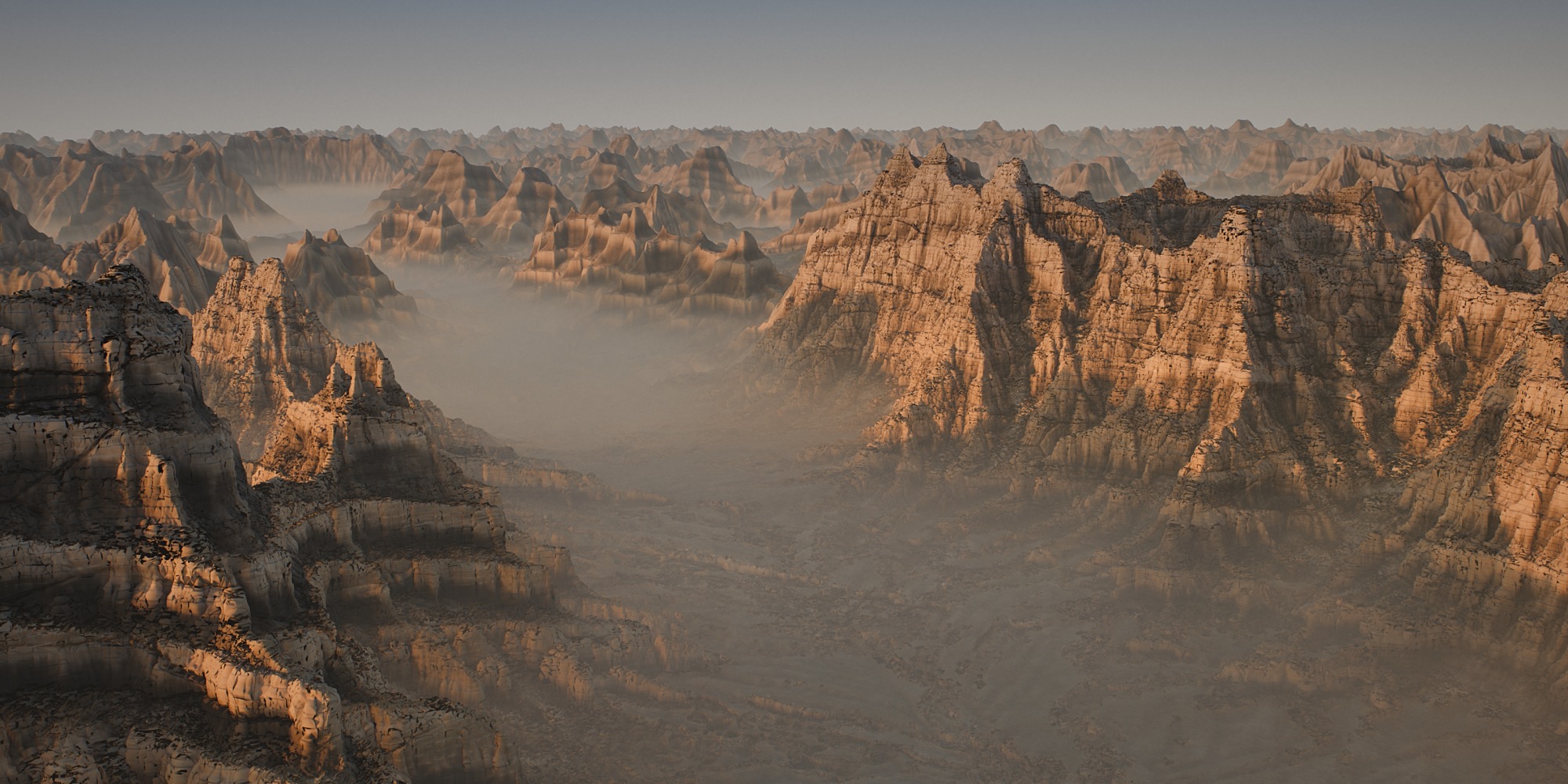
Photoreal landscapes, shaped by real erosion and built node by node, without leaving Blender.
The whole studio in under two minutes.
 Video · 1:50
From an empty scene to a finished landscape.
Start
Pick one of 135 presets or a starter template, or drop in a single Landscape node. A finished terrain appears in seconds.
Shape
Change any node or add your own: mountains, valleys, erosion, rock, water, snow and vegetation, each with a live preview.
Finish
Sun, sky and haze in one click, forests and rocks from the terrain's own masks, then render in Cycles or export every map.
Build any terrain, node by node.
Lithos Terrain brings its own node editor. Start from a mountain, carve the valleys, let rain erode them, add snow and colour, and watch the terrain update as you connect each node. Every node shows a live preview, and only the nodes you change are computed again.
Live previews
A thumbnail on every node and a fast preview mesh. Preview any node on the terrain itself, as height, mask or colour.
Preview & Final
Iterate on a preview that builds in a second or two, then build the Final terrain up to 4096 with surface maps up to 8192.
Built for big graphs
Node groups, portals, a result cache and background builds that never block the interface.
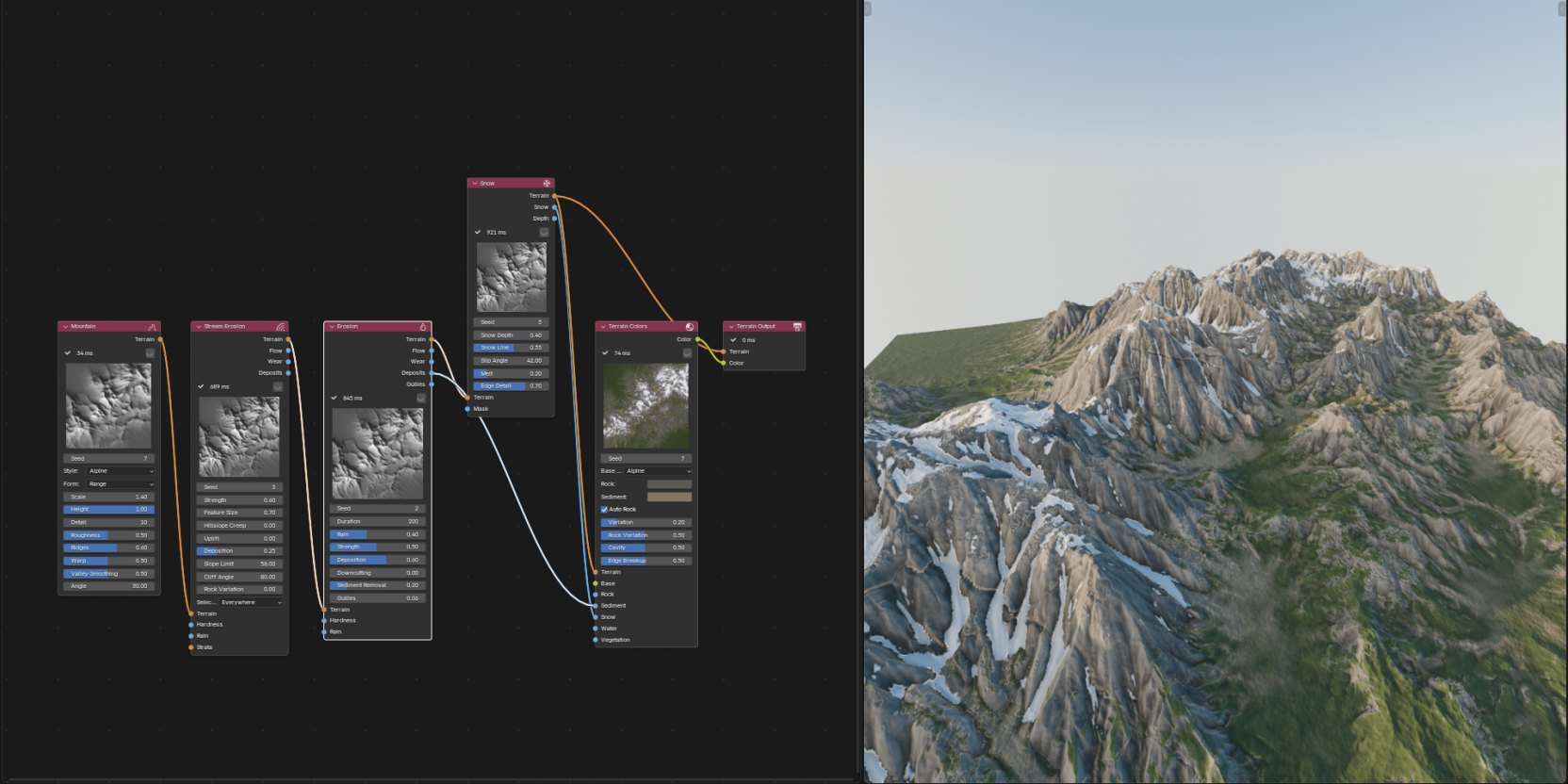 Inside the app · this graph builds Final 2048 in 3.5 s on an RTX 4060
Erosion that looks like a real place.
Water carves branching valley networks, sediment settles into the hollows, and thermal and glacial erosion shape cliffs, scree and U-shaped valleys. Drag the slider: the same six-node terrain, before and after the simulation.
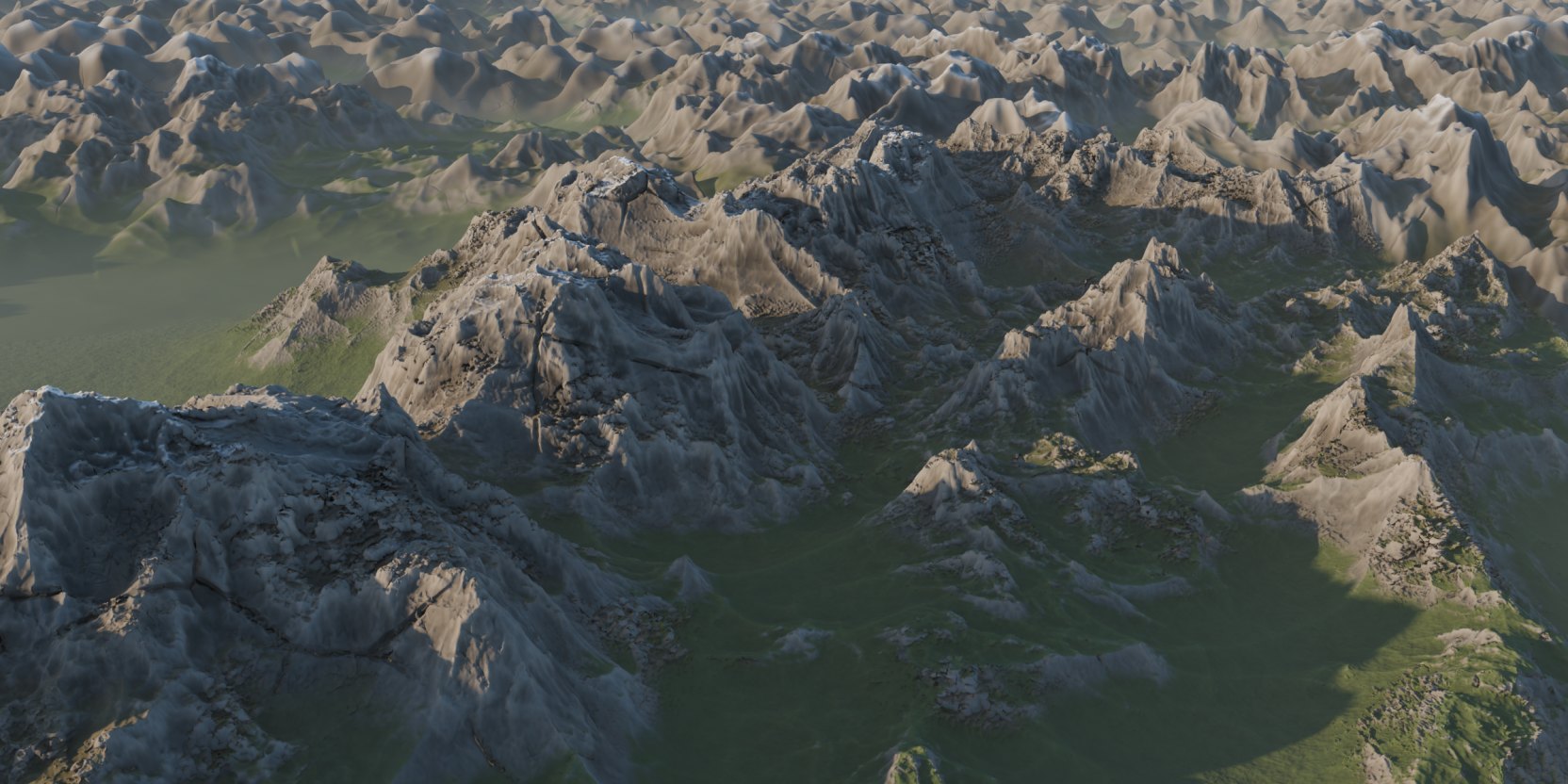
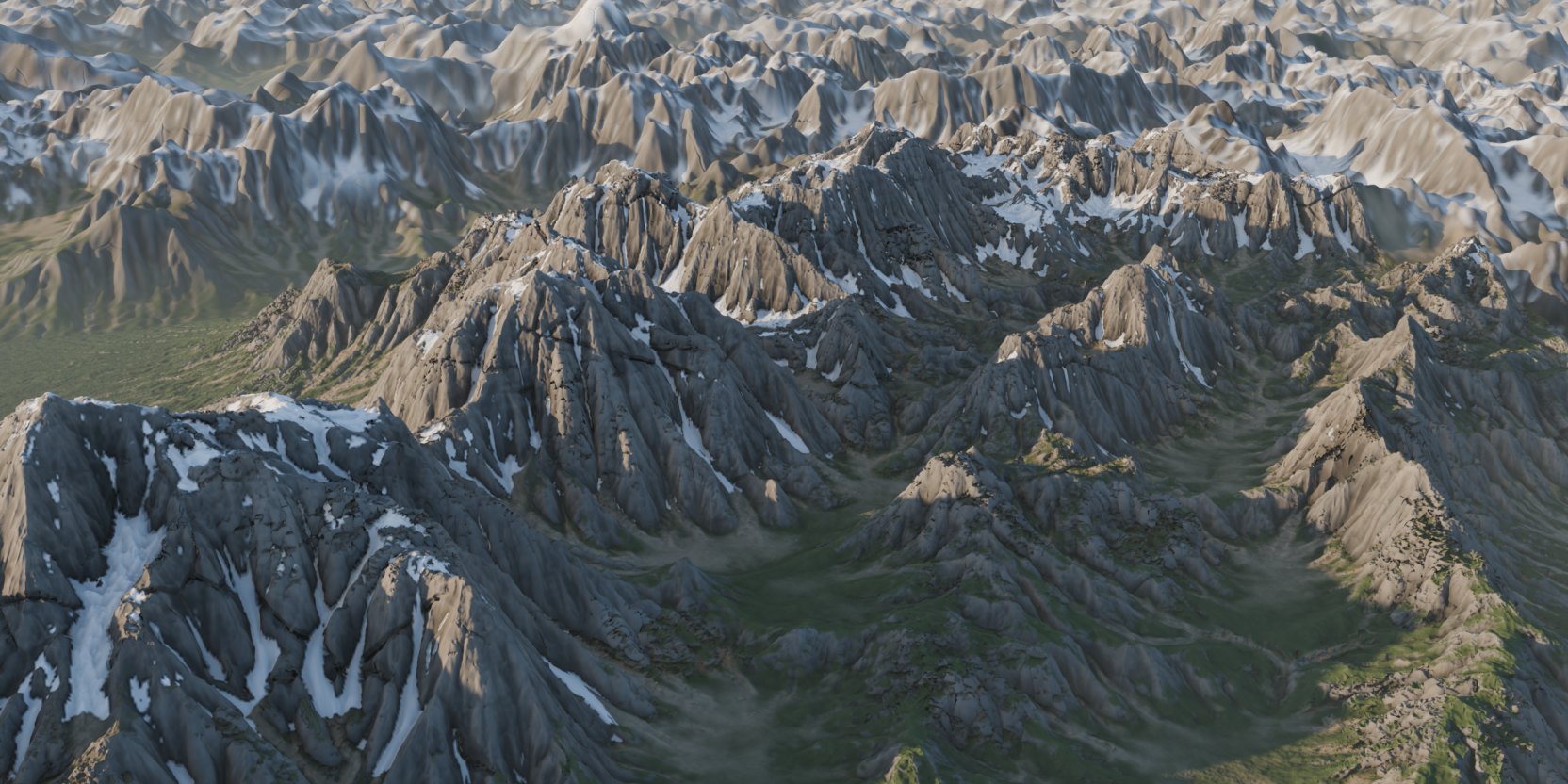
Landscapes that feel like places.
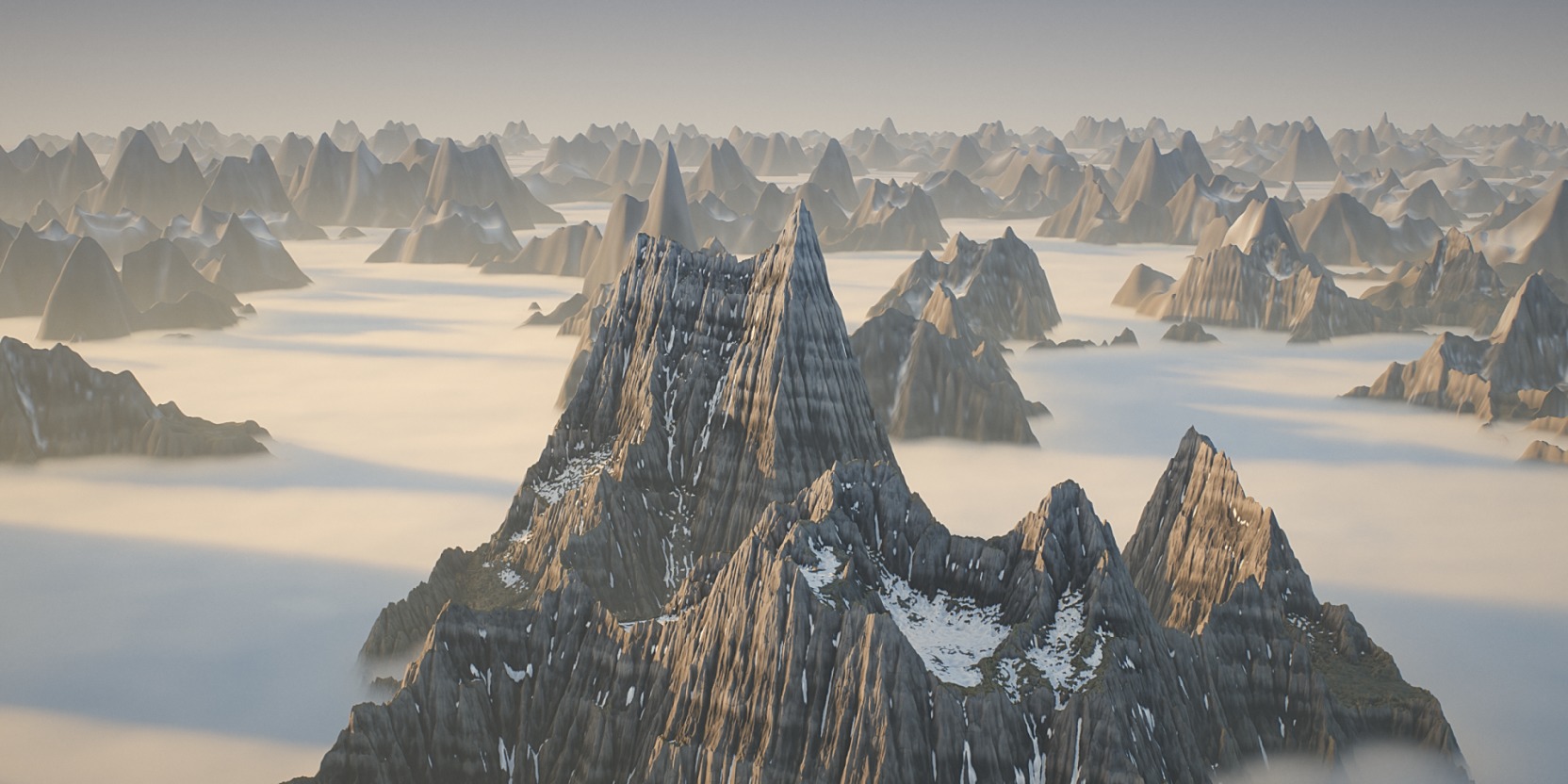
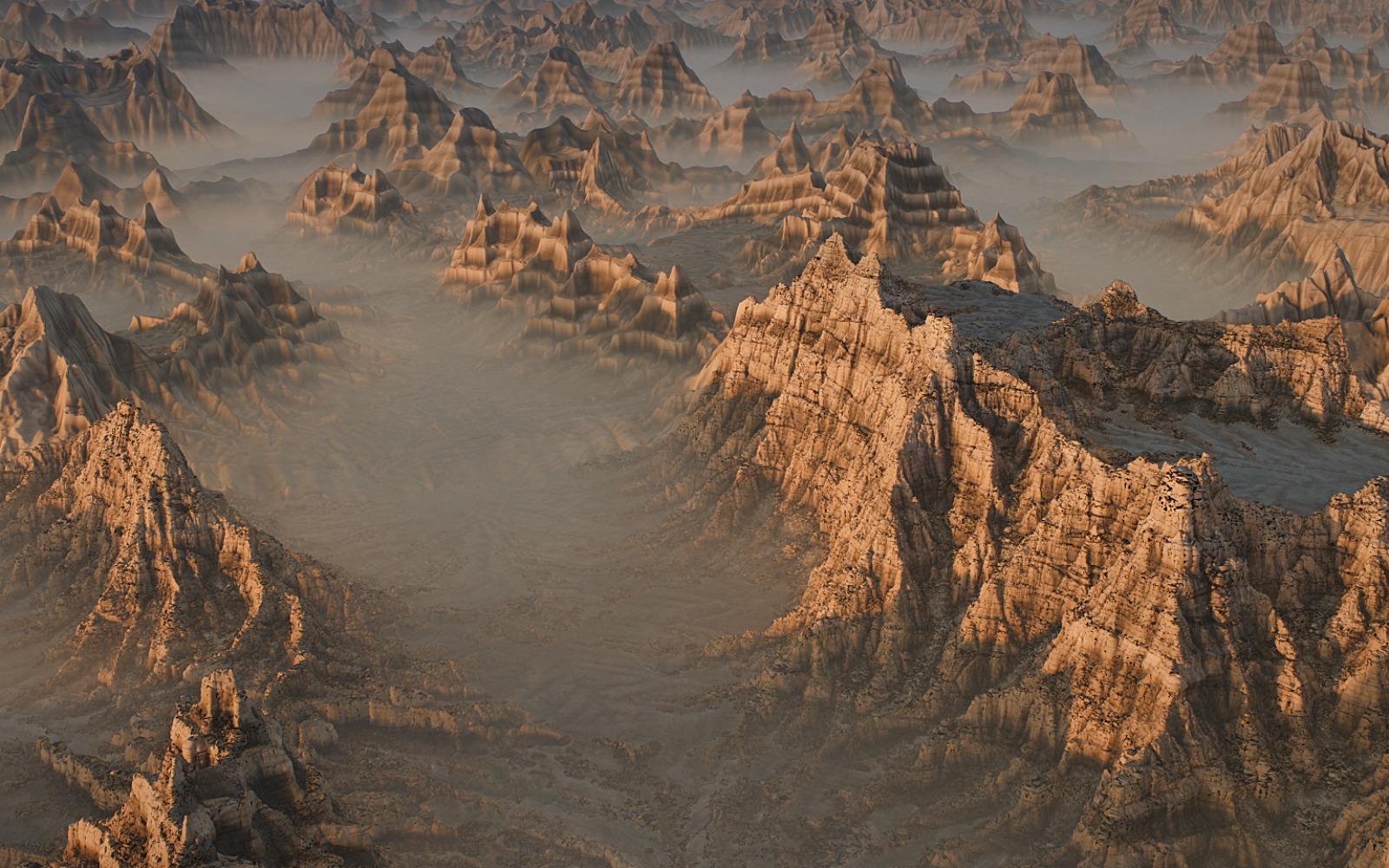
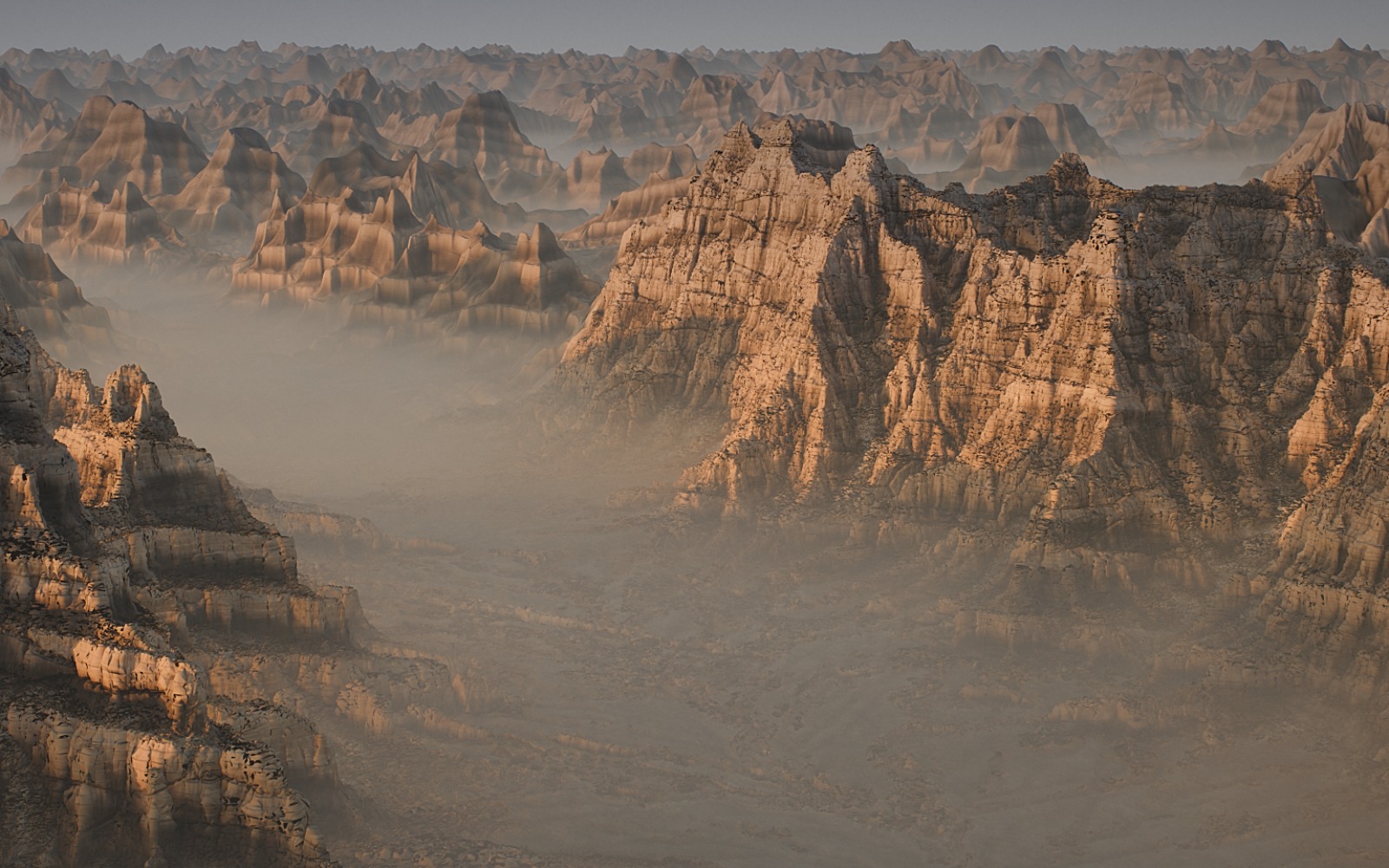
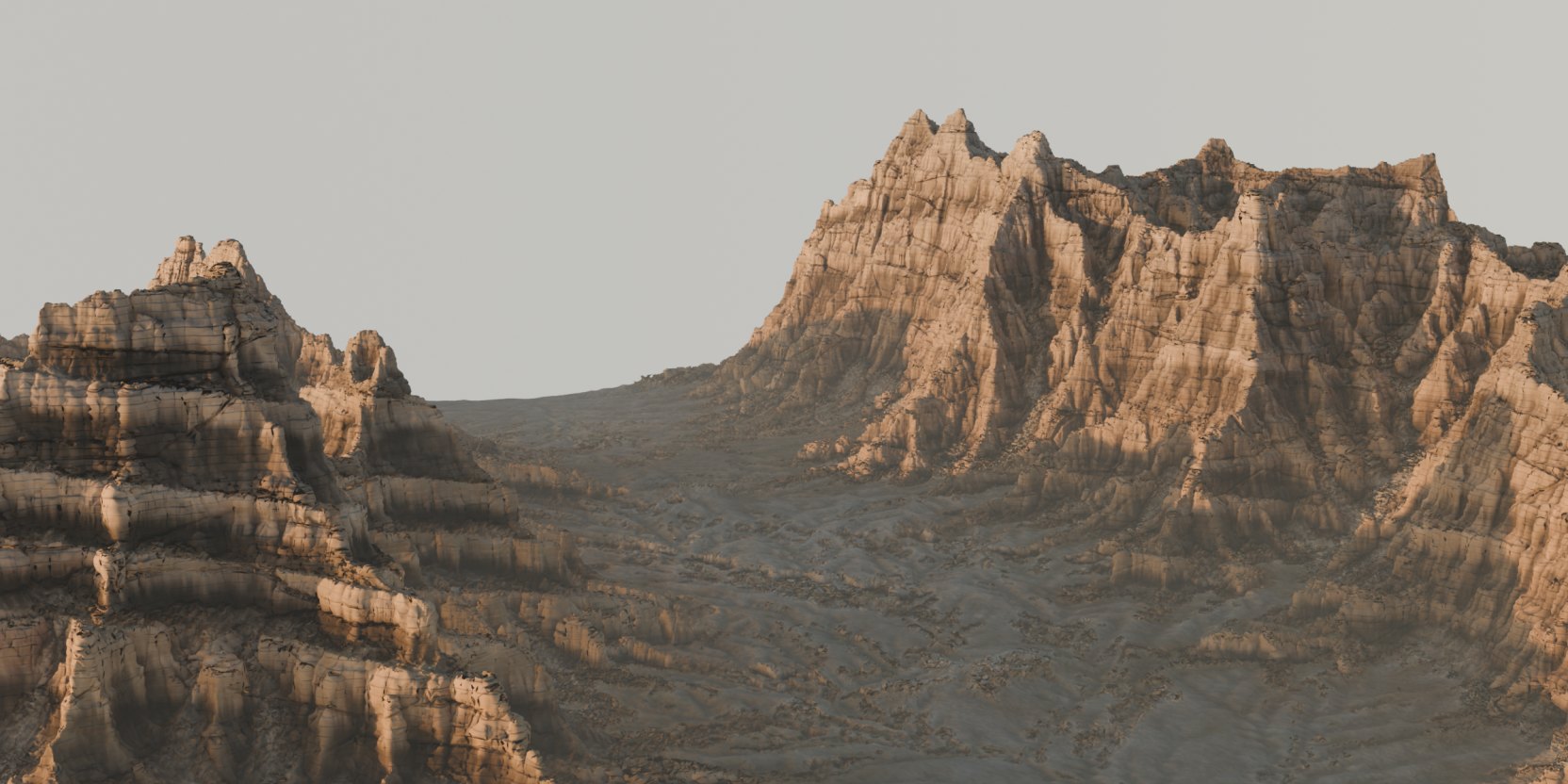
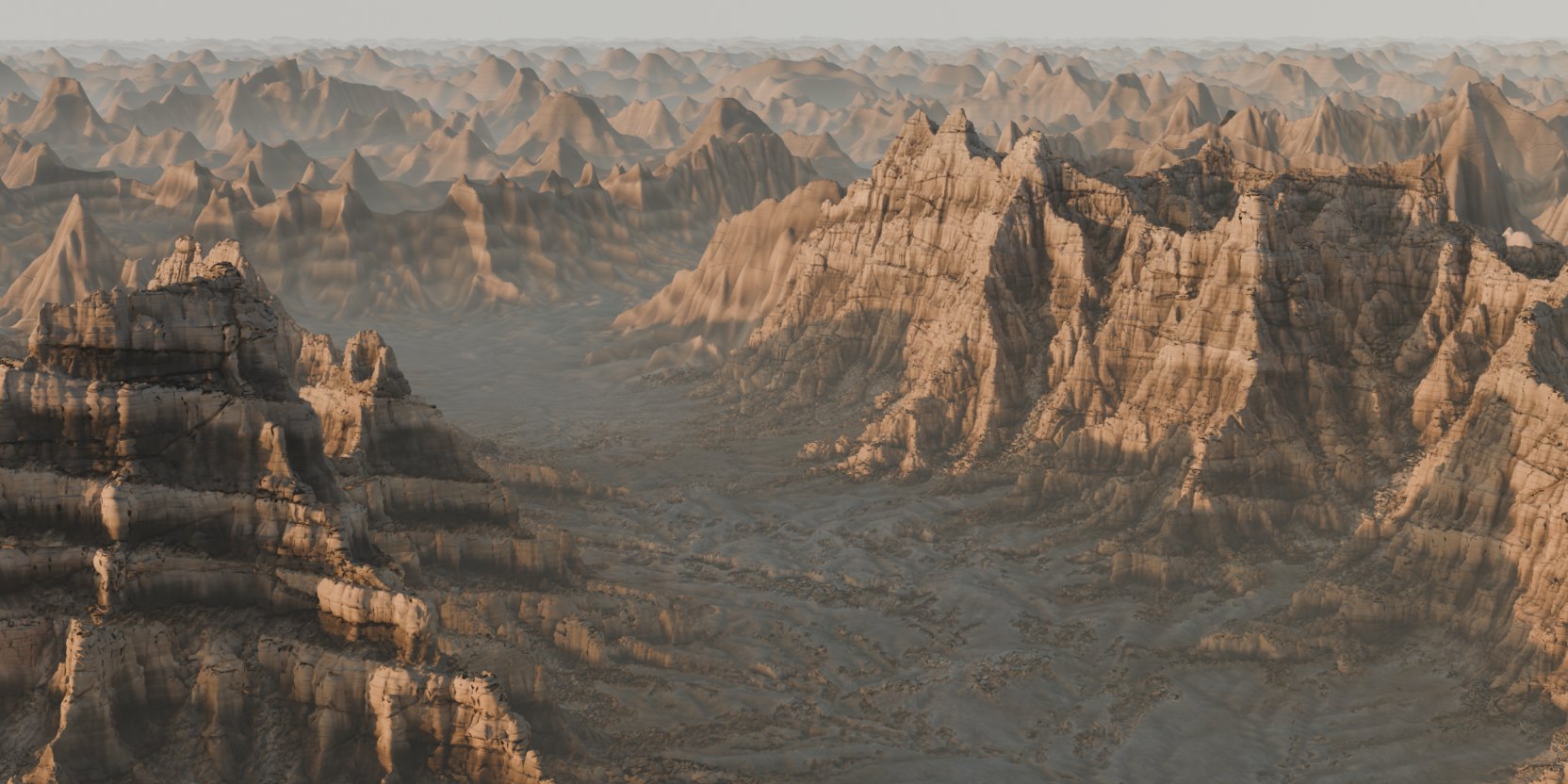
Rendered in Cycles. The terrain, its colours and rock come straight from the add-on, and so does the land around it out to the horizon (Surroundings); the dust and cloud layers and the colour grade were added for these shots.
The land goes on to the horizon.
A terrain is a square, and a camera that looks across it sees the ground stop. Surroundings carries it on: Build Final adds rings around the terrain, quilted from its own landforms at the same size and turned in every direction, each ring three times wider than the one inside it, up to forty terrain widths past every edge. They meet the terrain exactly and carry its colours, rock and haze. Drag the slider.
One node. A whole landscape.
Pick a landform and a climate, set the age, the snow line, water and vegetation, and the Landscape node builds a complete natural terrain: shaped, eroded, coloured, with rock, snow, water, vegetation, flow and sediment masks ready to use. Landscape → Terrain Output is a finished graph.
6 landforms
Mountain range, alpine massif, highland valley, rolling hills, canyon and volcano.
4 climates
Alpine, temperate, arid and cold, each with its own colours, vegetation and snow.
Quick Landscape
A one-click template: a finished terrain the moment you create the project.
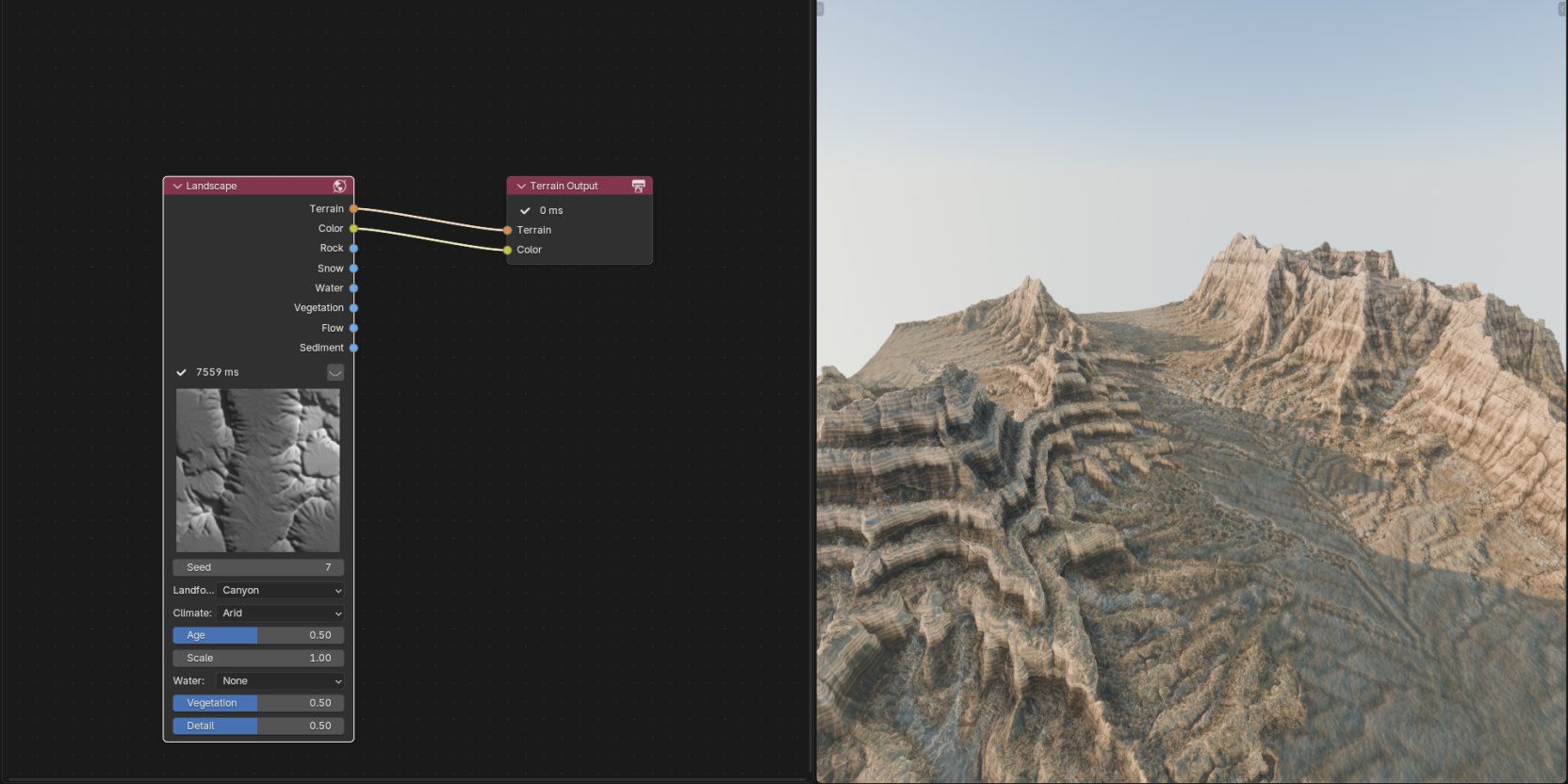 Landscape → Terrain Output · that is the whole graph
Rock that weathers like rock.
Rock Weathering breaks cliffs into beds, joints and blocks. Rock Layers adds hard and soft strata with dip and folds: linked into Stream and Thermal Erosion, hard beds stand as cliffs while soft beds fail into talus, for stepped canyon walls and scree aprons.
135 ready-made terrains. All of them editable.
Canyons, glaciers, volcanoes, mesas, dunes, crater lakes, forests and highland valleys in 18 families. Each preset opens as a full node graph you can take apart and make your own.
Erode any mesh.
Object Height turns a model into terrain, Heightmap Image reads any height map, and Paint Mask lets you paint where things happen, right in the viewport. Then erode it like any other terrain.
Every map, ready for any engine.
Height, colour, normal, roughness, occlusion and every mask: 16-bit PNG, float OpenEXR or RAW, up to 8193 samples, tiled up to 8 × 8, with sizes for game-engine terrains. A JSON sidecar records the world size and height.
Games, film, archviz and stills.
Game worlds
Height, colour and mask maps at the sizes Unreal Engine and Unity terrains expect, as single files or seamless tiles.
Shots & backdrops
Hero mountains and endless backdrops with adaptive displacement, scattered forests and aerial haze, rendered in Cycles.
Context terrain
Rolling hills, a valley or a mountain backdrop around your building in minutes, at real-world scale.
How land forms
135 editable graphs: take any preset apart node by node and see how each landform comes about.
Real simulation, right where you work.
Everything inside Blender
No external app and no round trips: the terrain stays a live node graph in your .blend file.
Simulated, not just noise
Stream, hydraulic, thermal and glacial erosion, rock weathering and water shape the land the way nature does.
Fast where it counts
GPU compute for the simulations, every CPU core for the rest, and a cache that rebuilds only what changed.
Nothing to download
Presets, trees, rocks and ground textures ship inside the add-on. No account, no internet connection needed.
Yours to take apart
Every preset is an ordinary node graph you can edit, and the add-on's source code comes with it (GPL).
Easy to learn
An interactive tutorial in the node editor and full documentation for all 79 nodes.
79 nodes in nine categories.
Landscape, Mountain, Ridged Noise, Hills, Uplift, Canyon, Dunes, Crater, Volcano, Island, Example Synth
Erosion, Stream Erosion, Thermal Erosion, Glacier, Glacial Erosion, Alluvial Fans, Shallow Water, Rock Weathering, Rivers, Water, Fill Sinks, Snow, Sediments, Debris, Vegetation
Combine, Levels, Remap, Curve, Band Equalizer, Shaper, Filter, Morphology, Warp, Transform, Distance, Mixer
Noise, Cellular, Gabor Noise, Pattern, Shape, Gradient, Constant, Heightmap Image, Object Height, Paint Mask
Rock Layers, Selector, Flow Map, Normal Map, Shading, Material Mask, Color Select, Soil Map, Surface Texture
Terrain Colors, Gradient Map, Photo Ramp, Color Flow, Color Weathering, Mix Color, Color Adjust, Separate Color, Combine Color
Terrace, Stratify, Surface Detail, Rocks, Scatter Stamps, Gully Detail
Math, Switch, Make Tileable, Portal Send, Portal Receive
Terrain Output, Mask Output
Everything to finish the shot.
Biomes & scatter
Five biomes of trees, shrubs, grass and rocks placed by the terrain's own masks. Scatter your own models or collections too.
Sky & haze
One click sets up the sun, sky and aerial haze, scaled to the size of your terrain.
Render-ready mesh
Adaptive displacement for close-ups in Cycles, a lighter viewport mesh and surface maps up to 8192.
Rivers & lakes
Shallow Water fills lakes and runs rivers from the rain, with water masks ready for your own shaders.
Save & share graphs
Save any graph to a file and load it into another project.
Seamless tiles
Make Tileable and tiled export for large worlds and game levels.
The details.
Questions.
Do I need to know node editors?
No. Start from a preset or the one-node Quick Landscape template, and the guided tutorial teaches the editor step by step.
Does it need a powerful GPU?
No. Everything runs on the CPU; with a GPU the simulations run many times faster.
Can I use the terrains in a game engine?
Yes. Export height and every map at the sizes Unreal Engine and Unity terrains expect, as single files or tiles.
Can I use my own models and height maps?
Yes. Object Height and Heightmap Image bring them into the graph, and Paint Mask lets you paint by hand.
Does the terrain end at its edges?
Not if you want it to go on: Surroundings carries it to the horizon with rings made from its own landforms, so wide shots show land, not empty sky.
Does it work in EEVEE?
Yes. The terrain material, sky and haze work in EEVEE and Cycles; adaptive displacement for close-ups is Cycles only.
Does it download anything?
No. Presets, trees, rocks and ground textures are inside the add-on, and it never connects to the internet.
Can I use my renders and maps commercially?
Yes. The terrains, renders and maps you make with it are yours to use in any project.
How do I get updates?
New versions are delivered through your Superhive account; install them over the old one by drag and drop.