Ocean Physics Pro

Take the helm of any boat on a live ocean in Blender, then render the drive.

Runs in
Blender 5.2+
Renders in
EEVEE and Cycles
Fleet
9 vessels, or your own
Sea
FFT in 3 cascades
Waters
Open sea, coast, under water

Steer with the keyboard across a sea that runs in your viewport. The hull cuts through the waves and leaves a wake, foam and spray. When you stop, the drive is a take you can bake and render like any other animation.

At the helm

The keyboard is the only rig you need.

W and S are the throttle, A and D steer, Q and E shift the rider's weight, and C swaps the chase camera for a free one. The readout shows speed, throttle and how much of the hull is wet.

The Blender window with the full look, captured one frame per simulation step, so it plays smoother than a live drive. The live rates are under Measured, below.

Drive

The vessel cuts through waves, jumps off crests, slams back down and leaves prop wash behind it.

Record

Your controls become keyframes on the rig. Edit them in the Graph Editor, or key them by hand and never touch the keyboard.

Render

The wake, foam and spray bake to EXR files and play back with no Python running. A bake matches the drive bit for bit.

The same drive, rendered in Cycles
Wake and spray in a turn

The fleet

From a 5.5 m RIB to a 230 m tanker.

Click a preview, then Add Library Vessel. It creates the ocean, the sky and the chase camera if the scene has none. Each vessel has its own mass, draught and engine, so a tanker takes its time and a speedboat planes.
Inflatable Boat (RIB), 5.5 m
Speedboat, 7.5 m
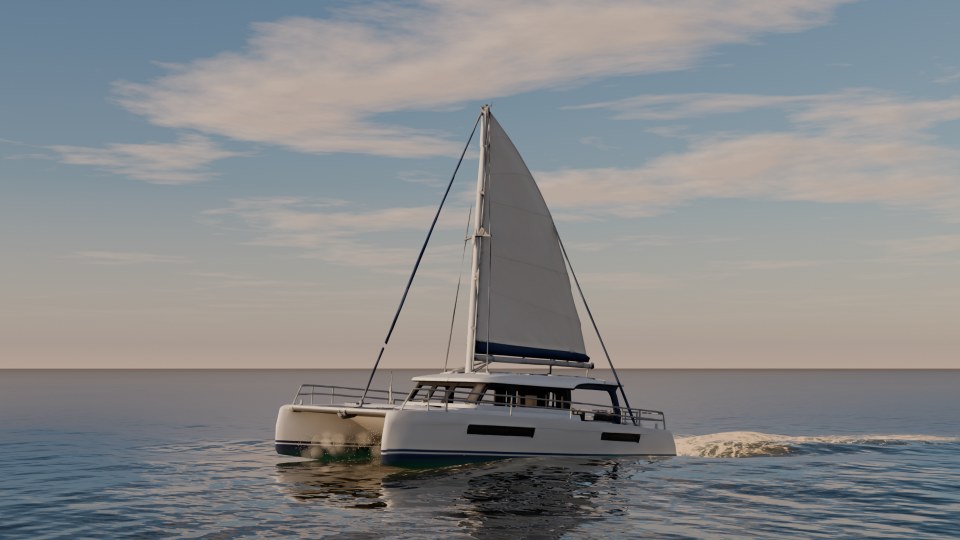
The sailing catamaran at sunset
Sailing Catamaran, 13 m
Fishing Boat, 12 m
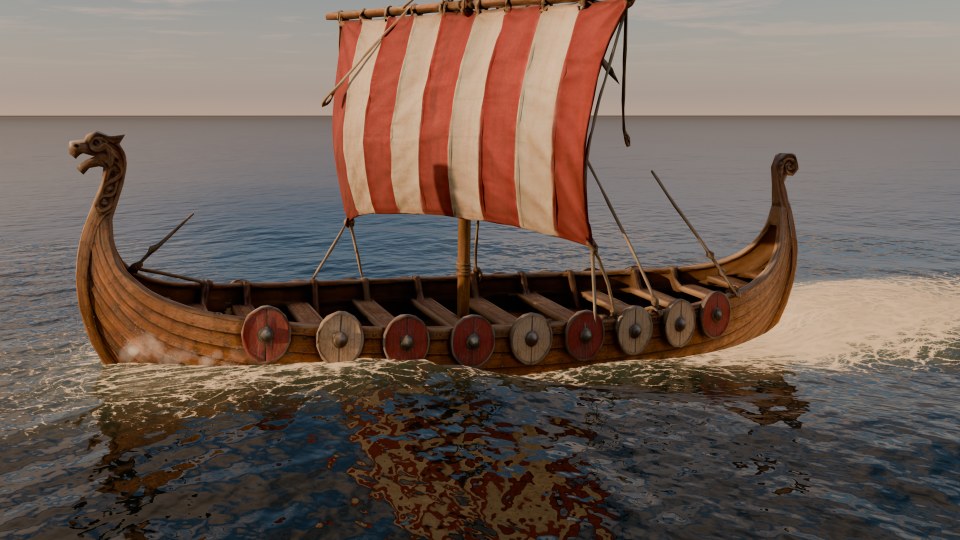
The Viking longship under sail
Viking Longship, 23 m
Yacht Ship, 50 m
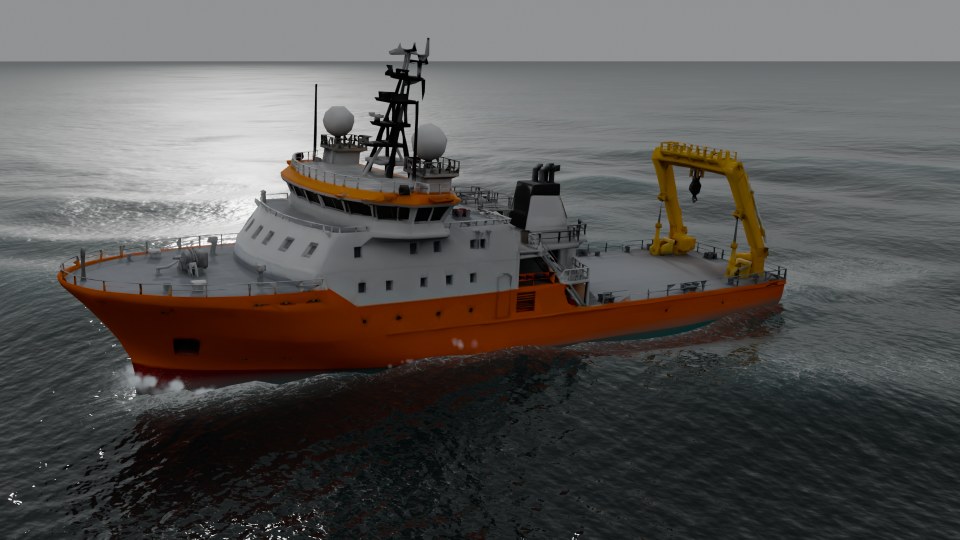
The research vessel under way
Research Vessel, 60 m
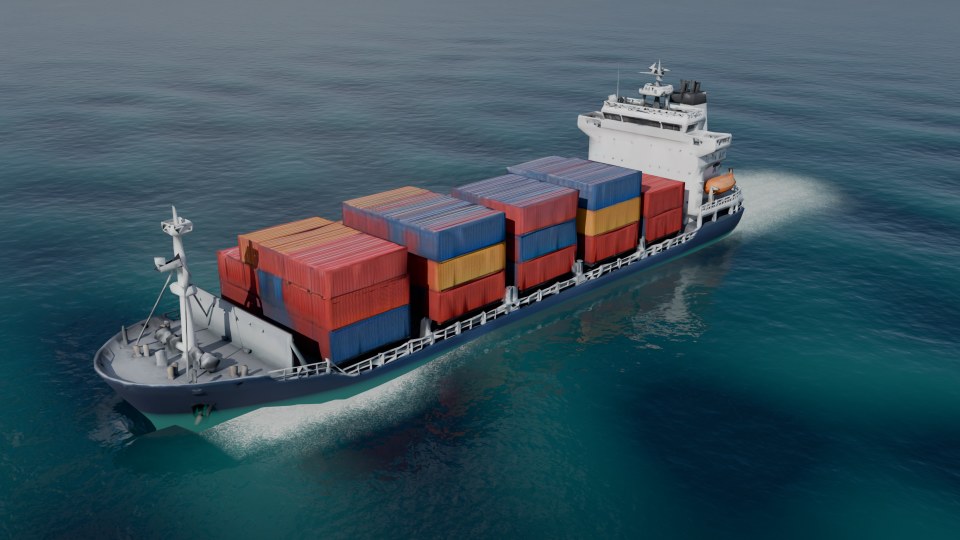
The container ship from the air
Container Ship, 180 m
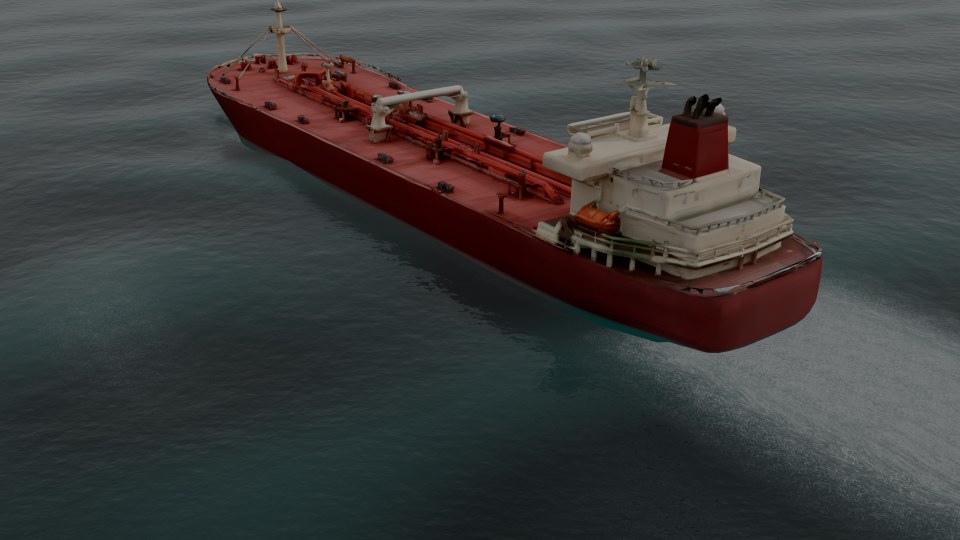
The oil tanker from the air
Oil Tanker, 230 m
VesselLengthDisplacementDraughtTop speedFull-rudder turn
Inflatable Boat (RIB)5.5 m0.6 t0.24 m36.5 kn2.6 L
Speedboat7.5 m2.6 t0.42 m51.5 kn2.2 L
Fishing Boat12 m55.9 t1.77 m11.7 kn2.4 L
Sailing Catamaran13 m10.3 t0.44 m6.5 kn*2.3 L
Viking Longship23 m170 t2.49 m11.6 kn*1.5 L
Yacht Ship50 m1,022 t3.00 m9.4 kn2.0 L
Research Vessel60 m3,084 t5.18 m10.0 kn2.4 L
Container Ship180 m90,995 t16.25 m17.2 kn1.6 L
Oil Tanker230 m173,307 t19.58 m19.1 kn1.7 L

Measured in calm water in the add-on. L is the vessel's own length. *In calm air; the sails add drive with wind. Engines are tuned for driving, not real installed powers. The models were generated with an AI tool and set up for the simulation.

Or bring your own.

Select any boat, an FBX, glTF or OBJ import or a kit-bash, at any scale and heading, and press Setup Selected.

  • It finds the hull and the bow, and asks you when a double-ended hull leaves it unsure.
  • It picks the type from length and bottom rake: RIB, speedboat, work boat or large ship.
  • It sets a realistic mass, engine and waterline for the size.
  • The physics body comes from the hull alone, so masts and cabins do not float.
  • Your mesh is never edited, and never read during the simulation.
  • Float Selected Ship moors a model on the water, so you can fill a harbour or ram something.

The sea

The sea you see is the sea the hull feels.

Tropical Lagoon, Caribbean Blue, Mediterranean, Open Ocean, North Atlantic, Storm, Arctic, Golden Calm, Mountain Lake, Harbour.

Ten water types, one click each. A type sets the waves, the colour and clarity, the foam, the sky and the light, and every value stays editable.

Thousands of waves in three FFT cascades, a JONSWAP wind sea plus swell. The hull, the floating objects, the spray and the foam all read the same surface. Whitecaps form where waves really compress it: none on a slight sea, more in a storm. A sum of Gerstner waves is there too, when memory matters more.

Changing the water type in the sidebar
Storm, rendered in Cycles

Wake, foam and spray

White water where it forms.

A wave solver on a grid round the vessel forms dispersive Kelvin wakes that blend into the open sea. Foam starts at the bow wave, the spray root and the churned water behind the stern, then streaks along the course and breaks up into lace.

  • Spray: fine ballistic drops and soft mist, 16,000 particles on Medium.
  • Post Sim for the final render: the vessel stays on its path, the wake and foam run 2 or 4 times finer, and particle whitewater is added.
  • In the panel: Foam Life, Prop Wash, Breaking Crests, Drop Size and more.

The coast

A beach, with waves that break.

Breakers from the sand
The surf from the air

Create Coast Scene builds a bay you can drive: sand, a sand bar, a rocky point and dunes, all from one height map, so what you see and what the hull touches agree. A boat driven onto the beach slides up the sand and stops.

  • Breakers with a glassy face, a thrown lip and a white bore. Sets and peaks make them peel.
  • Swash runs up the beach and drains back, foam rides the water, and wet sand dries.
  • Caustics on the sand under the water, and refraction round the headland.

The shore waves are the heaviest part of the add-on. Drive, bake and render them; the numbers are below.

Under water

Take the camera below the surface.

Below sea level the water hides things with distance. You see the surface from below with Snell's window and the sun in it, light beams, the sand and fogged hulls. Hulls and objects turn blue-green with depth from above the water too. In EEVEE and Cycles.

The switch is at sea level, not at the wave above the camera, so right at the surface it can be wrong.

Floating objects

Anything can float, and get hit.

Make Floating gives any mesh a physics body with buoyancy. Crates, barrels, buoys and logs bob on the waves, ride the wake and collide with the vessel, each other, piers and the coast.

  • Buoyancy comes from each object's own shape and density. A buoy with a low centre of mass stands upright.
  • Collisions work both ways. The boat pushes objects aside, and slows when it hits a heavy log.
  • Make Collider turns a mesh into a fixed obstacle, such as a pier or a rock.
  • The take records it all, so a bake plays the same collisions you drove.
The same take from the air, rendered in Cycles

Shapes are convex hulls; a concave object made of pieces can use Convex Parts.

Autopilot

Draw the course as a curve, set the speed and press Drive Along Path. The vessel steers itself, slows in sharp turns and records a normal take.

Cameras

Add Cinematic Cameras makes Drone, Side, Onboard and Orbit cameras that follow the vessel. Cut Between Them adds timeline markers, so Ctrl+F12 renders a cut sequence straight away.

The film

One minute, from the sidebar to the render.

Measured

Live rates, on one machine.

27–28
redraws per second, open sea
Fast View on. Simulation 0.98 to 1.0 of real time.
12
redraws per second, open sea
Fast View off, the full look.
16
redraws per second, coast
Shore waves off. Simulation 0.97 of real time.
7
redraws per second, coast
Shore waves on. Simulation 0.45 of real time.

Version 1.13.2 on an RTX 4060 8 GB, Ryzen 9 7950X and 32 GB RAM, in a 3440 x 1400 Blender window with the sidebar open, Material Preview, the speedboat, moderate sea. Yours will differ. Fast View leaves out EEVEE's shadows, ray tracing and see-through water during the drive only, so a live drive looks simpler than the render.

What it is not

  • A fluid simulation. The wake is a wave solver on a grid and the foam is fields on the surface. The hull makes no overturning water or 3D splash volume.
  • A fleet simulator. One vessel is simulated at a time, plus any number of floating objects and colliders.
  • Self-contained in the .blend. The FFT sea needs the add-on enabled after you reopen a file, and costs about 190 MB of memory.
  • Tested everywhere. It was tested on Blender 5.2 on Windows with an NVIDIA GPU, not on macOS or Linux.

How it was made

The code was written with an AI coding assistant, directed, tested and rendered by the developer. The nine library models were generated with an AI tool and then set up for the simulation: hull bodies, mass, engines and names.

The FFT sea, the shore waves, the surf foam, the caustics and the sand follow the method of Tidewater, an open-source browser game by D. Greenheck, under its MIT licence. The notice comes with the add-on.

The code is GPL-3.0-or-later. You may use the library models in your own renders, animations and games, and may not resell or redistribute them as models on their own.

Getting started

On the water in three steps.

  1. Edit > Preferences > Get Extensions > Install from Disk, and pick the zip.
  2. In the 3D Viewport press N and open the Ocean tab. Click Create Demo Ocean, then switch to Material Preview.
  3. Click Drive with the mouse over the viewport. Esc stops.

Read the full documentation

Questions

Do I need to know Geometry Nodes or physics?

No. Everything is in the Ocean tab of the sidebar, and a new boat gets its values automatically. They are all there if you want to tune them.

Does the render look like the live drive?

The render looks better. Live driving uses Fast View by default, and Post Sim adds finer foam and particle whitewater to a recorded take.

Can I render without Python running?

Yes. A baked take plays from EXR files and keyframes with no operator running, in the viewport and in F12 renders.

Does it need internet or an account?

No. Everything runs locally.