SciFi Kitbash

One modifier. Infinite buildings.

Add a single Geometry Nodes modifier to any object, change the Seed and a brand-new, highly detailed sci-fi structure appears, with window bays, kitbash modules, antennas, hanging pipes and glowing light strips.

One Geometry Nodes modifier 14 parameters 6 presets CC0 PBR materials No add-on, no UVs needed Blender 4.2 – 5.2
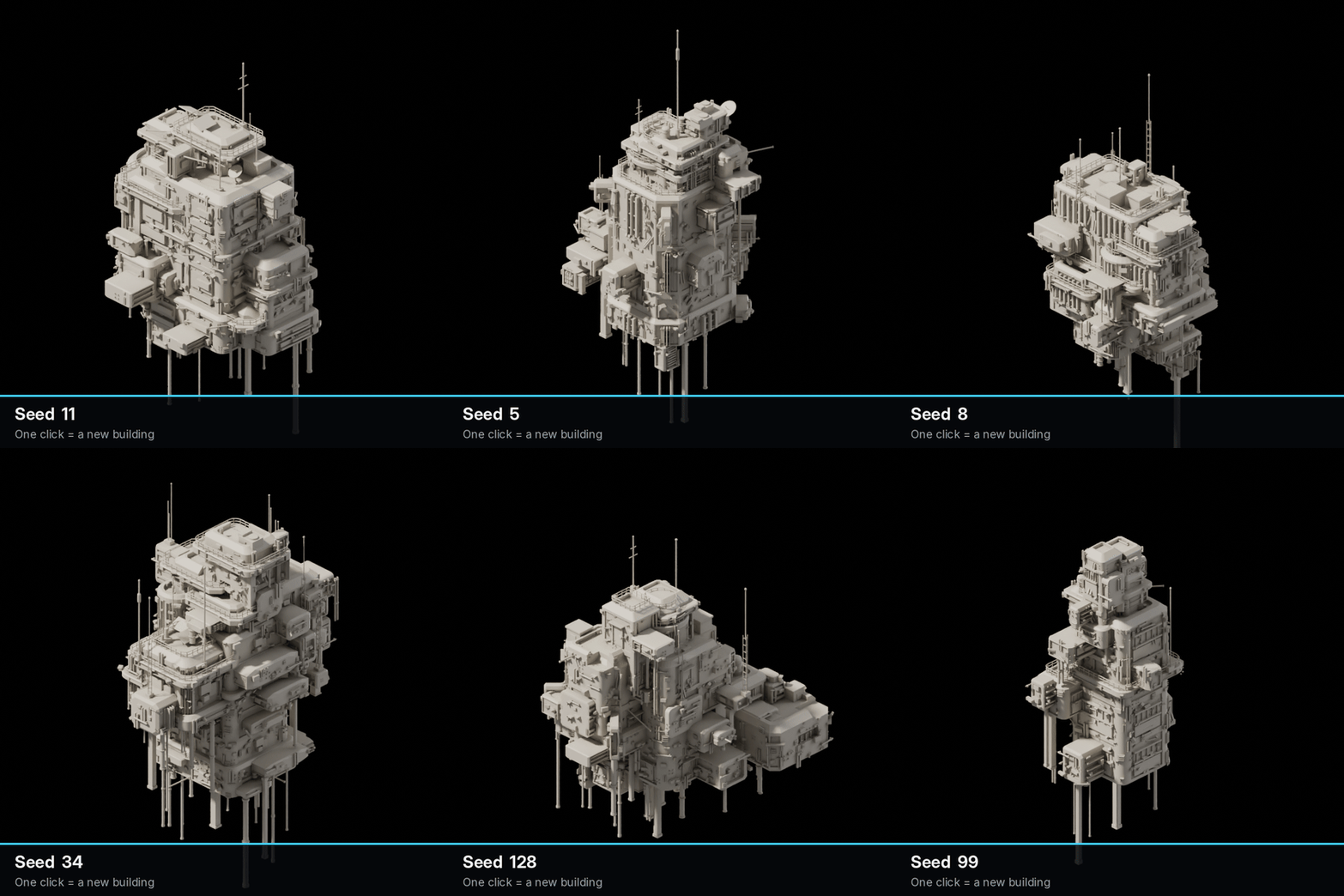
Change the Seed

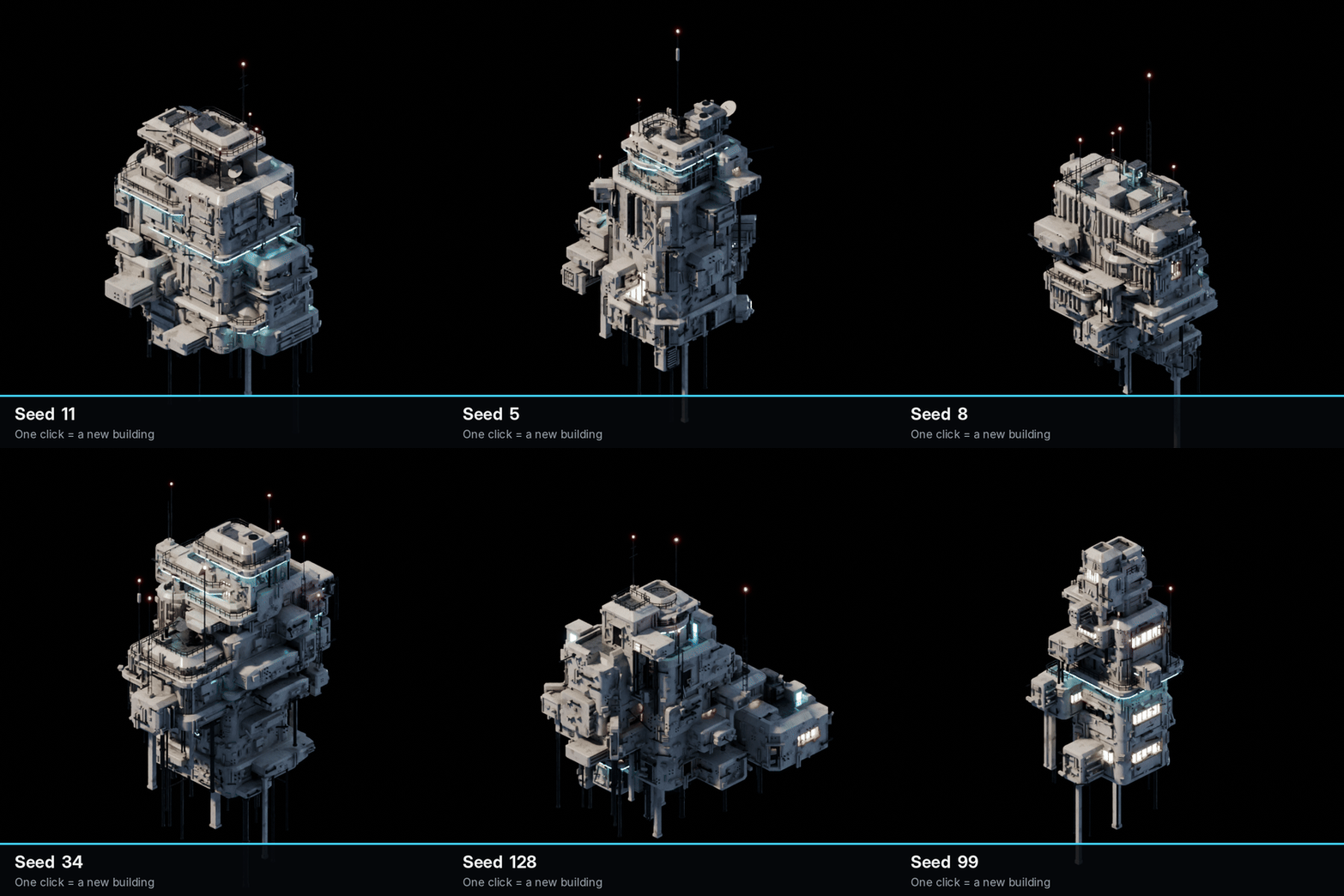
Every number is a new building.

The generator never repeats itself. Each Seed builds a different arrangement of blocks, cuts, modules and details, so a single object becomes a whole skyline.

  • Works on any object: the building grows from its origin
  • Move, rotate and scale it like any other object
  • Duplicate with Alt+D, change the Seed, and you have a city
Changing the Seed generates a new textured building each time
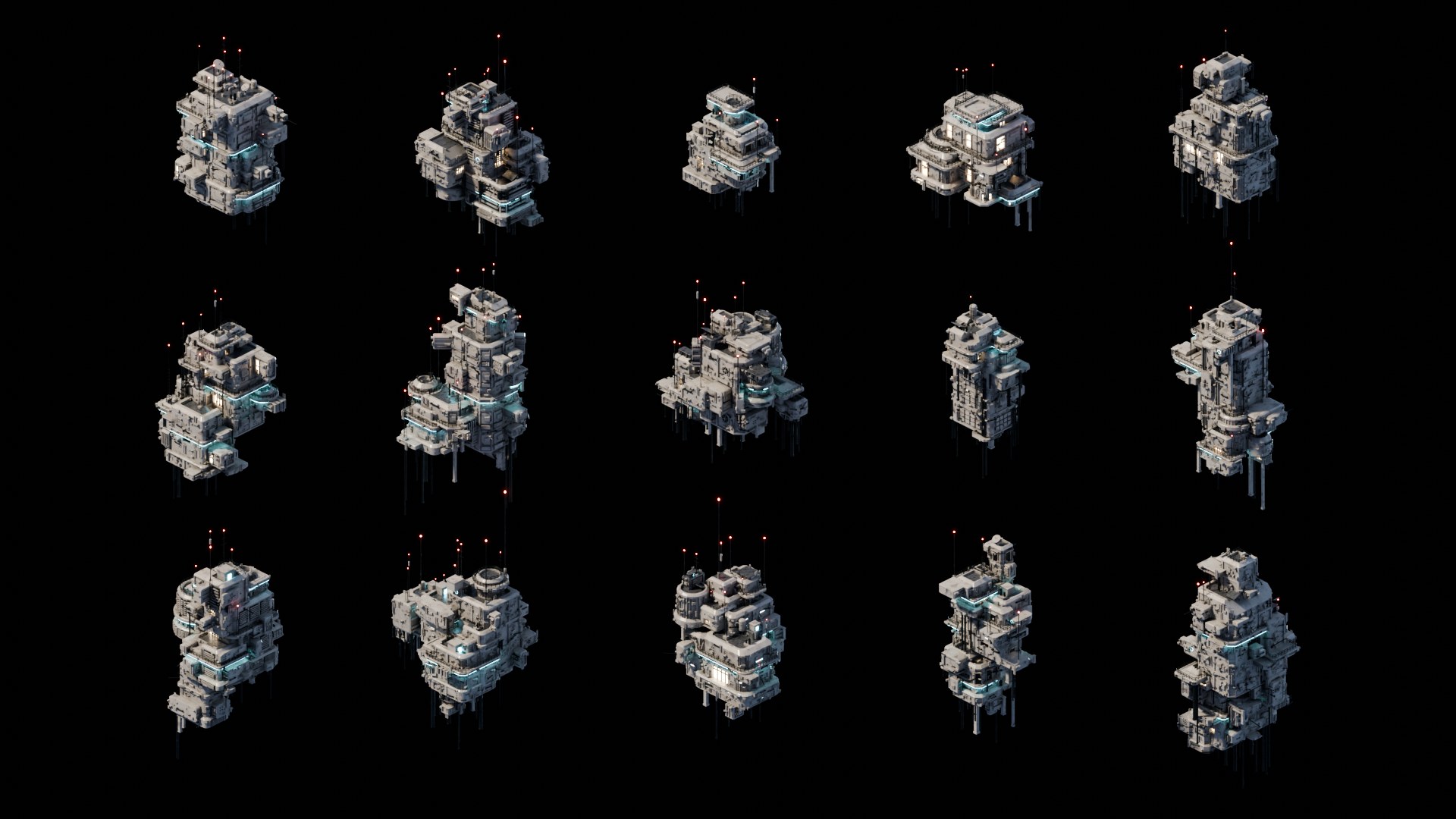
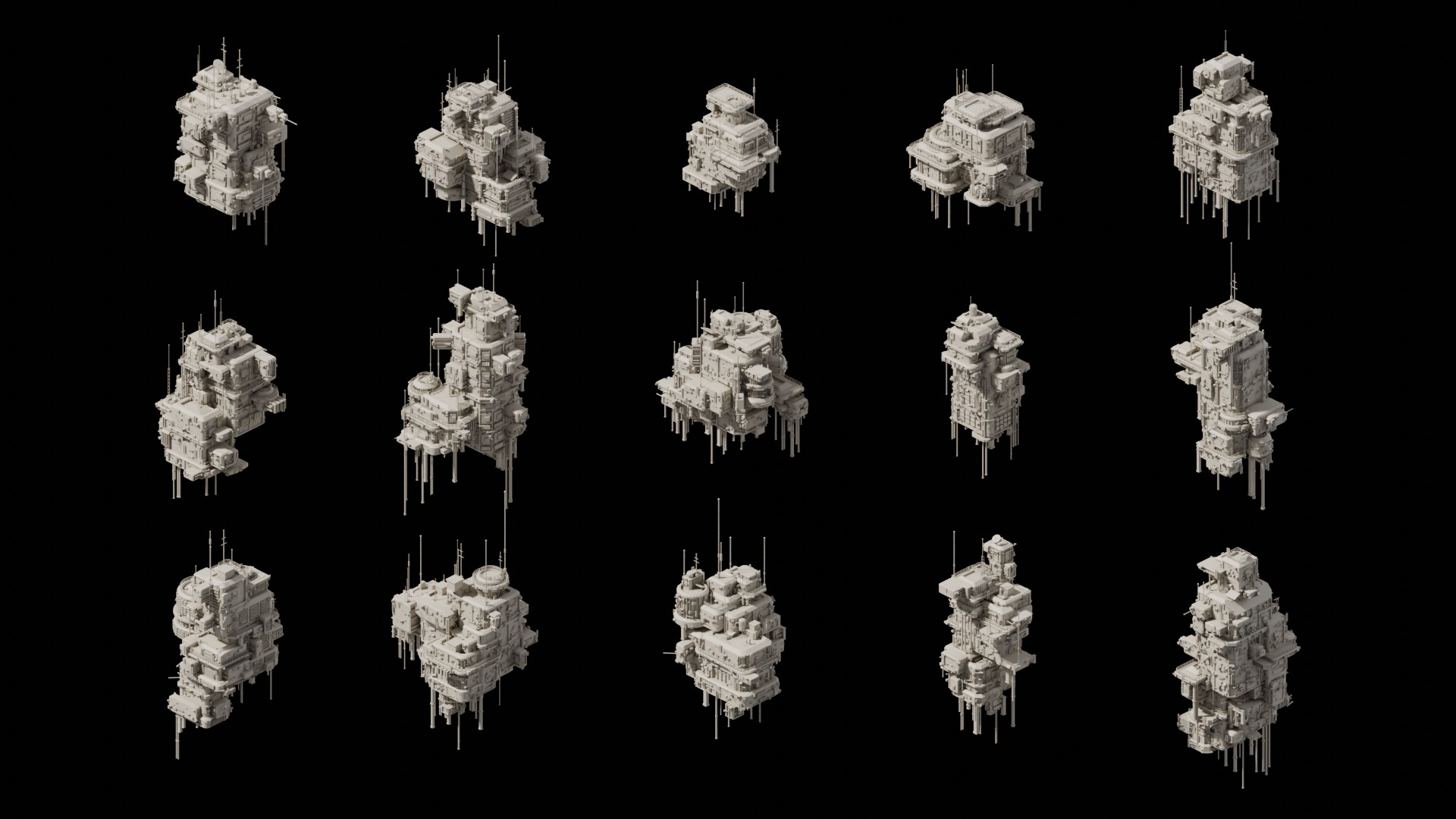
Fifteen textured buildings generated with different seeds

Fifteen seeds with the default materials: emissive windows, cyan light strips and red antenna lamps.

How it works

Three levels of kitbashing.

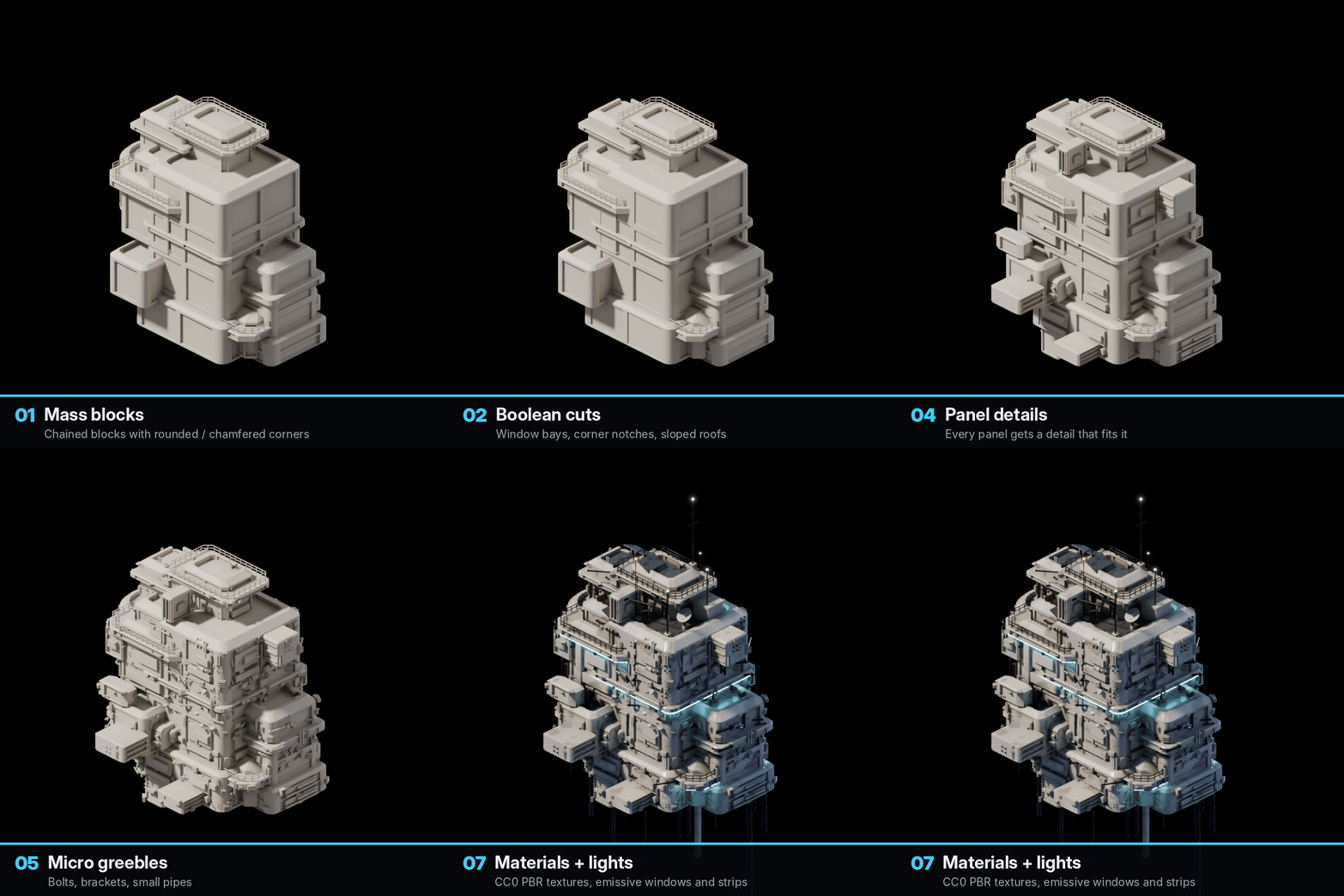
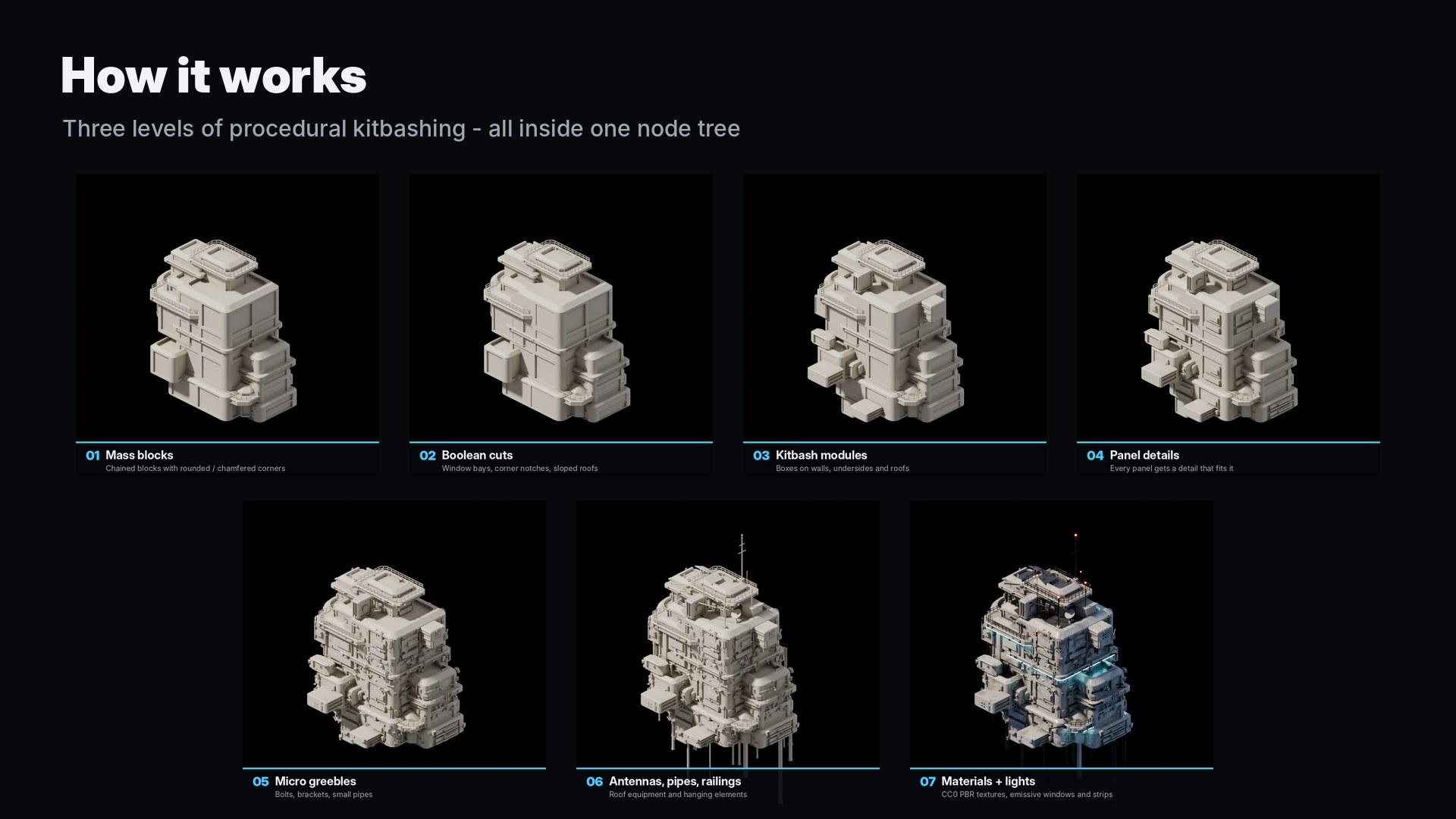
  1. Mass blocks grow from a main tower or from each other, with rounded or chamfered corners, plinths and ledges. Real boolean cuts carve window bays, corner notches and sloped roofs.
  2. Modules, chamfered boxes of many shapes, stick out of walls, hang from undersides and sit on roofs.
  3. Every wall is split into a panel grid. Each panel gets a detail scaled to fit it exactly, then micro greebles add bolts, brackets and small pipes.

Nothing floats and nothing is buried: hidden panels, blocked roofs and overlapping parts are removed with ray casts.

A building assembling step by step from mass blocks to lights
Seven stages: mass blocks, boolean cuts, kitbash modules, panel details, micro greebles, antennas and pipes, materials and lights
Artist-friendly controls

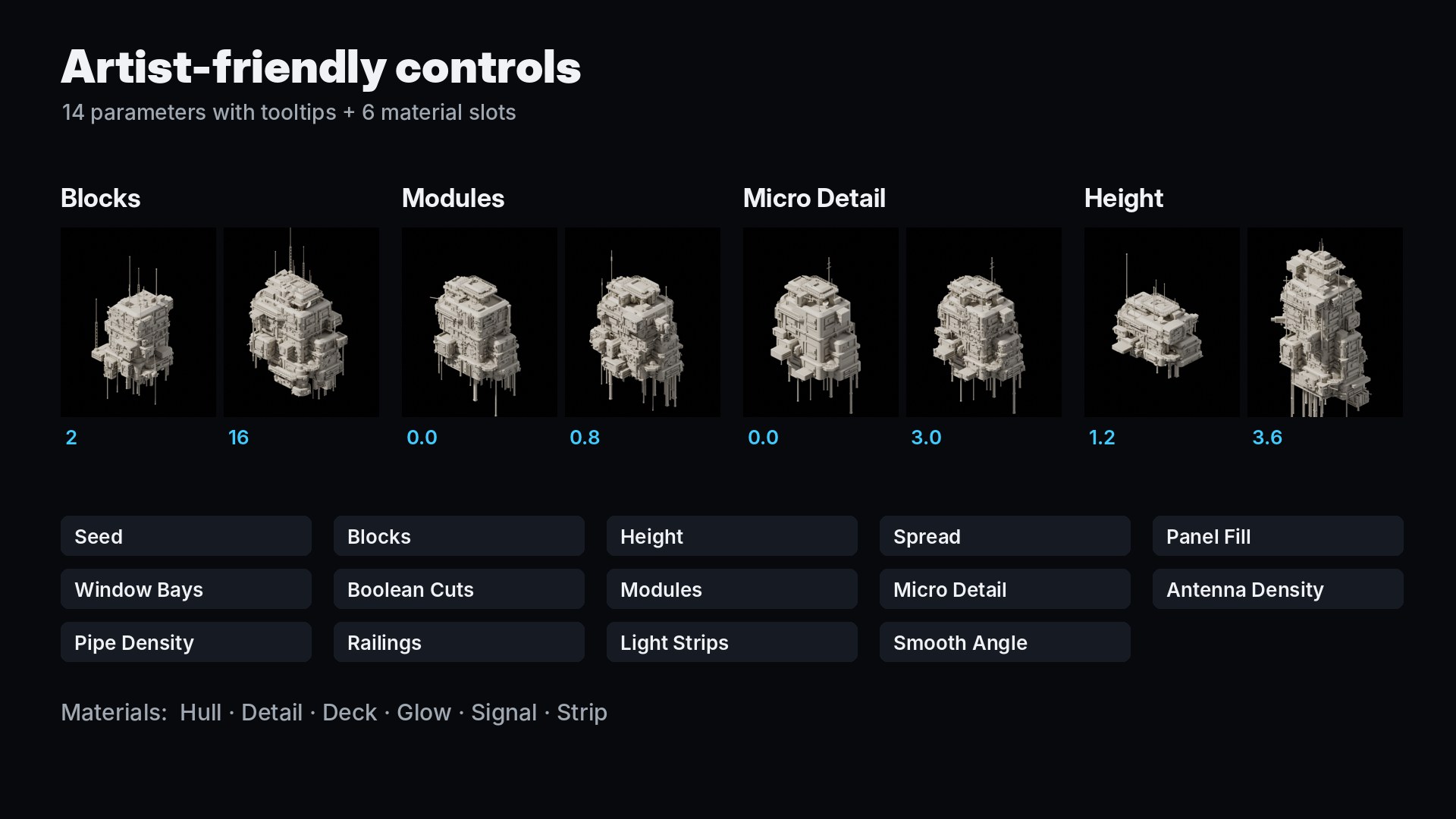
Fourteen sliders. Full control.

Every parameter has a tooltip and does one clear thing, from the overall size down to the number of bolts.

SeedBlocksHeightSpreadPanel FillWindow BaysBoolean Cuts ModulesMicro DetailAntenna DensityPipe DensityRailingsLight StripsSmooth Angle
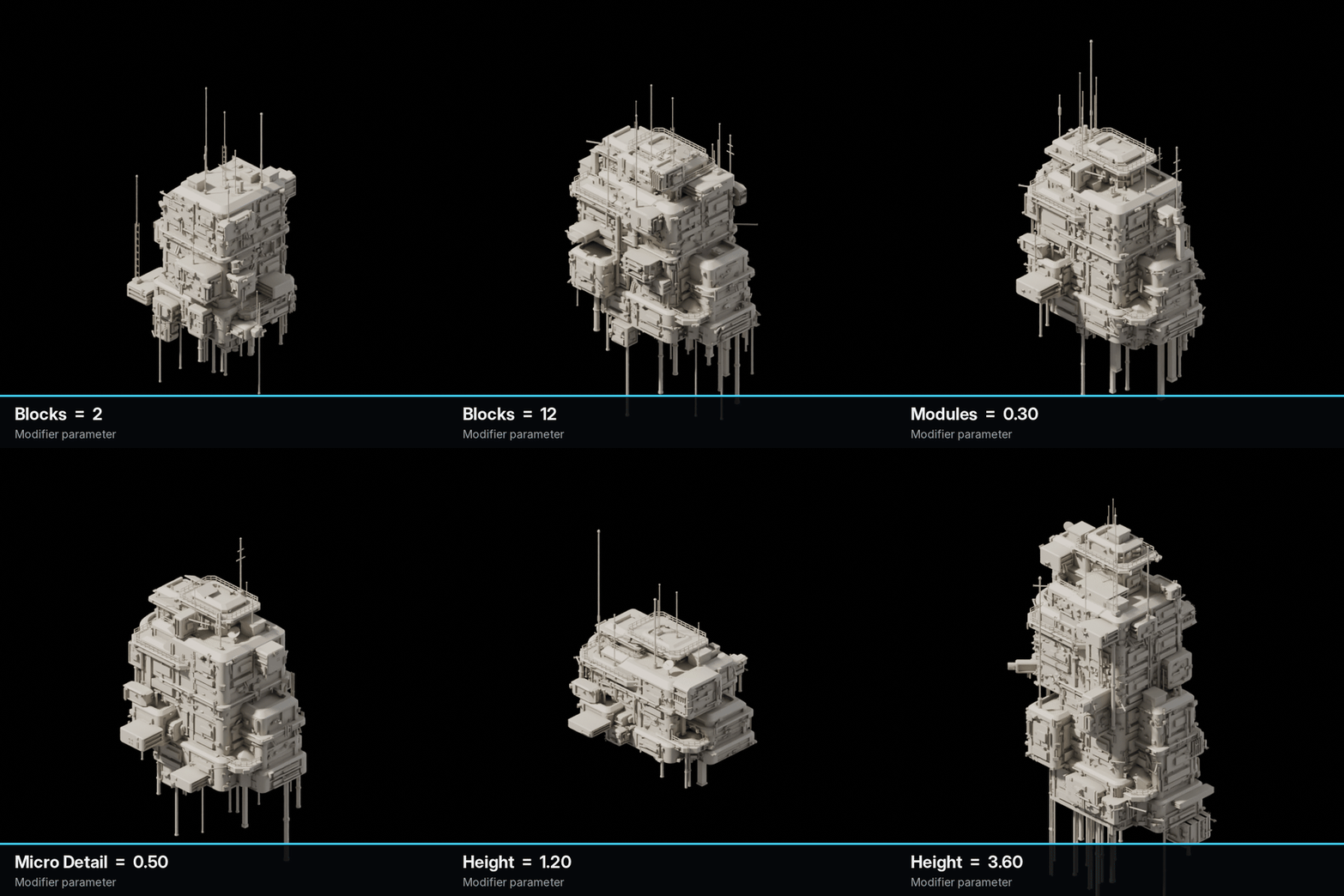
Moving the parameters changes the building's size, modules and detail
Low and high values of Blocks, Modules, Micro Detail and Height side by side
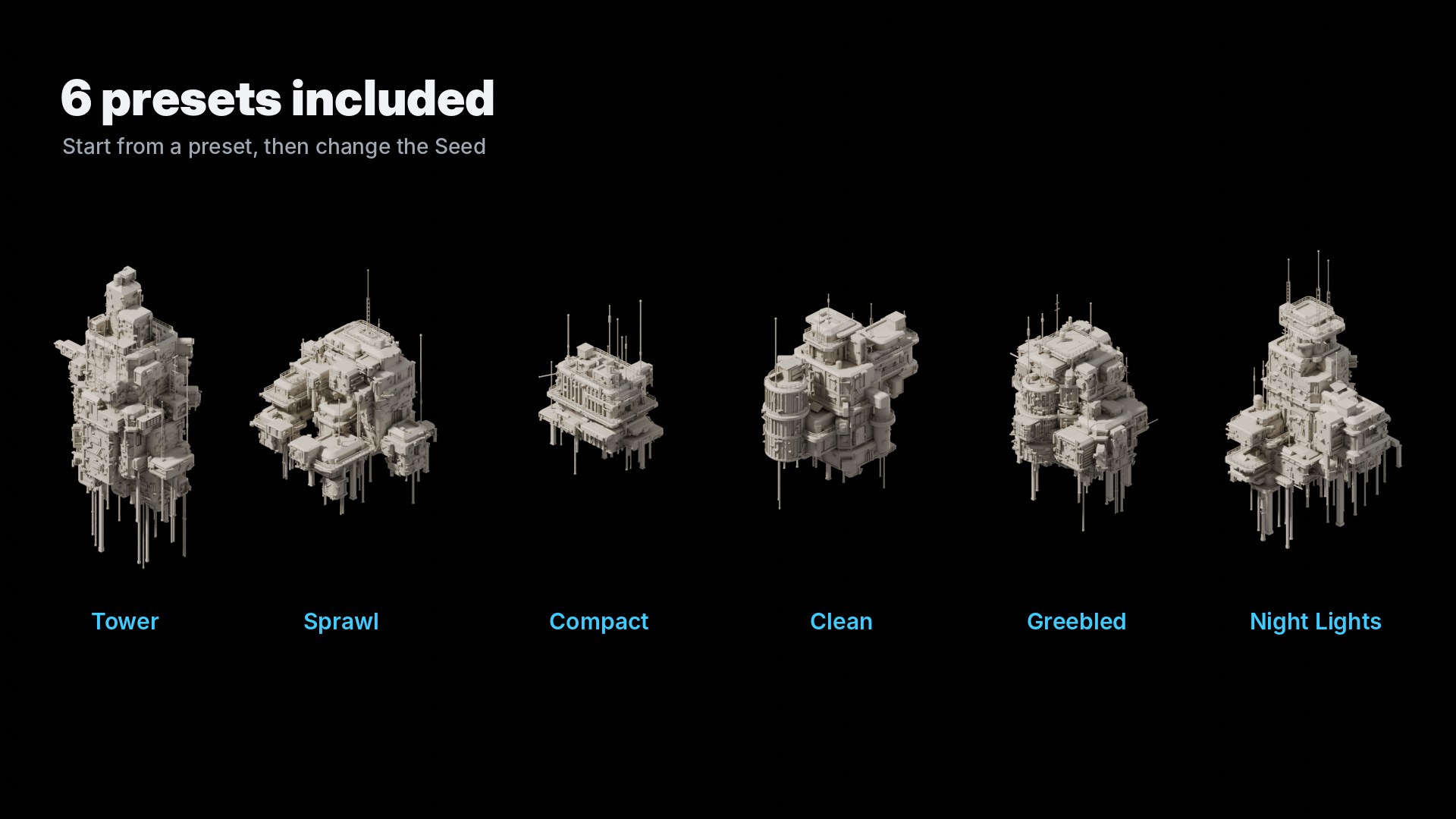
Six presets

Start from a preset. Then change the Seed.

The file includes Tower, Sprawl, Compact, Clean, Greebled and Night Lights, plus a showcase scene with fifteen buildings.

The six presets: Tower, Sprawl, Compact, Clean, Greebled and Night Lights
Materials and looks

Textured, lit, or clay.

Six material slots in the modifier: keep the included PBR materials or plug in your own.

HullMain painted surfaces
DetailPipes, antennas, railings
DeckRoof floors, solar panels
GlowWindows, lit at random
SignalRed antenna lamps
StripCyan light strips
  • CC0 textures from ambientCG, packed in the file
  • Box projected: no UVs needed
  • Clay look with one click: View Layer › Material Override
New clay buildings appearing as the Seed changes
Fifteen buildings rendered in the clay look
Production ready

Fast to tweak. Easy to export.

A building updates in a fraction of a second, so you can scrub through seeds and sliders in the viewport. Apply the modifier to get a regular mesh for FBX, OBJ or glTF.

0.1–0.2 sper update
on a modern CPU
20k–90kfaces per building,
depending on settings
14parameters
with tooltips
6material slots,
6 presets

Tested in Blender 4.2.3, 4.5 LTS and 5.2 LTS. Rendering: Cycles recommended; EEVEE works without the rounded-edge highlights.

100% Geometry Nodes

No add-on. No scripts.

The generator is a plain Geometry Nodes node group. Everything is generated inside it: no external meshes, nothing to install.

  • Shows up in Add Modifier and the Asset Browser
  • Append it into any file, materials and textures included
  • Bake, instance and render it like any geometry
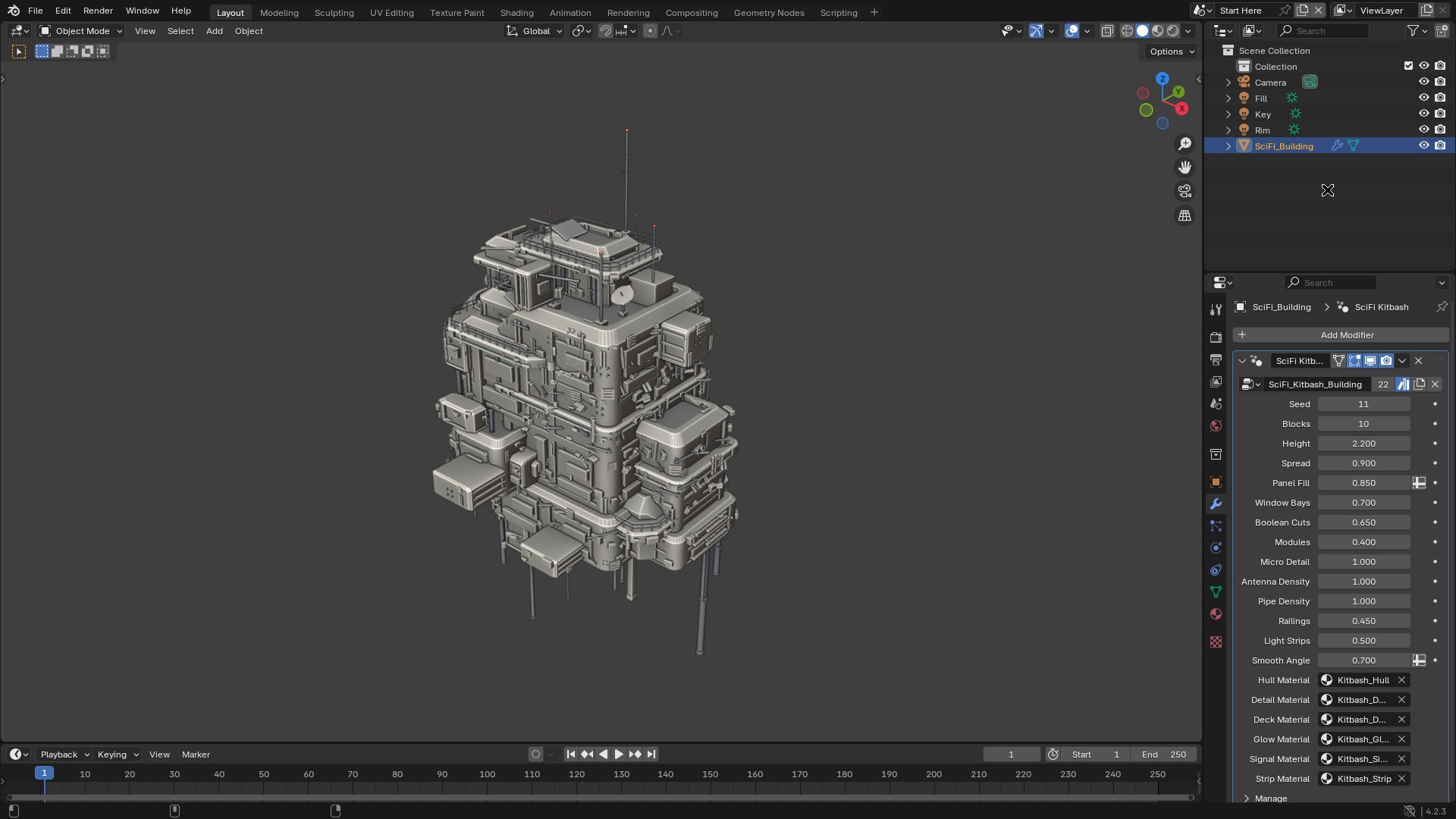
The SciFi Kitbash modifier panel in Blender next to a generated building
See it in Blender

From one object to a skyline.

Add the modifier, change the Seed, adjust the sliders and switch looks.

What you get

  • SciFi_Kitbash_Generator.blend: the node group (asset-marked), materials and three scenes: Start Here, Presets and Showcase Grid
  • blender_assets.cats.txt: a ready asset catalog
  • Documentation.pdf, README, license and credits, plus the online documentation

Requirements

  • Blender 4.2 LTS or newer (tested with 4.2, 4.5 and 5.2)
  • Cycles recommended for the final look
  • No add-on and no internet connection needed

Change the Seed and build a city.

Everything you need to know is in the documentation.

Read the documentation