Stylized Buildings & Cities
Drag a whole stylized city into your scene. 24 procedural building styles and 7 city generators — sci-fi, medieval fantasy, Japanese, wild west, desert and post-apocalyptic — built entirely with Geometry Nodes. Every asset stays fully editable: change one seed and you get a new building, or a whole new town.
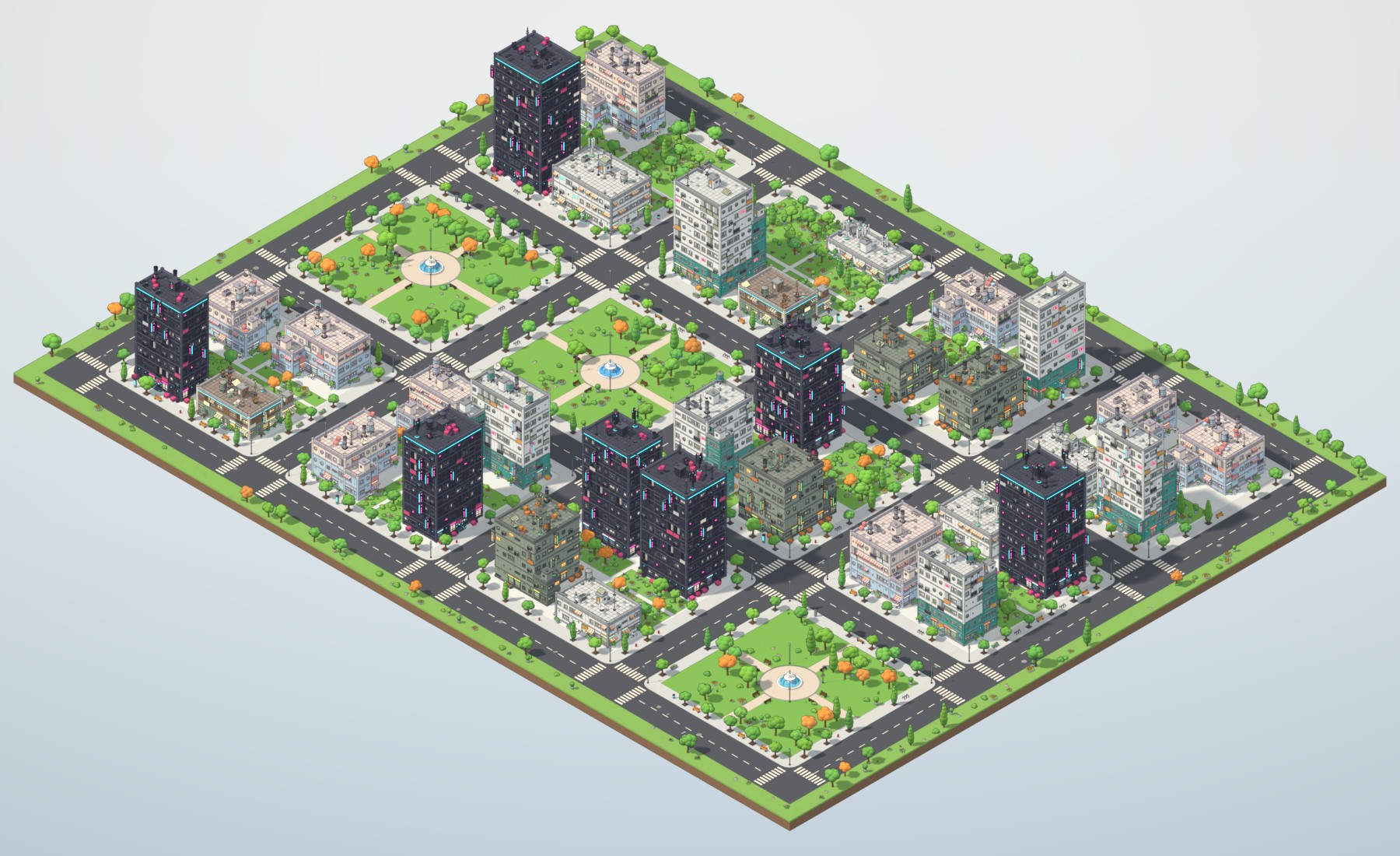
Right inside Blender
Pick a city in Blender’s Asset Browser and drop it into the viewport. It arrives with its generator as a modifier: change Seed and the whole town is rebuilt, raise Blocks and it grows.
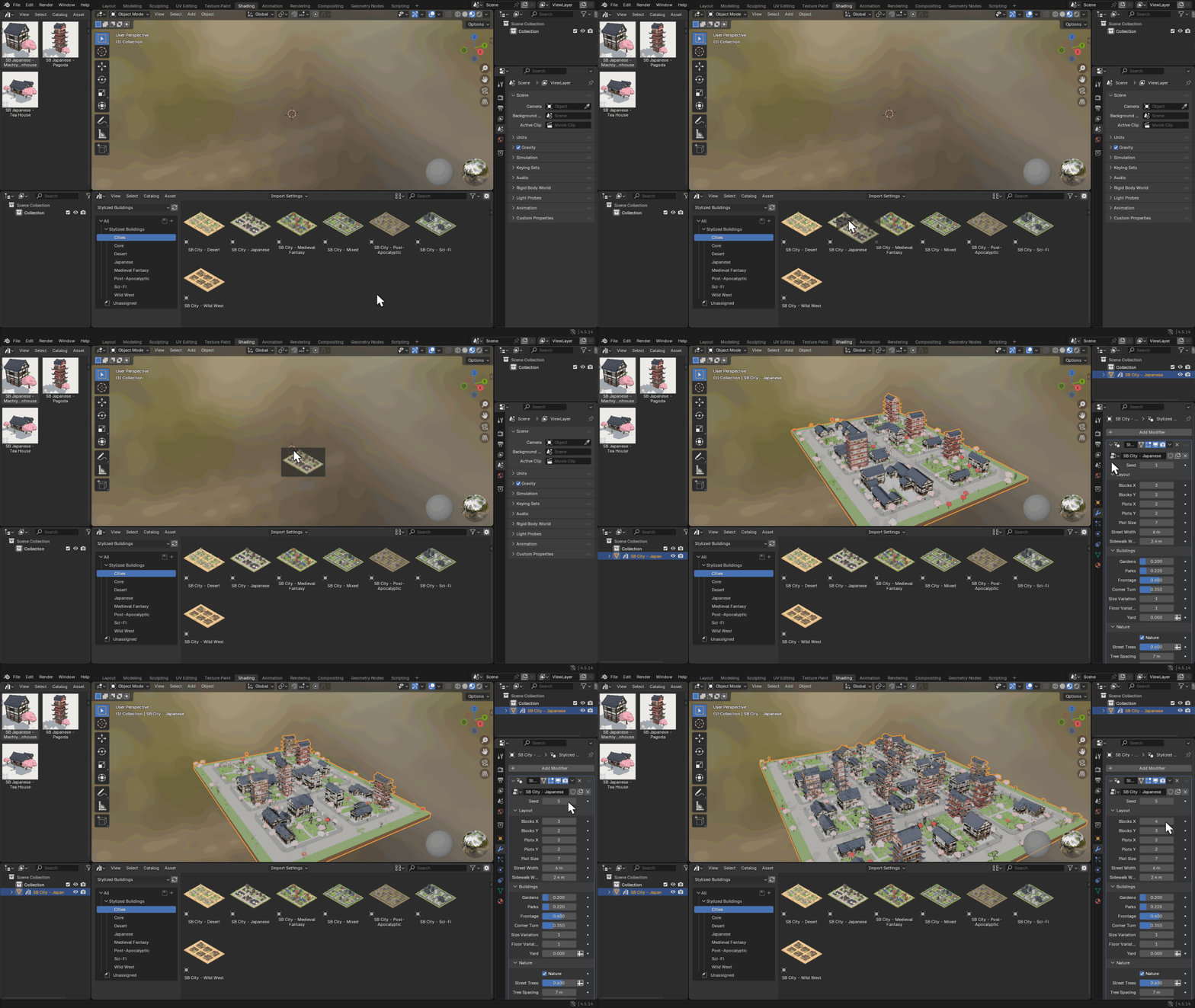
Real Blender 4.5 interface: Asset Browser → viewport → modifier panel
Six themes. One drag each.
Every theme comes with its own buildings, plants, street furniture, park centre pieces and ground colours — plus a Mixed city that uses all 24 styles at once.
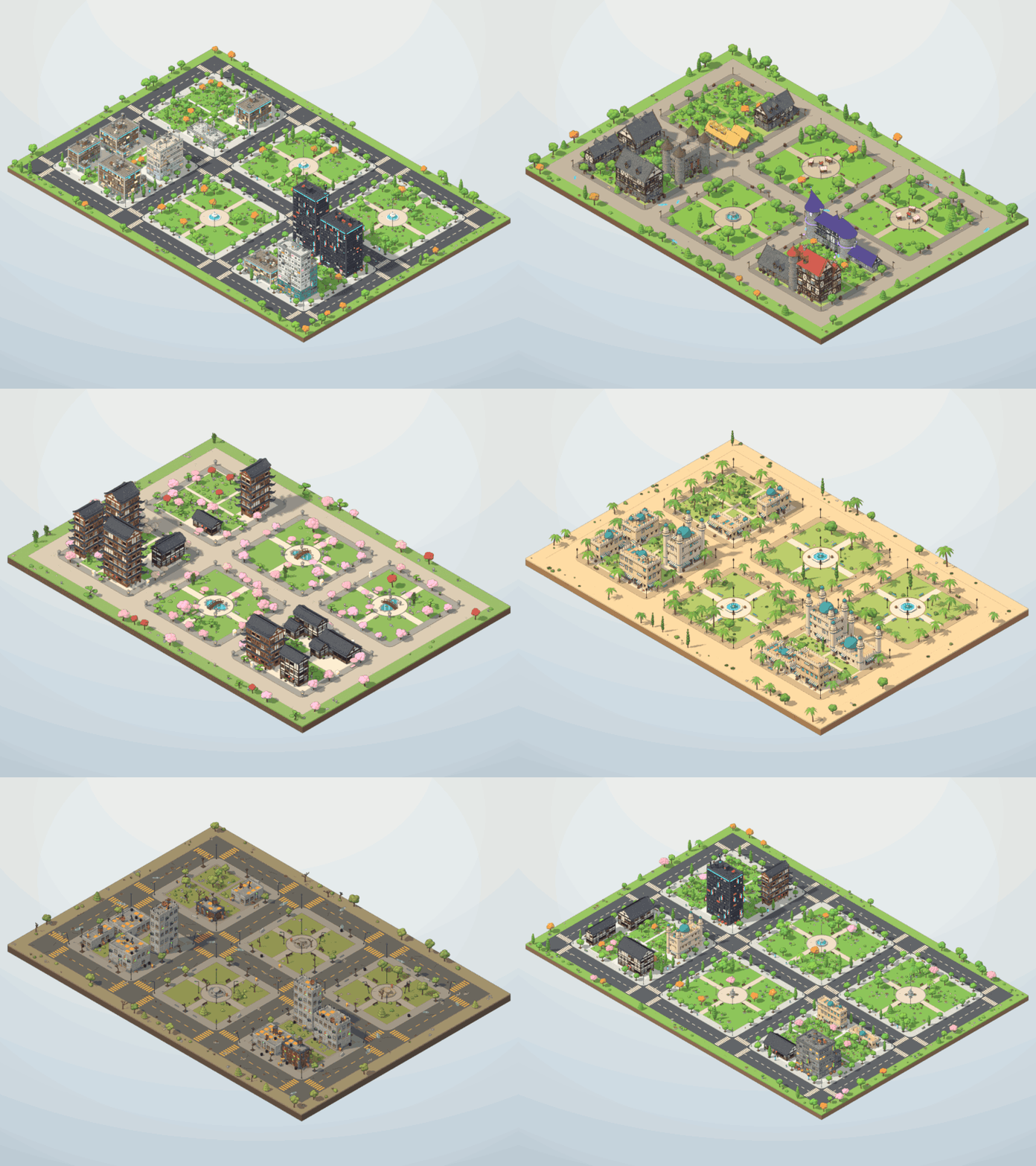
Same seed, seven city generators
Built like a real city
Not just buildings dropped on a grid: blocks, sidewalks, gardens, parks and streets are generated together, so every layout reads as a place.
City blocks & plots
Raised sidewalks with curbs around every block. Buildings sit at the front of their plot and face their street, corner buildings sometimes turn to the side street, and backyards fill up with trees.
Parks with character
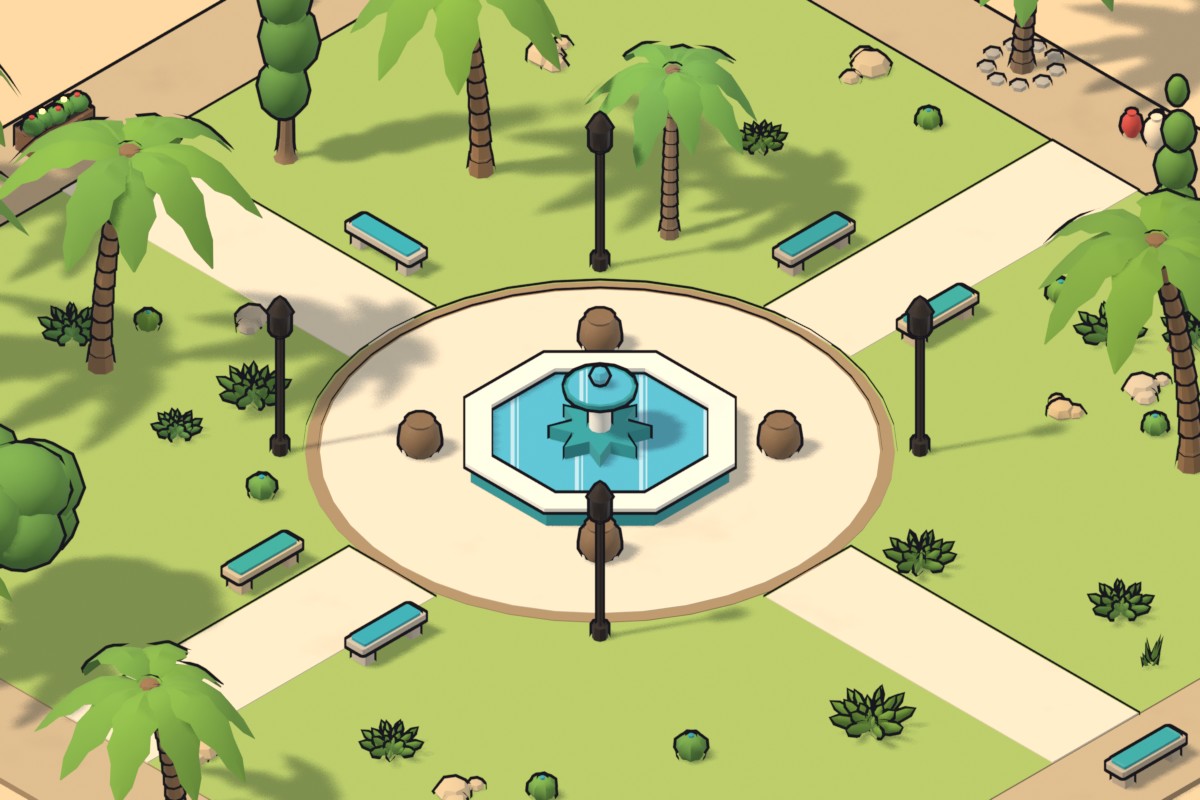
Whole blocks become parks with lawns, paths, a plaza, benches and lamps — and a themed centre piece: fountains, a koi pond with a red bridge, a medieval market, an oasis, a windmill or a broken fountain.
Streets that read
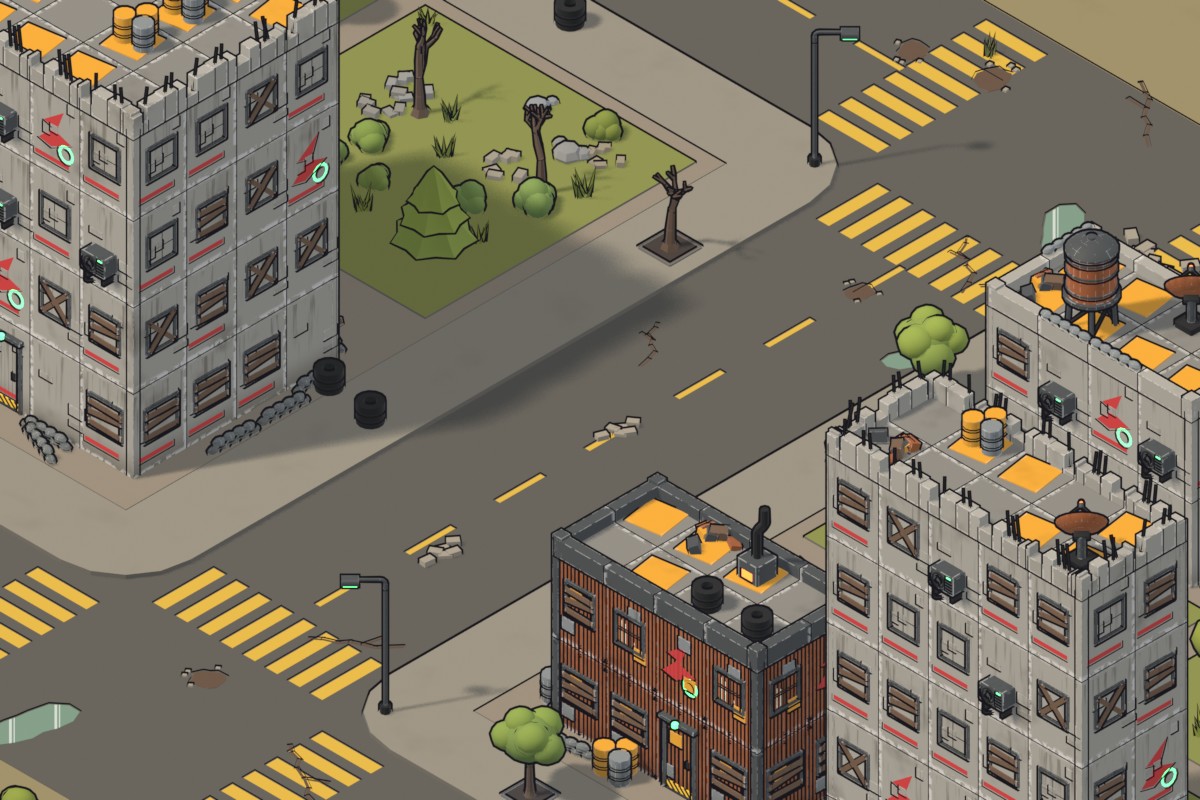
Lane dashes that skip the crossings, zebra crosswalks, street trees in pits, corner lamps, benches, hydrants, barrels — and road decals: cracks, potholes, puddles, manholes, cherry petals, tumbleweeds.
Lush toon nature
112 stylized plant pieces: layered broadleaf, cherry and autumn trees, firs, Japanese cloud pines, palms, bamboo, cacti, agaves, bushes and flower beds — scattered in natural groves with open lawns.
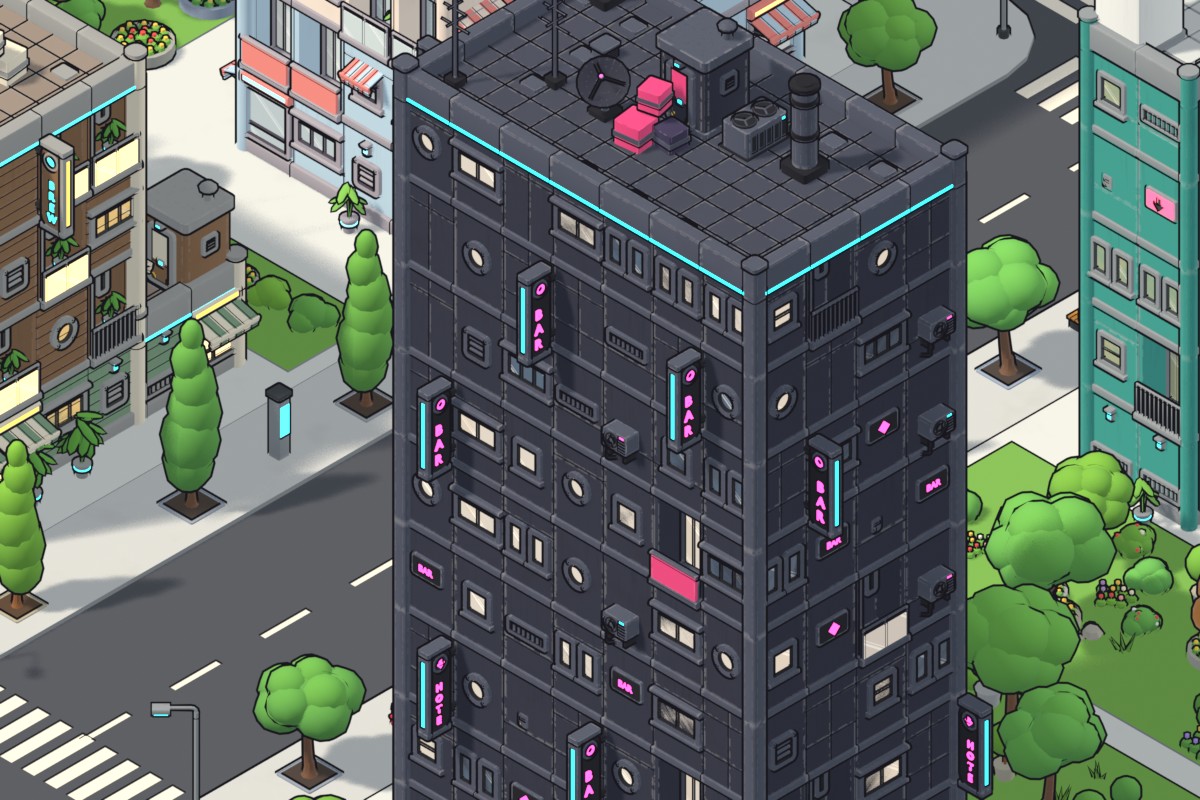
Sidewalks, street trees, crosswalks
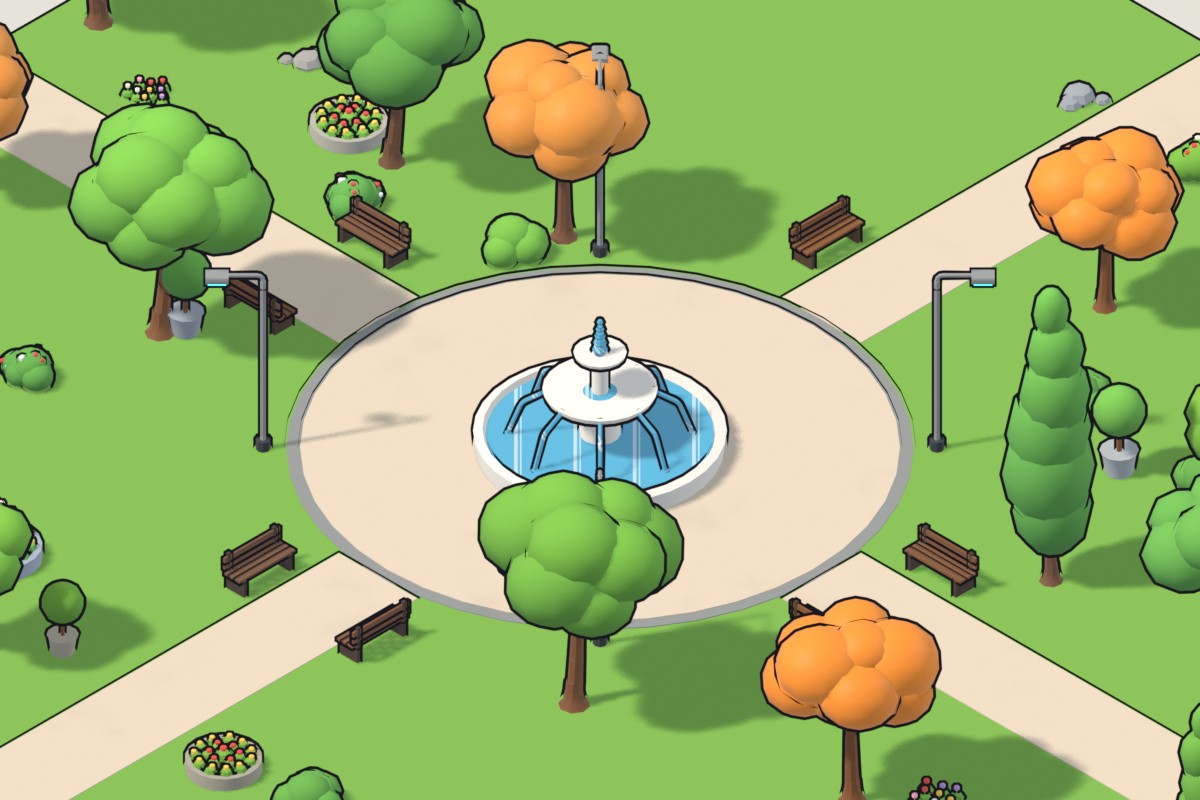
Park block with fountain plaza
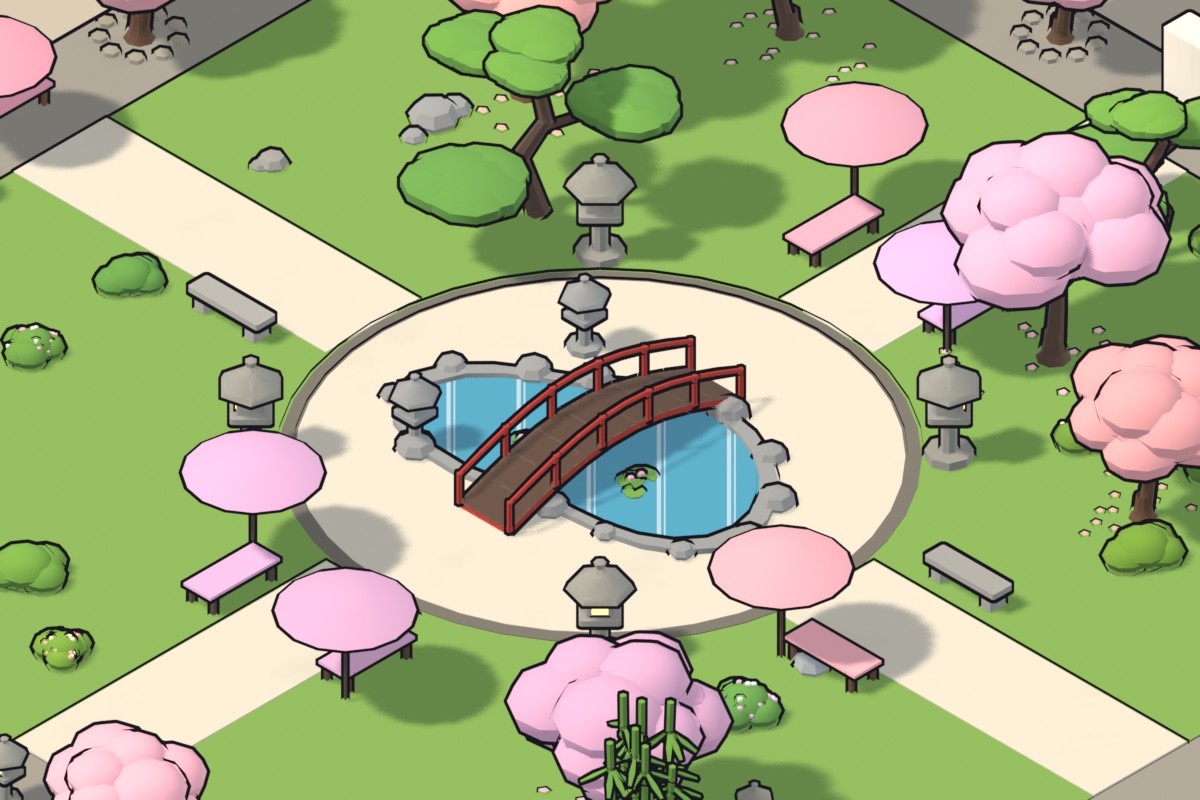
Japanese koi pond & cherry trees
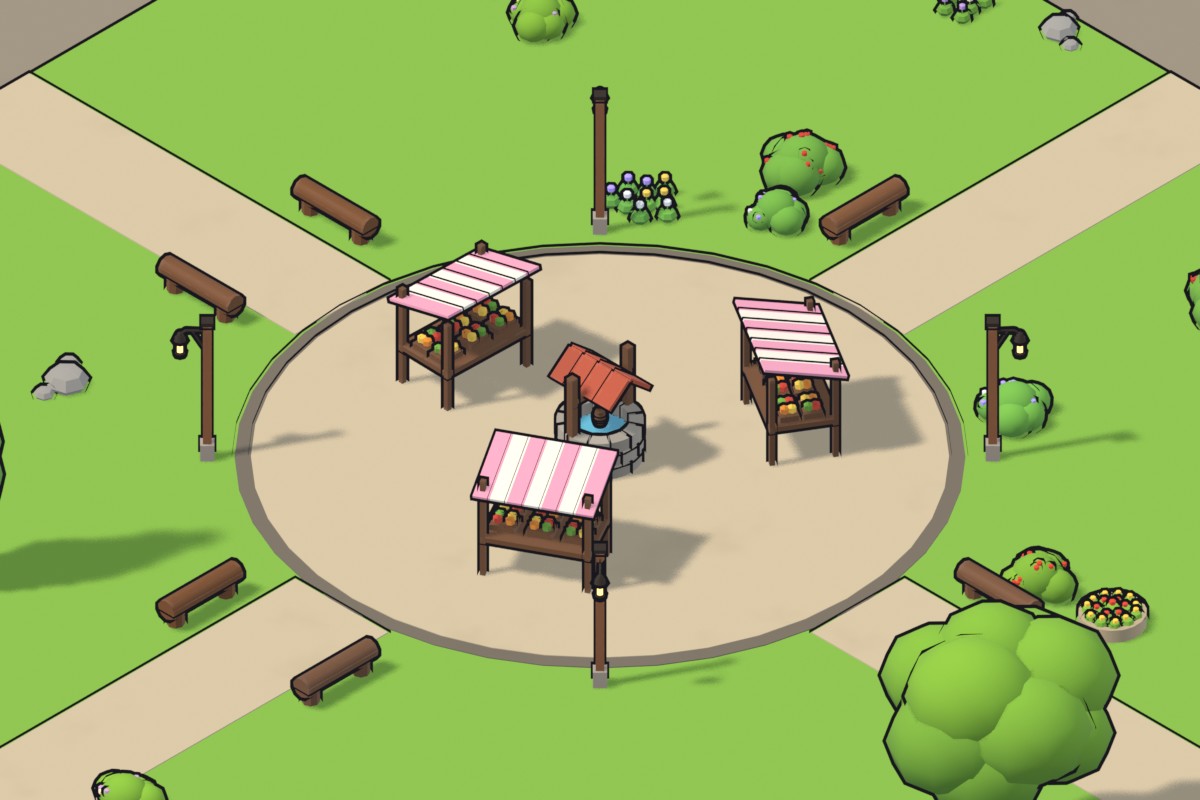
Medieval market square
Drag. Drop. Done.
Every building and every city is an object asset. There is nothing to set up first: no base object, no modifier to add, no script.
Add the library
Point Blender’s Asset Libraries at the folder once.
Drag an asset into the viewport
A building or a full city appears where you drop it.
Tweak it in the modifier panel
Seed, size, floors, blocks, parks, colours — all live.
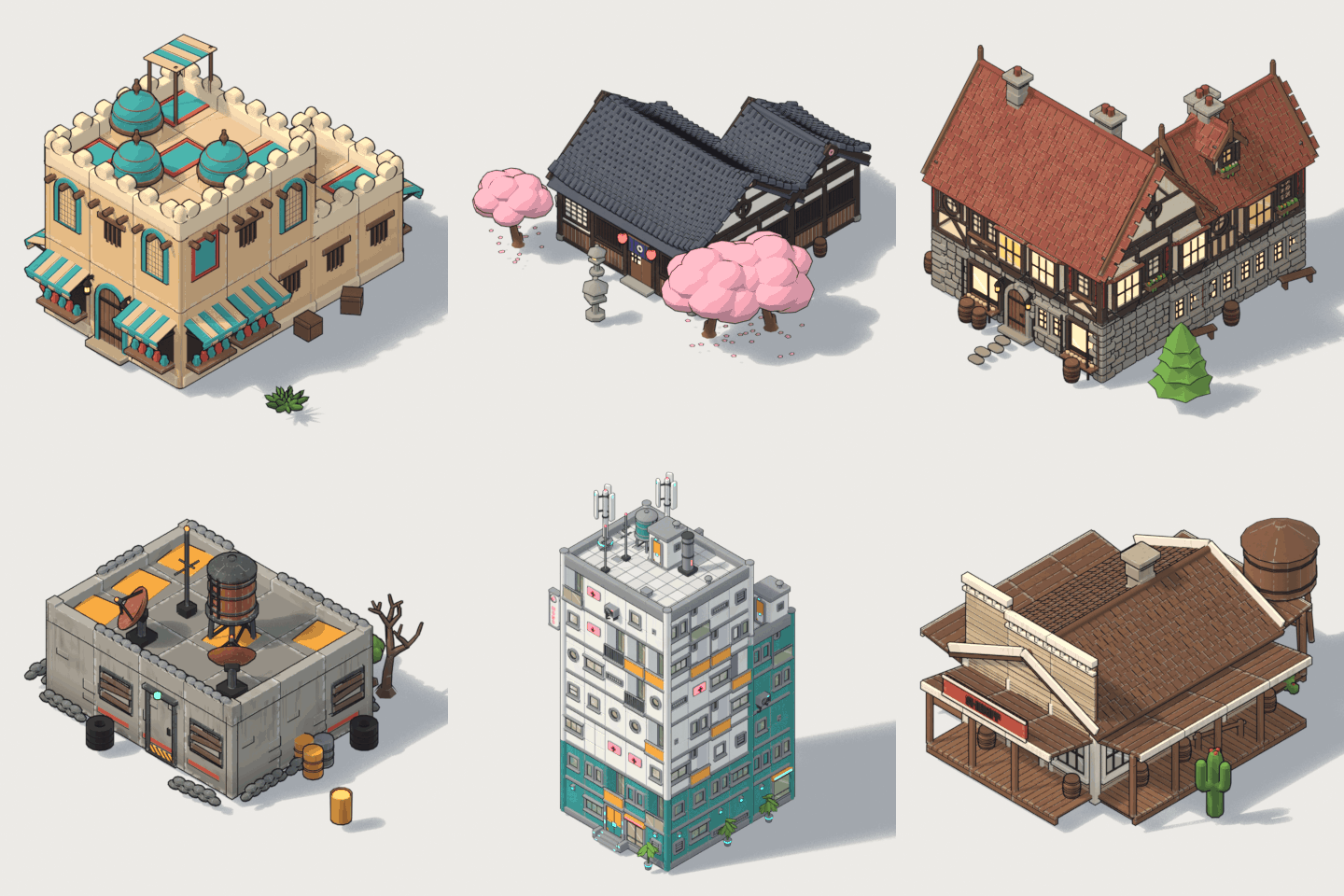
All 24 building styles
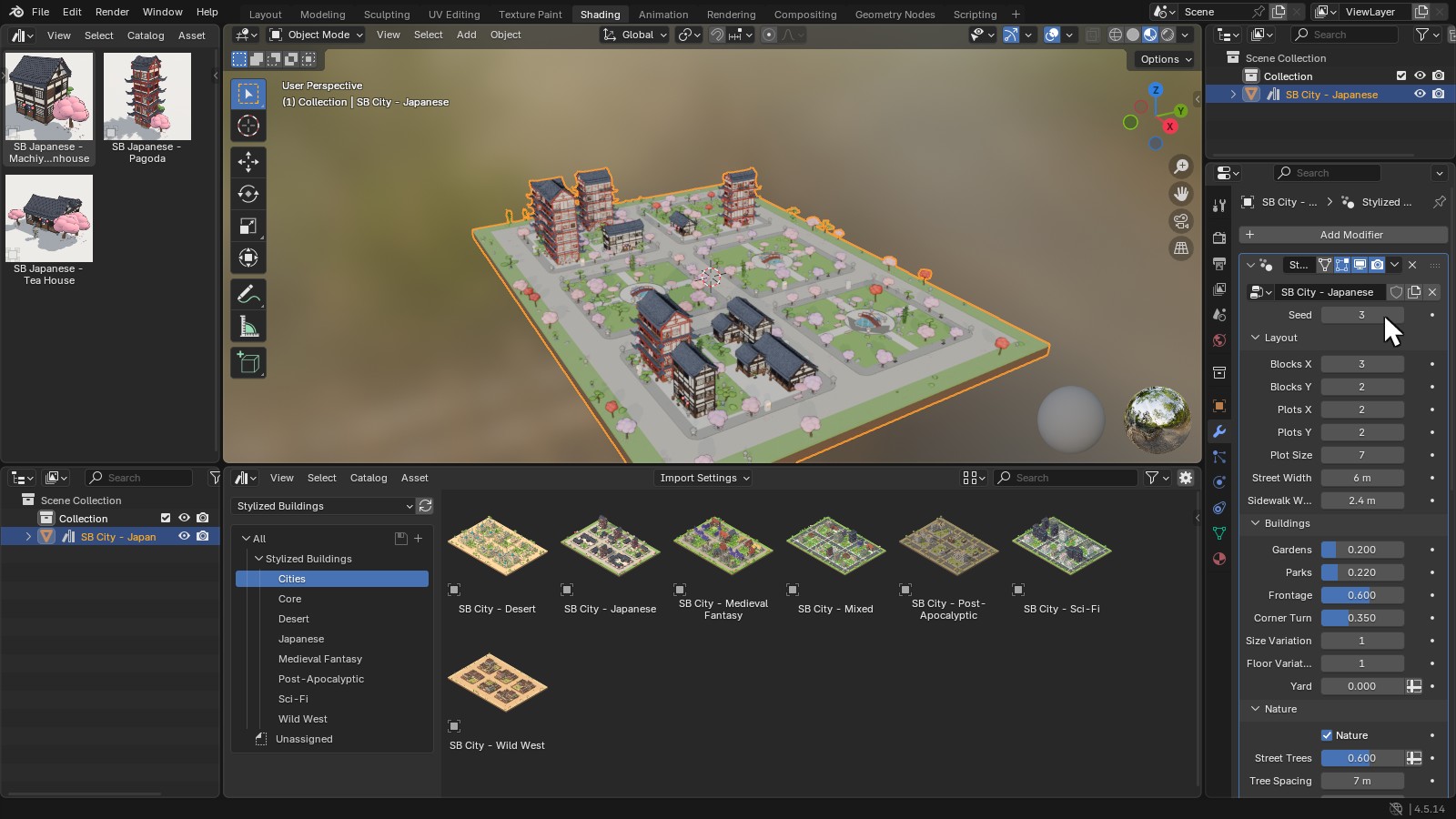
The Stylized Buildings library in Blender’s Asset Browser, with every city input in the modifier panel
Infinite variations
Every city is generated from a seed. Change it, or change the number of blocks and plots, and the whole town rebuilds itself — buildings, gardens, parks, trees and props included.
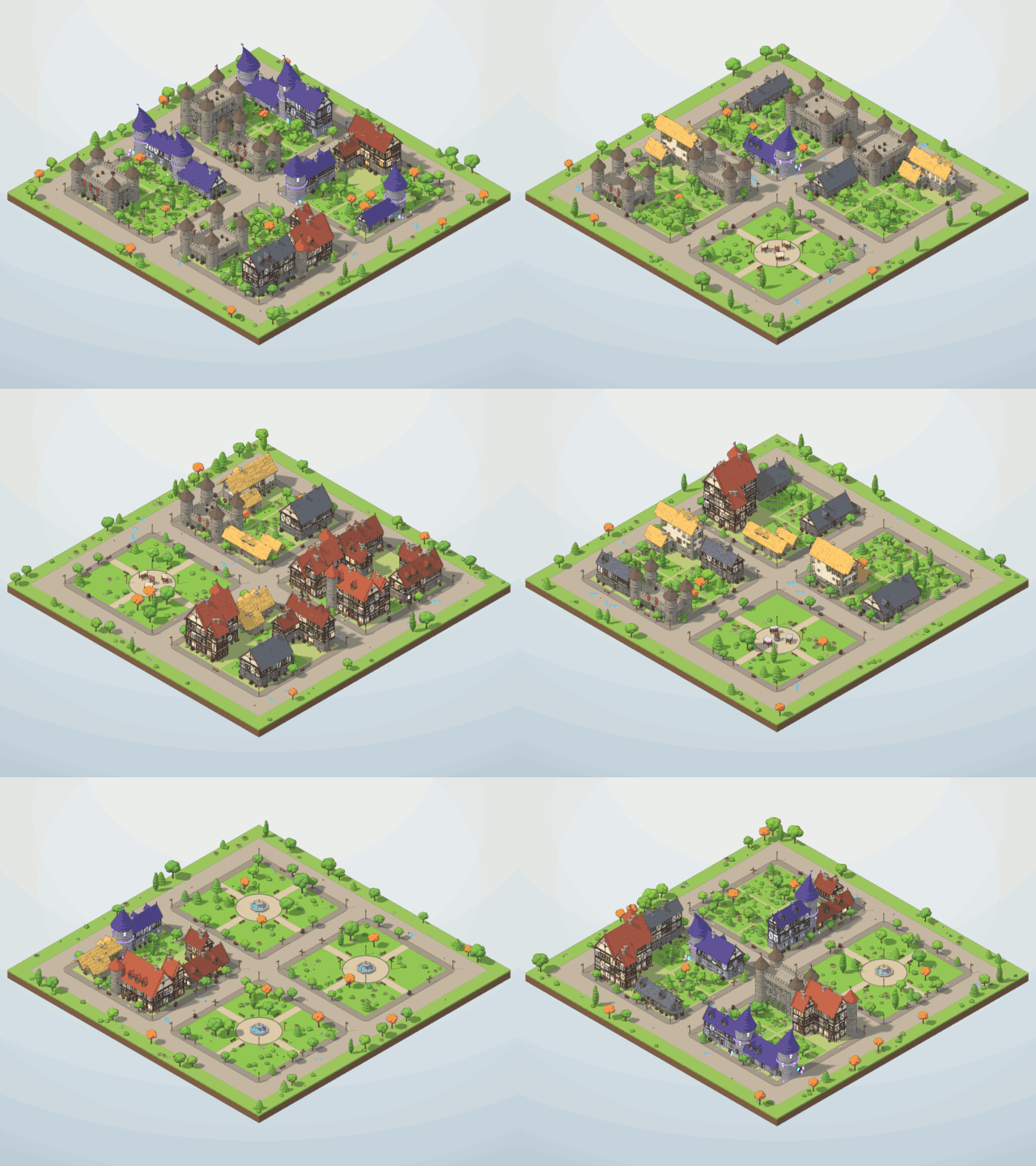
New seed, new town
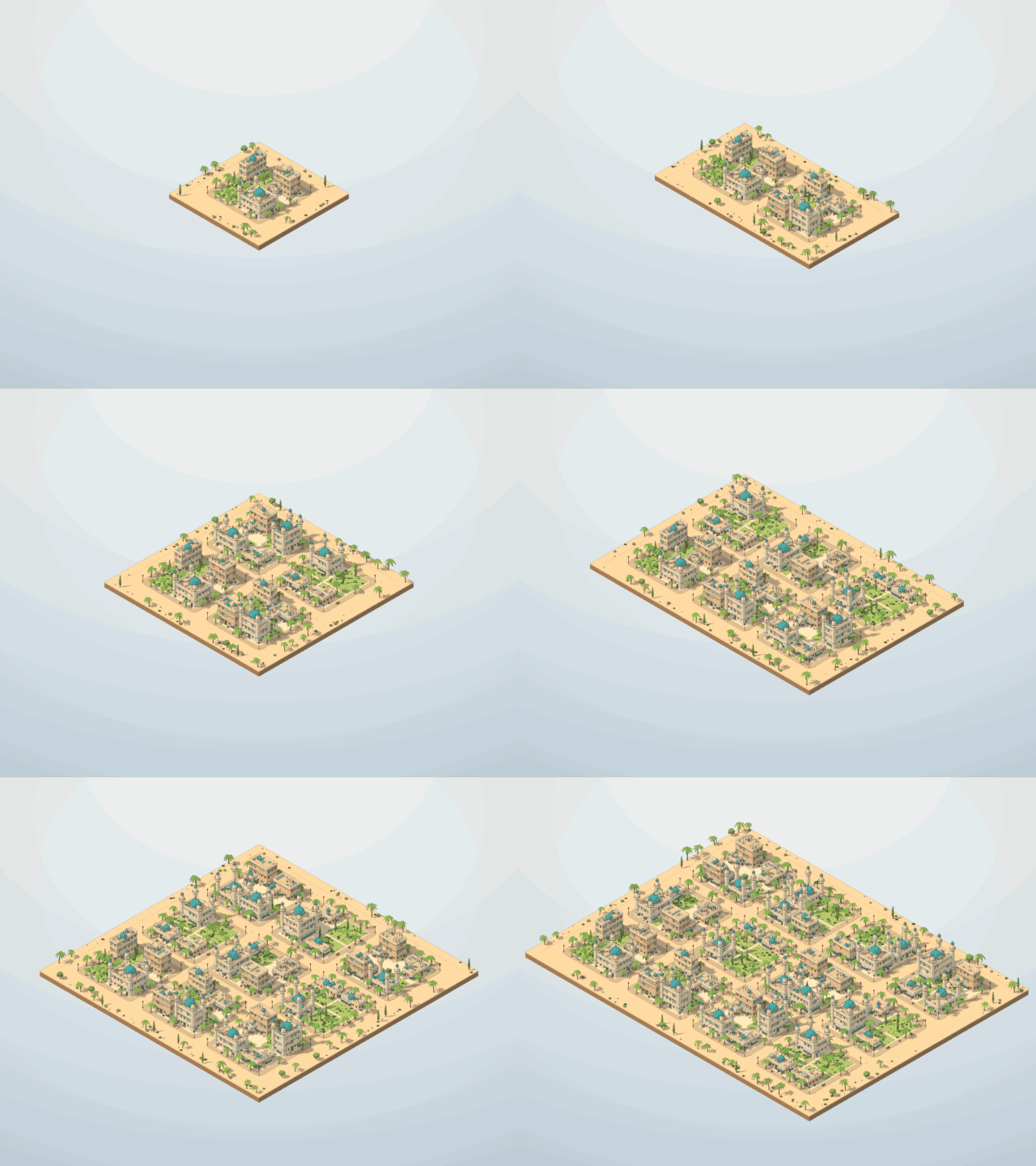
From one block to twelve
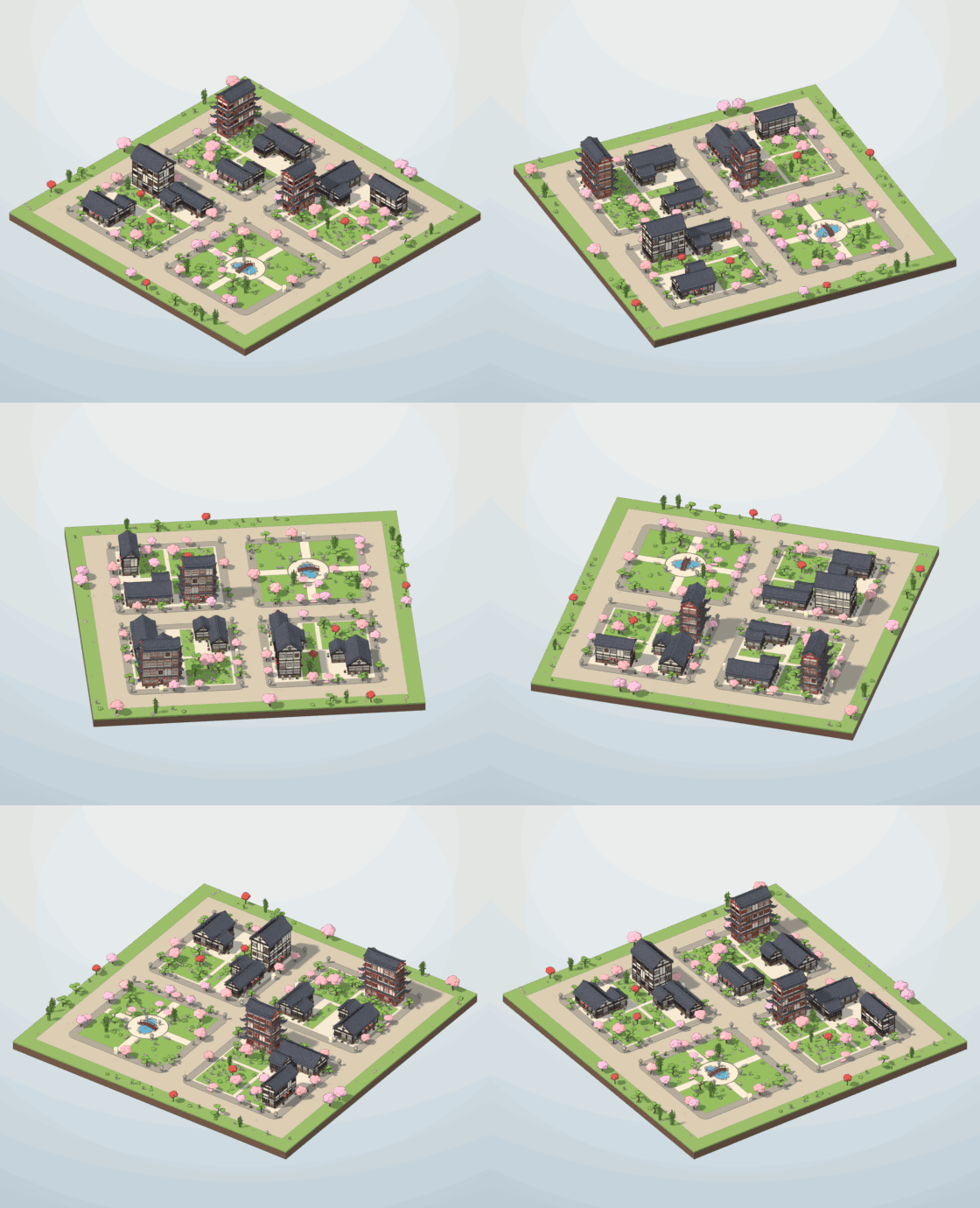
Fully 3D — good from every side
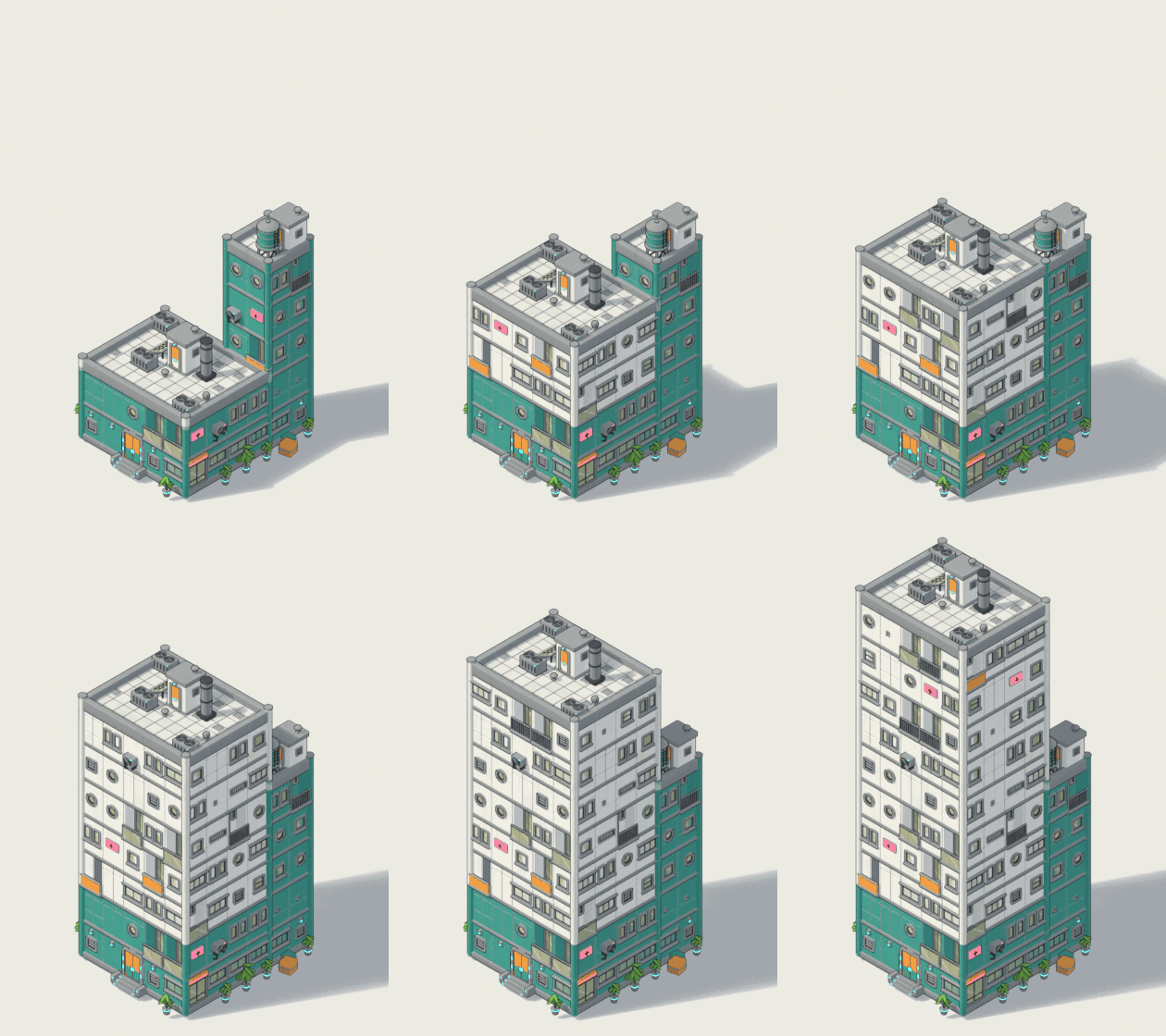
Floors, width, depth, wings, towers
The seven cities
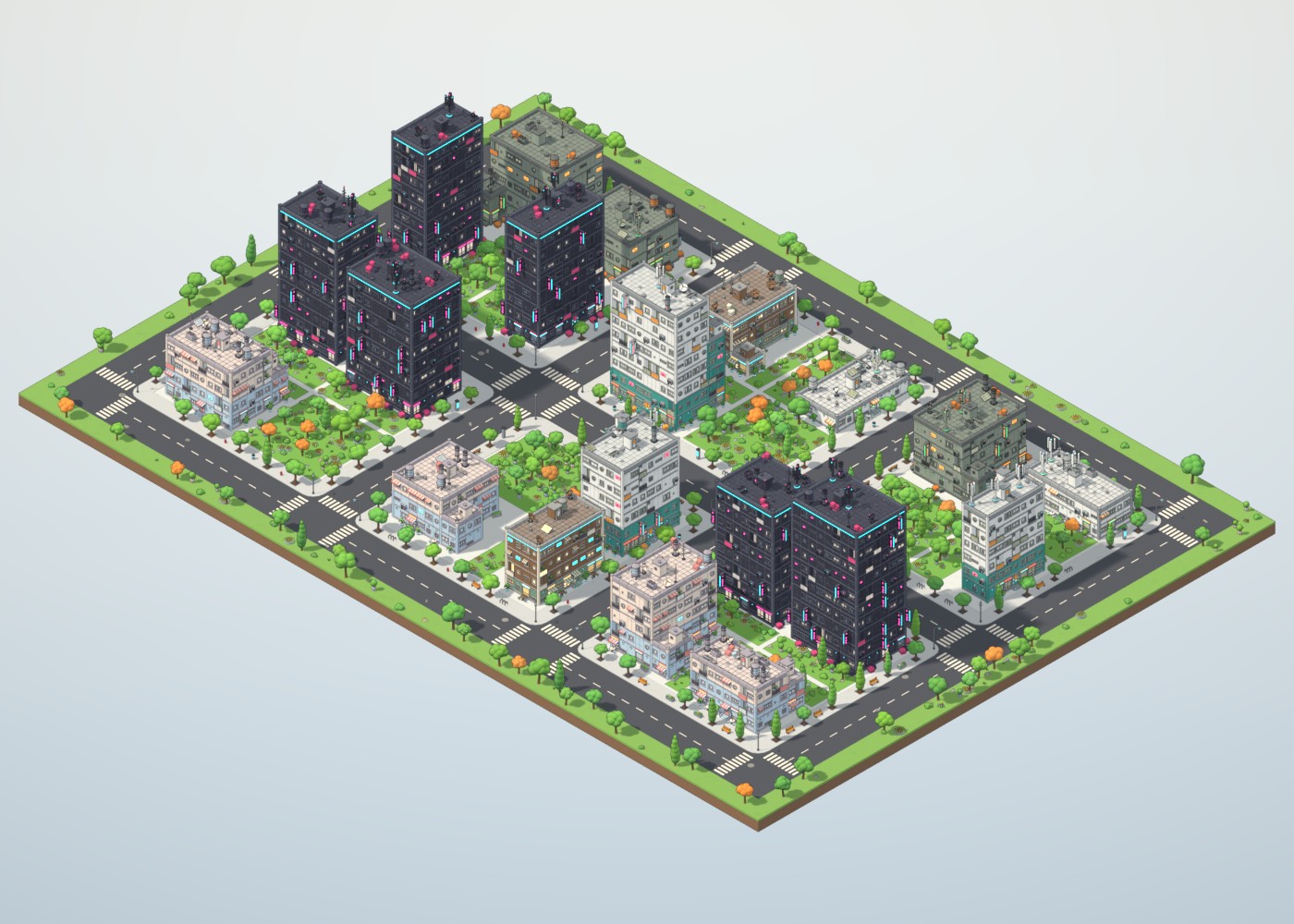
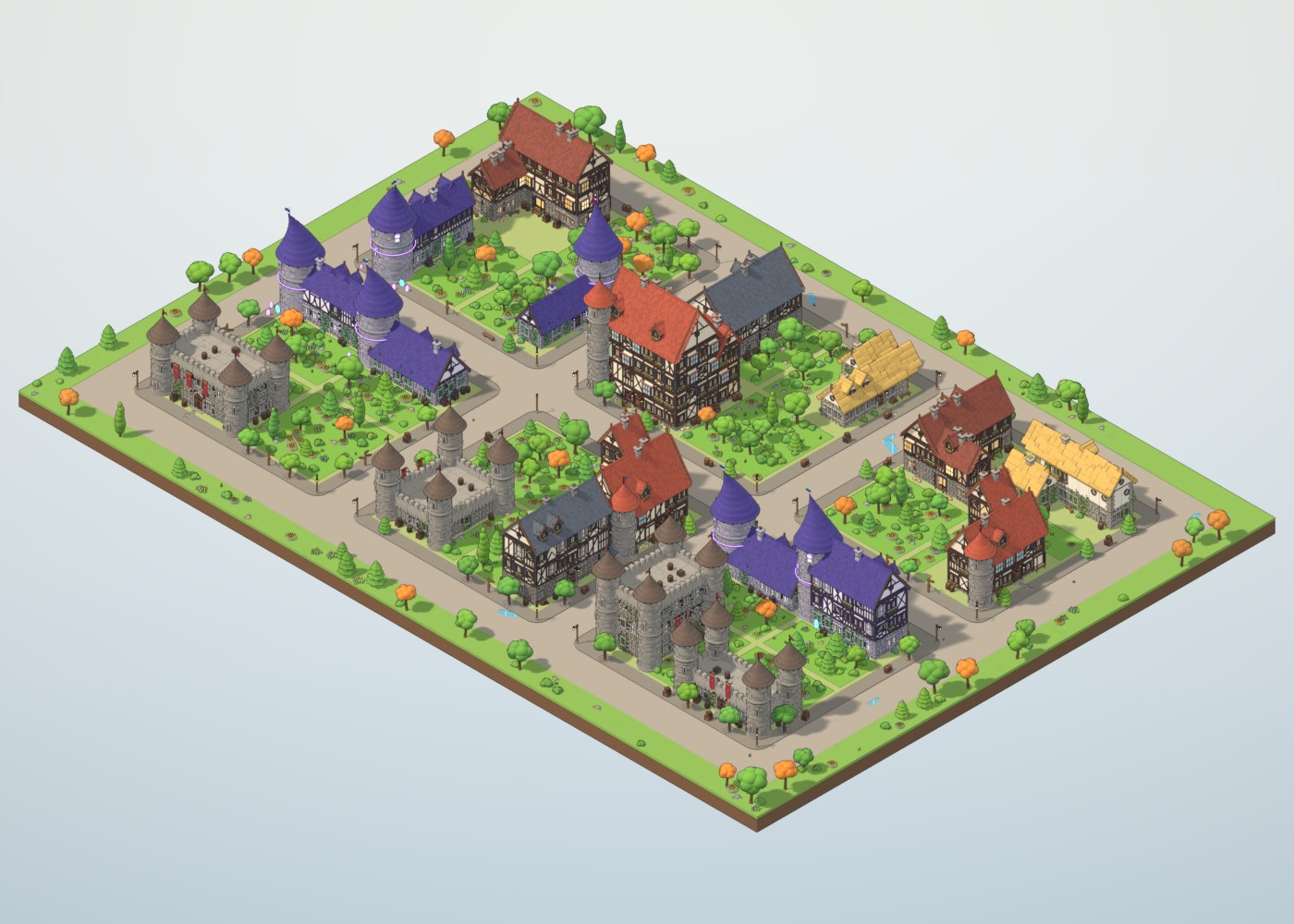
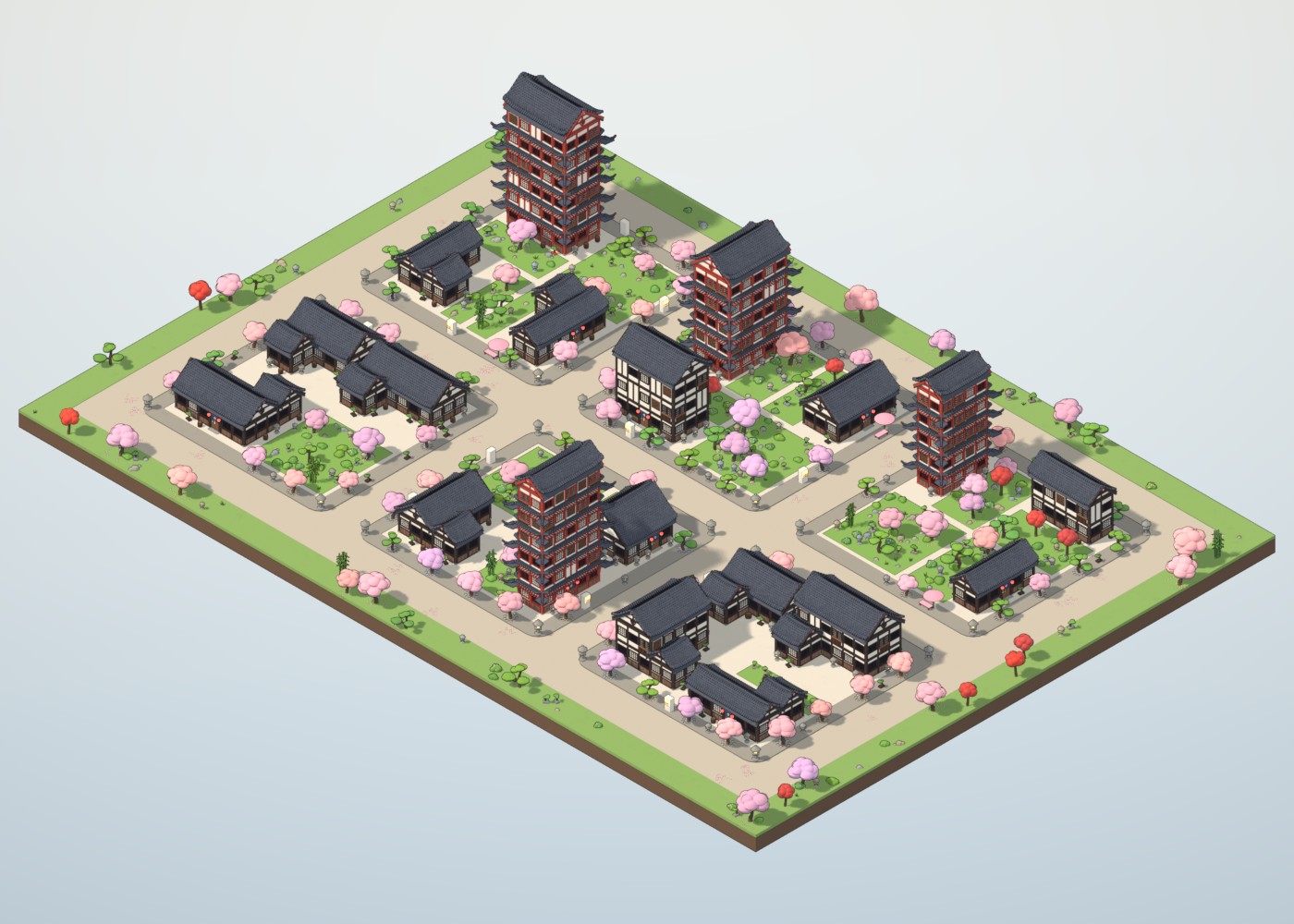
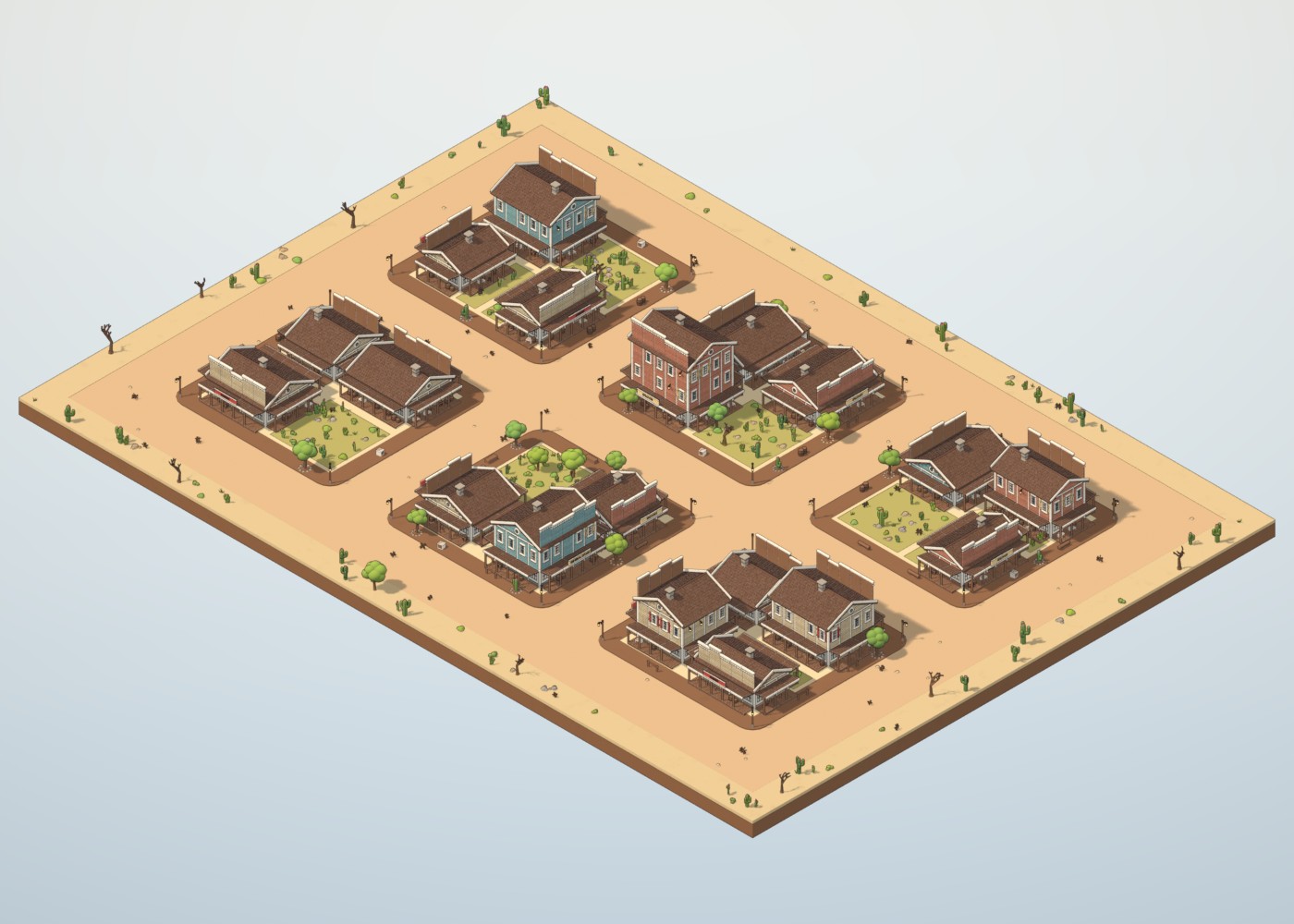
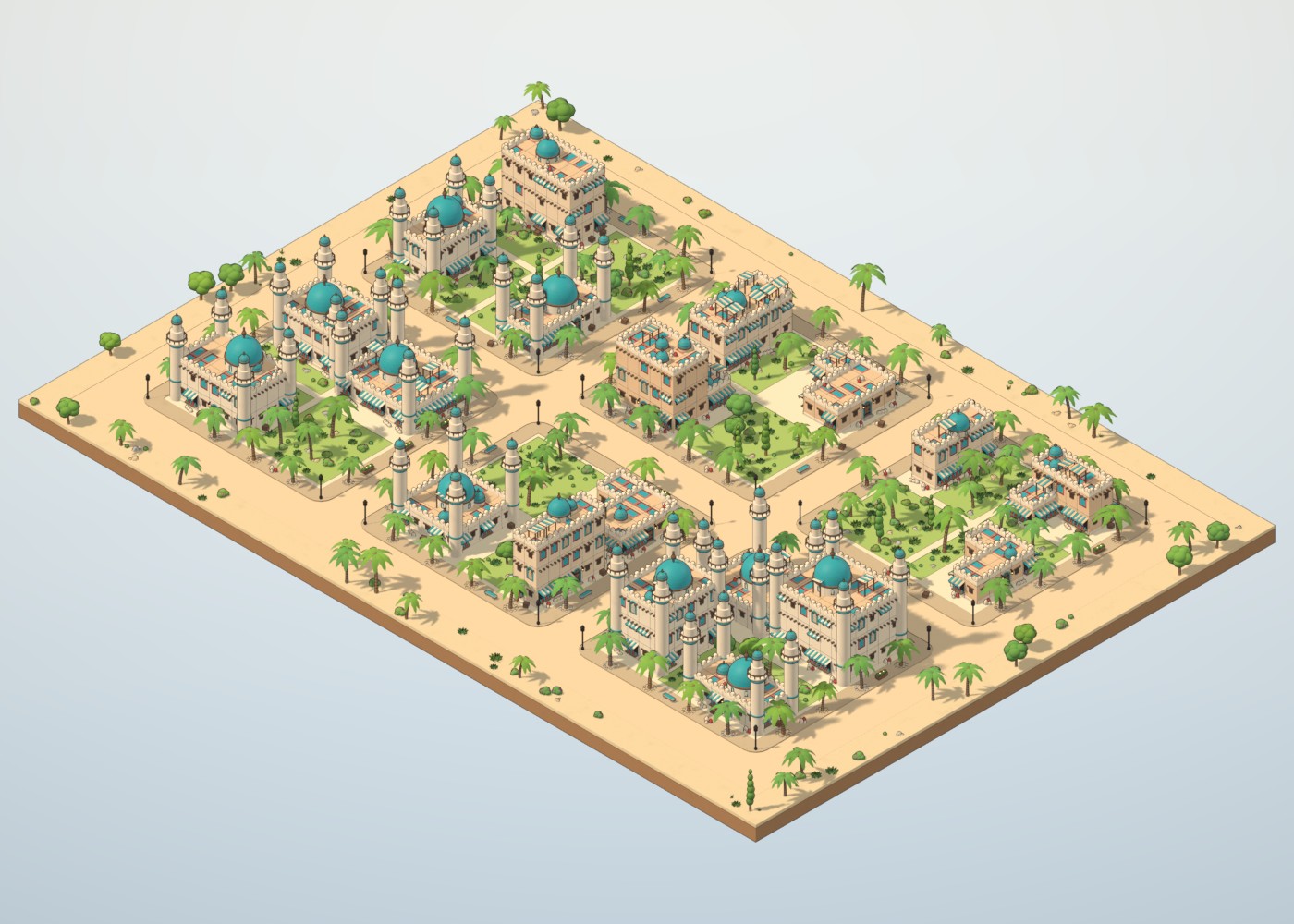
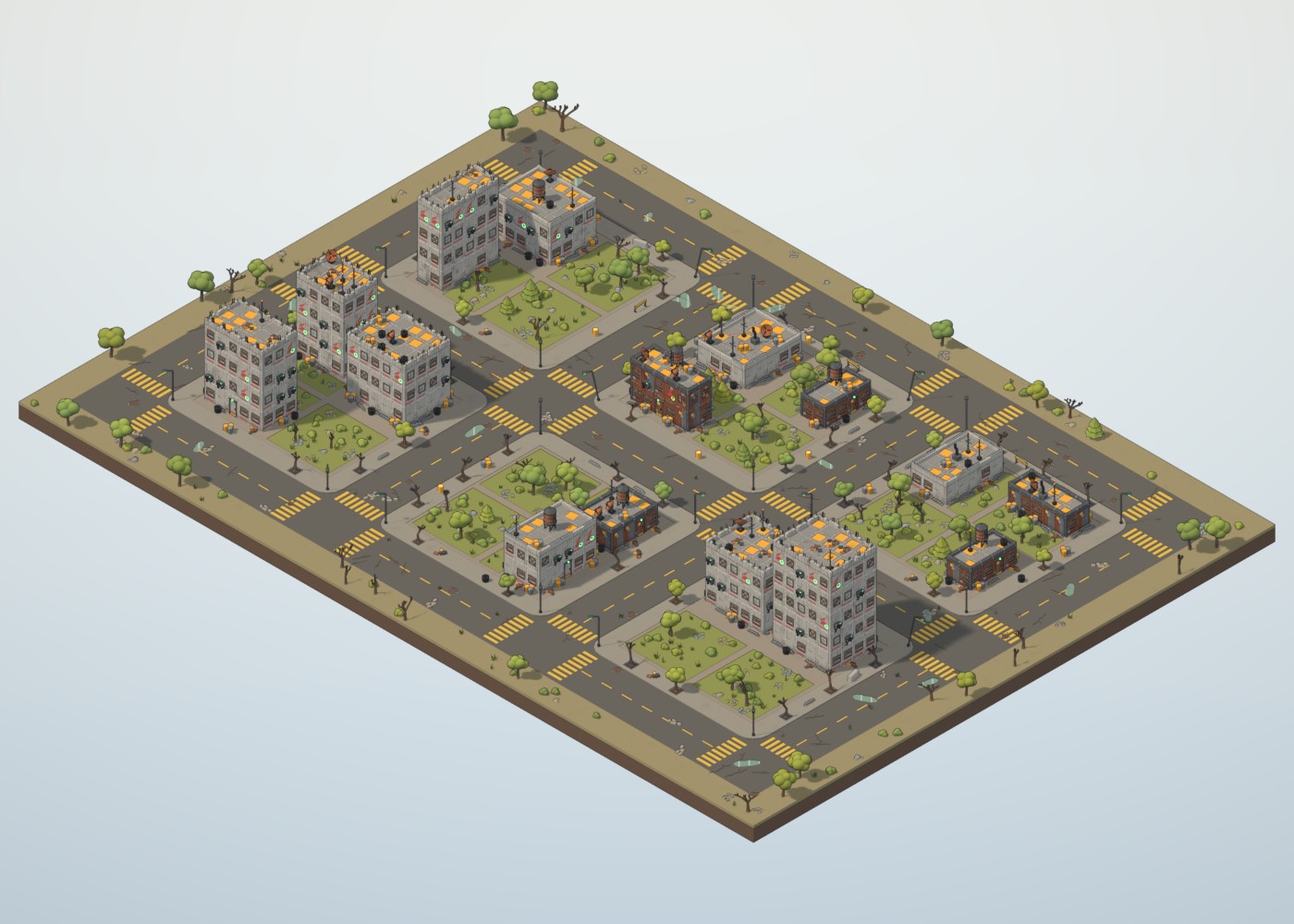
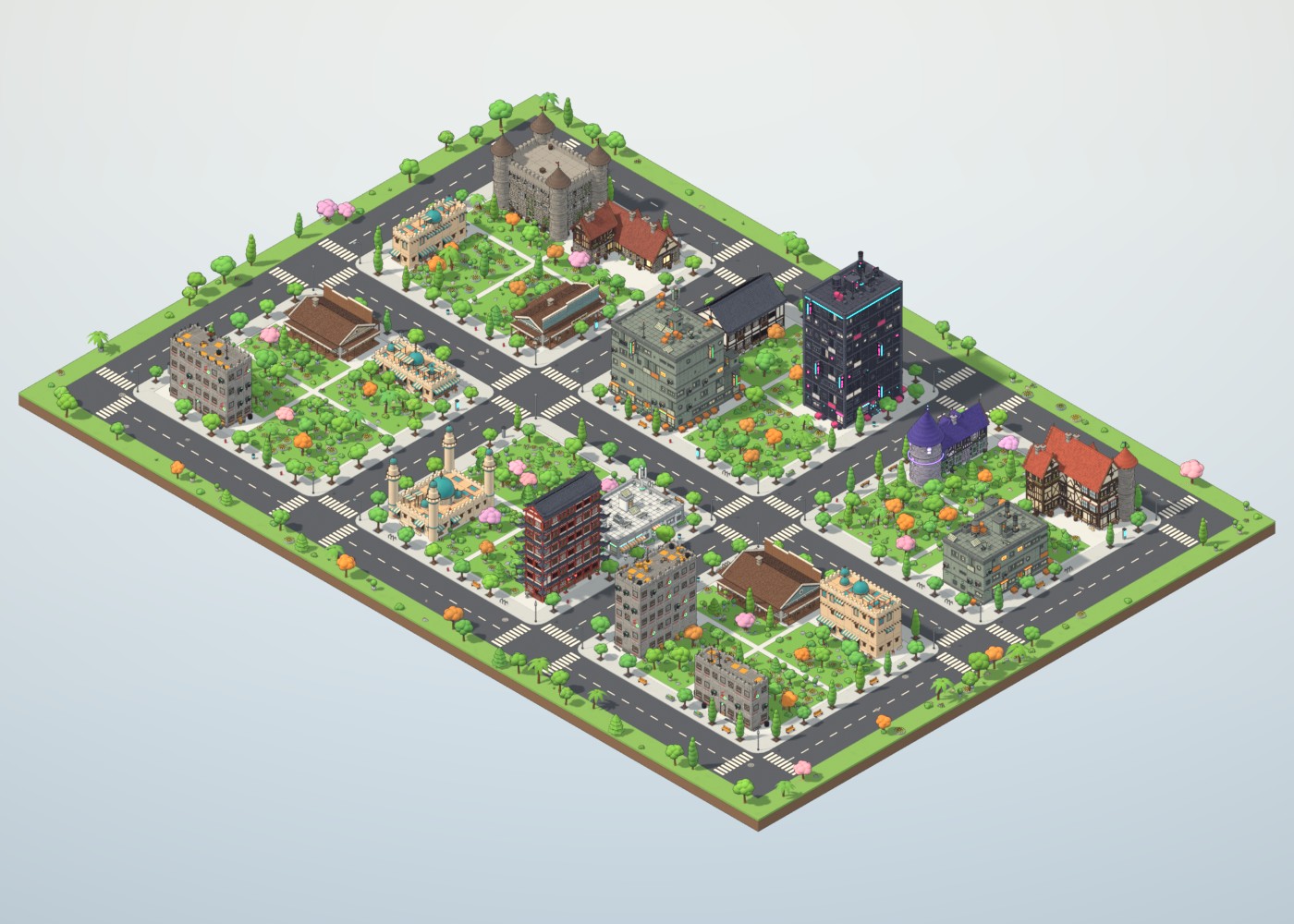
24 detailed building styles
Each style is built from its own modular kit — wall modules, windows, doors, roofs with thousands of tiles, chimneys, dormers, balconies, signs, rooftop machinery and yard props — and drops in as a standalone asset too.
| Theme | Styles |
|---|---|
| Sci-Fi | Medical Tower, Eco Office, Industrial Slum, Cozy Cafe, Neon Night, Residential Pastel |
| Medieval Fantasy | Tudor Townhouse, Stone Cottage, Tavern & Inn, Blacksmith, Wizard Tower, Guard Keep |
| Japanese | Machiya Townhouse, Pagoda, Tea House |
| Wild West | Saloon, General Store, Sheriff Office |
| Desert | Adobe House, Bazaar Shop, Domed Hall |
| Post-Apocalyptic | Scrap Shack, Wasteland Bunker, Ruined Block |
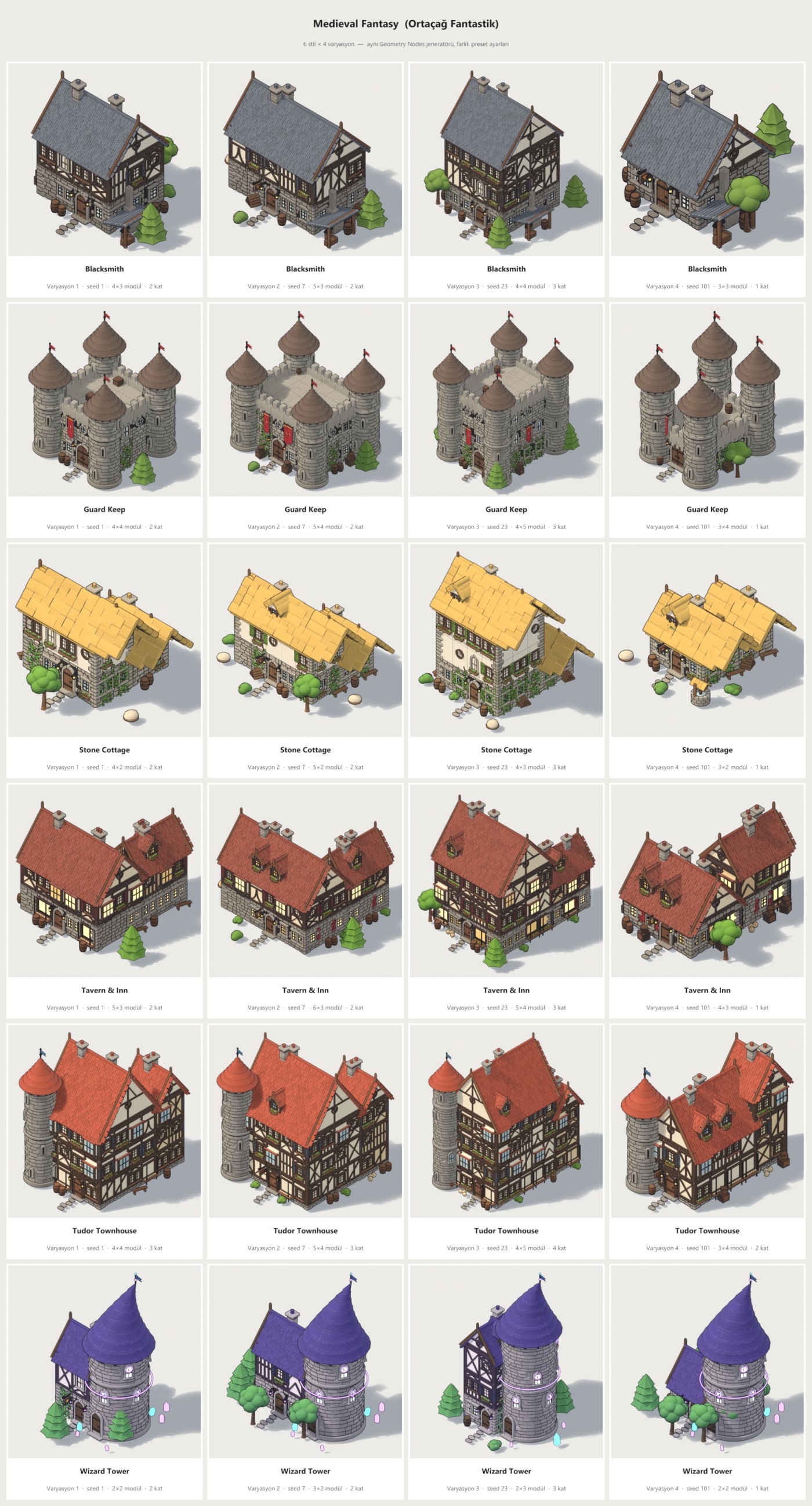
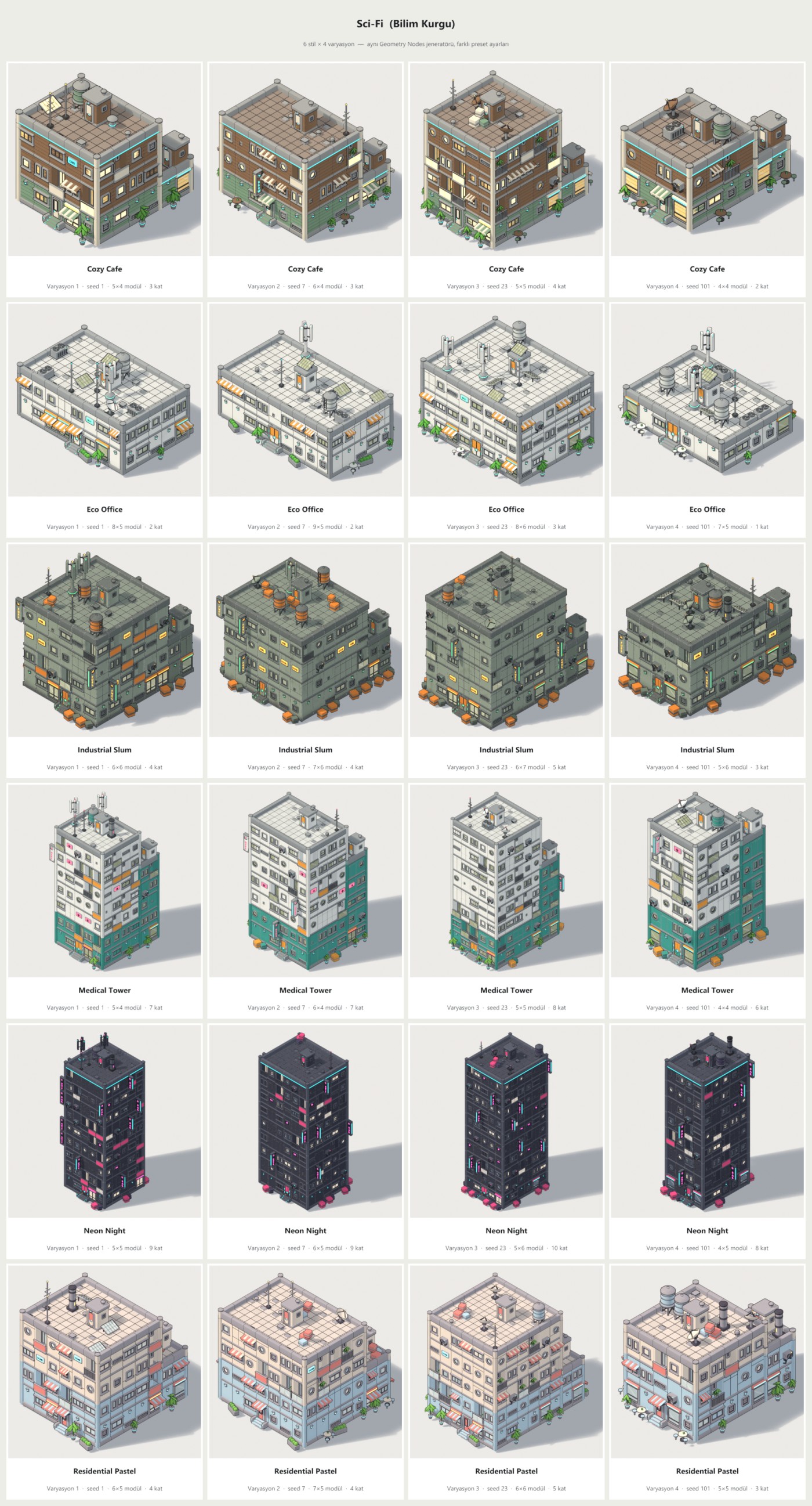
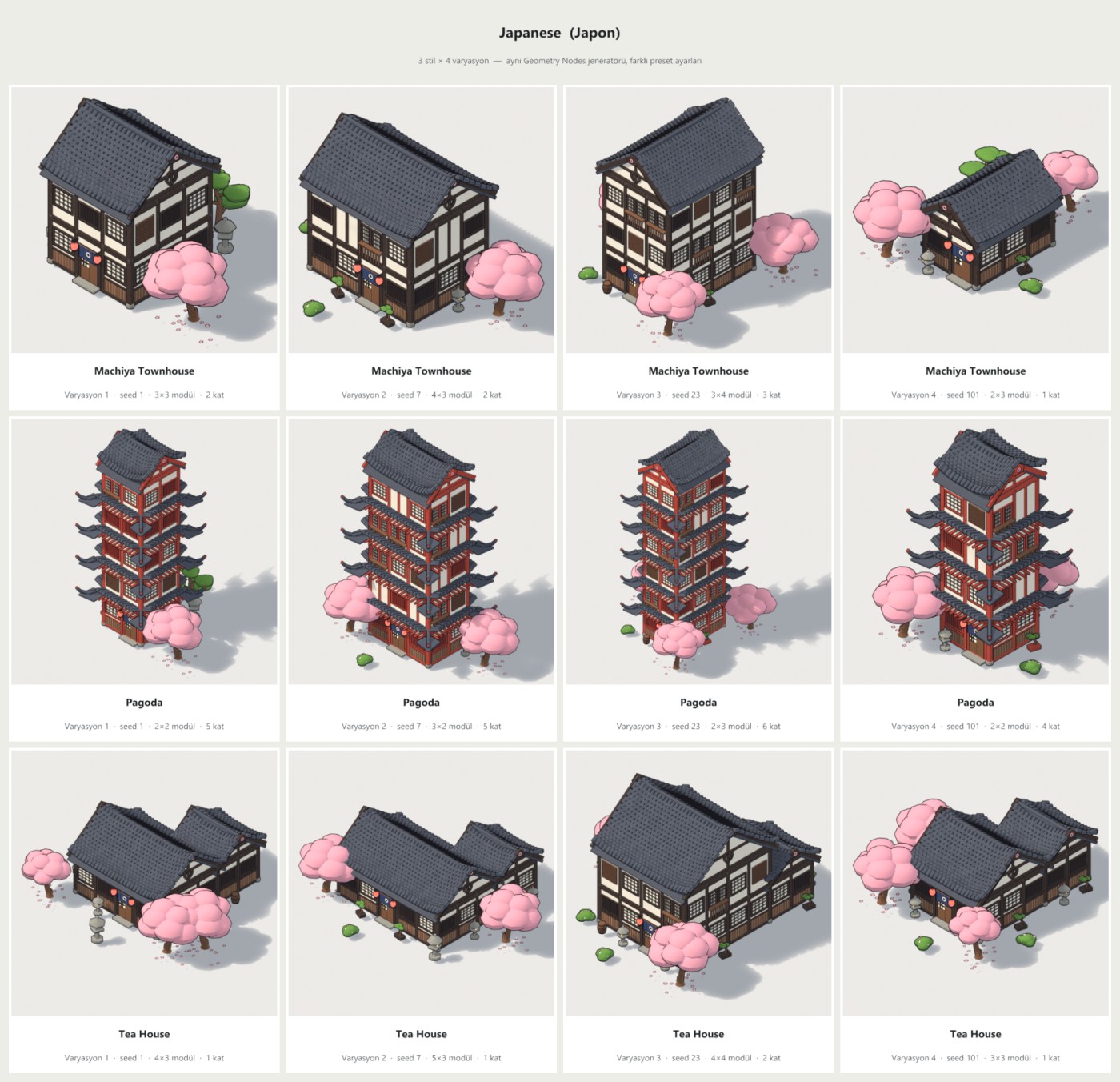
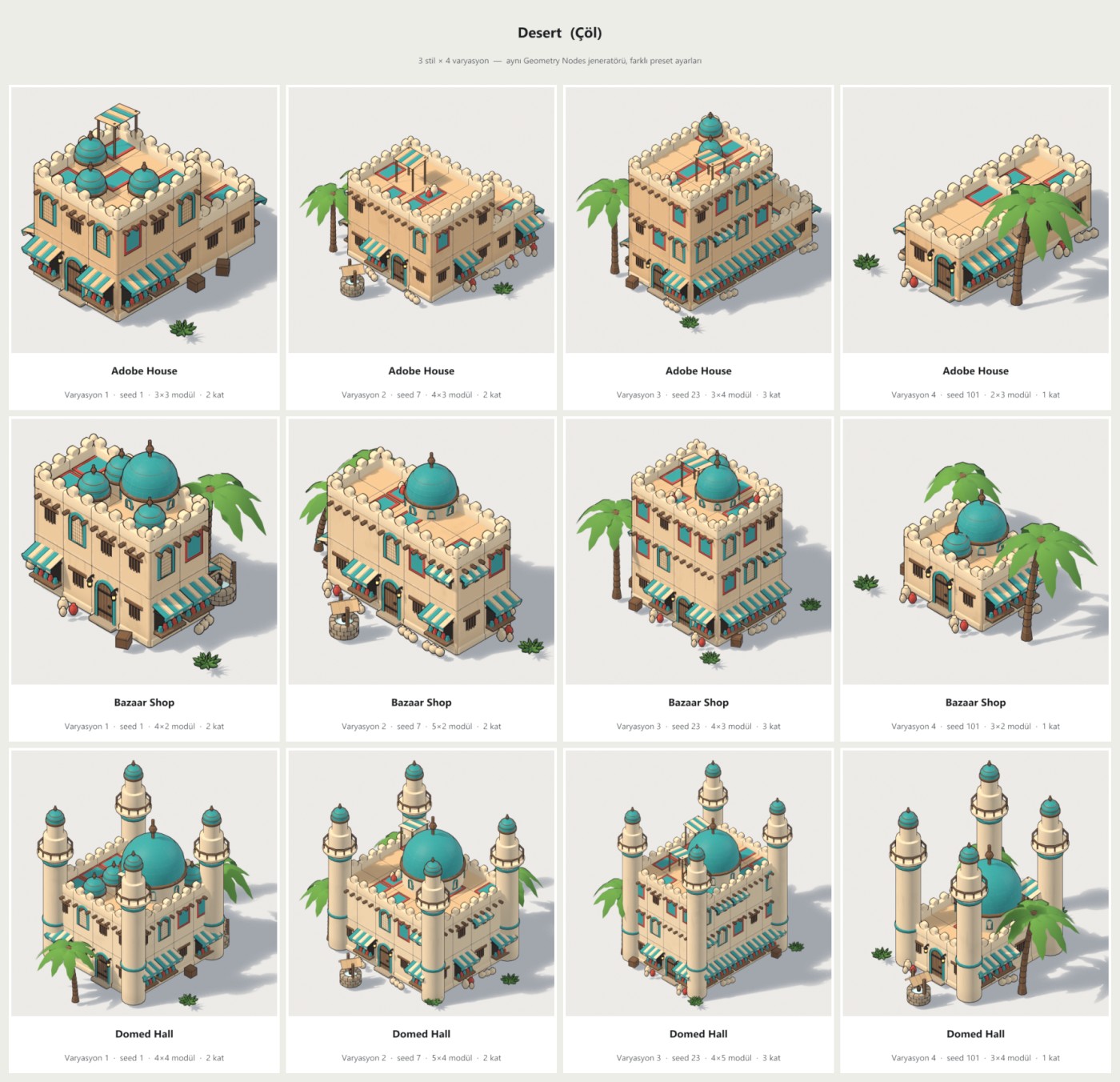
Random variations of every style — same generator, different seeds and sizes
Nature that makes it feel alive
Toon foliage with warm, bright tops and cool, darker undersides, a subtle colour shift on every plant, and noise-driven groves so parks get open lawns and shady corners.
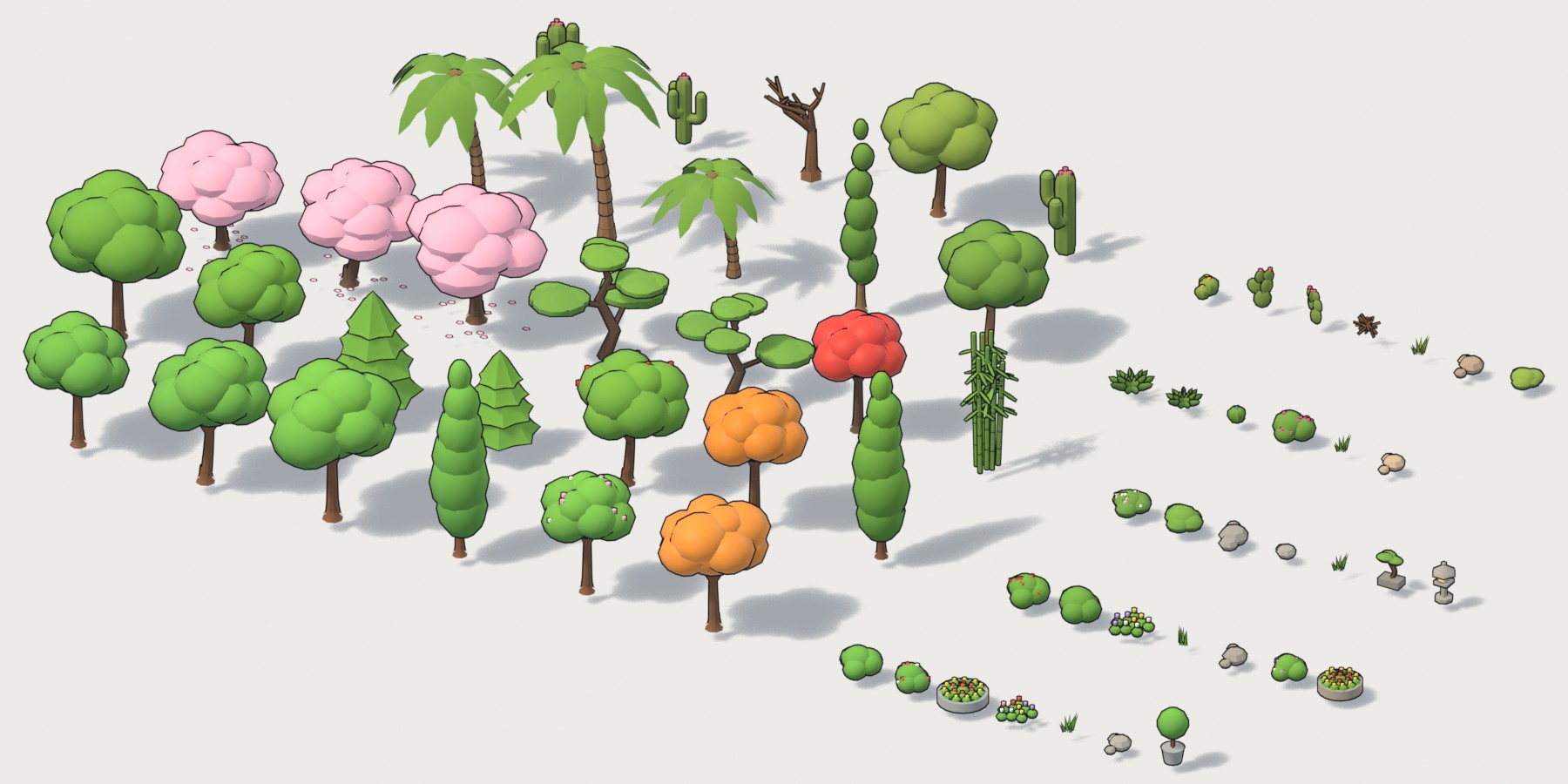
A slice of the plant library: one row per theme
Everything is a slider
| Panel | Inputs |
|---|---|
| Layout | Seed, Blocks X / Y, Plots X / Y, Plot Size, Street Width, Sidewalk Width |
| Buildings | Gardens, Parks, Frontage, Corner Turn, Size Variation, Floor Variation, Yard |
| Nature | Street Trees, Tree Spacing, Garden Trees, Bushes & Flowers, Plant Scale |
| Ground | Lane Lines, Crosswalks, Road Decals, Street Props, Diorama Base, Base Depth & Margin |
| Colours | Road, Sidewalk, Curb, Lot, Grass, Line, Plaza, Soil, Water, Terrain |
| Building styles | Seed, Width, Depth, Floors, Window Density, Props, Yard, Wing, Tower, Roof Props, Dormers, Chimneys, 13 colour roles, Window Glow, Grime |
| Look | Toon outline on / off, Outline Thickness |
What’s included
- Asset library
.blendwith 31 object assets and previews - Asset catalogs: one per theme, plus Cities
- The core SB Building Generator node group for your own kits
- Documentation (install, inputs, tips)
Requirements
- Blender 4.5 or newer (tested on 4.5 LTS and 5.2 LTS)
- Renders in EEVEE and Cycles
- No add-on, no Python, no internet connection
- Any system Blender runs on (plain .blend)
FAQ
No. Drag an asset in and use the sliders in the modifier panel. The node trees are open if you want to dig in.
Yes. Every one of the 24 styles is its own drag & drop asset.
Yes. Turn off Diorama Base and the city sits at street level on the object origin.
Apply the modifier to get a regular mesh with materials, ready to edit or export.
Add the SB Building Generator node group from the Core catalog and plug your own kit collections into its Kit inputs.
Build a whole town in seconds
24 buildings · 7 cities · 6 themes · fully procedural · drag & drop