Auto UV Unwrap

Part-aware seams, unwrap and packing in one click, with a live HUD that tells you how good the result really is. Not happy? One Ctrl+Z brings everything back.

Smart Parts engine 3 engines · 4 presets Live distortion HUD 100% offline
One click

Select. Click. Done.

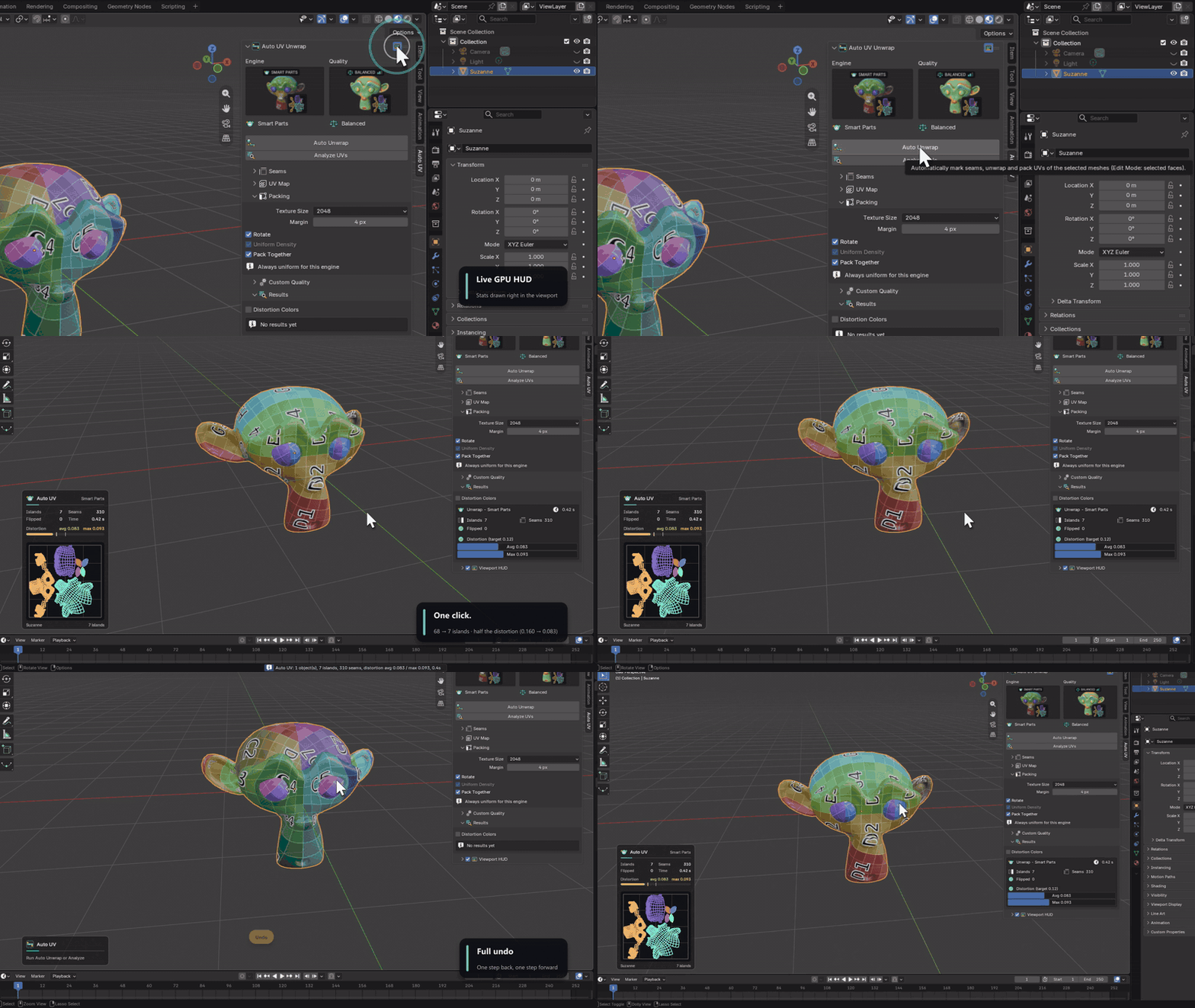
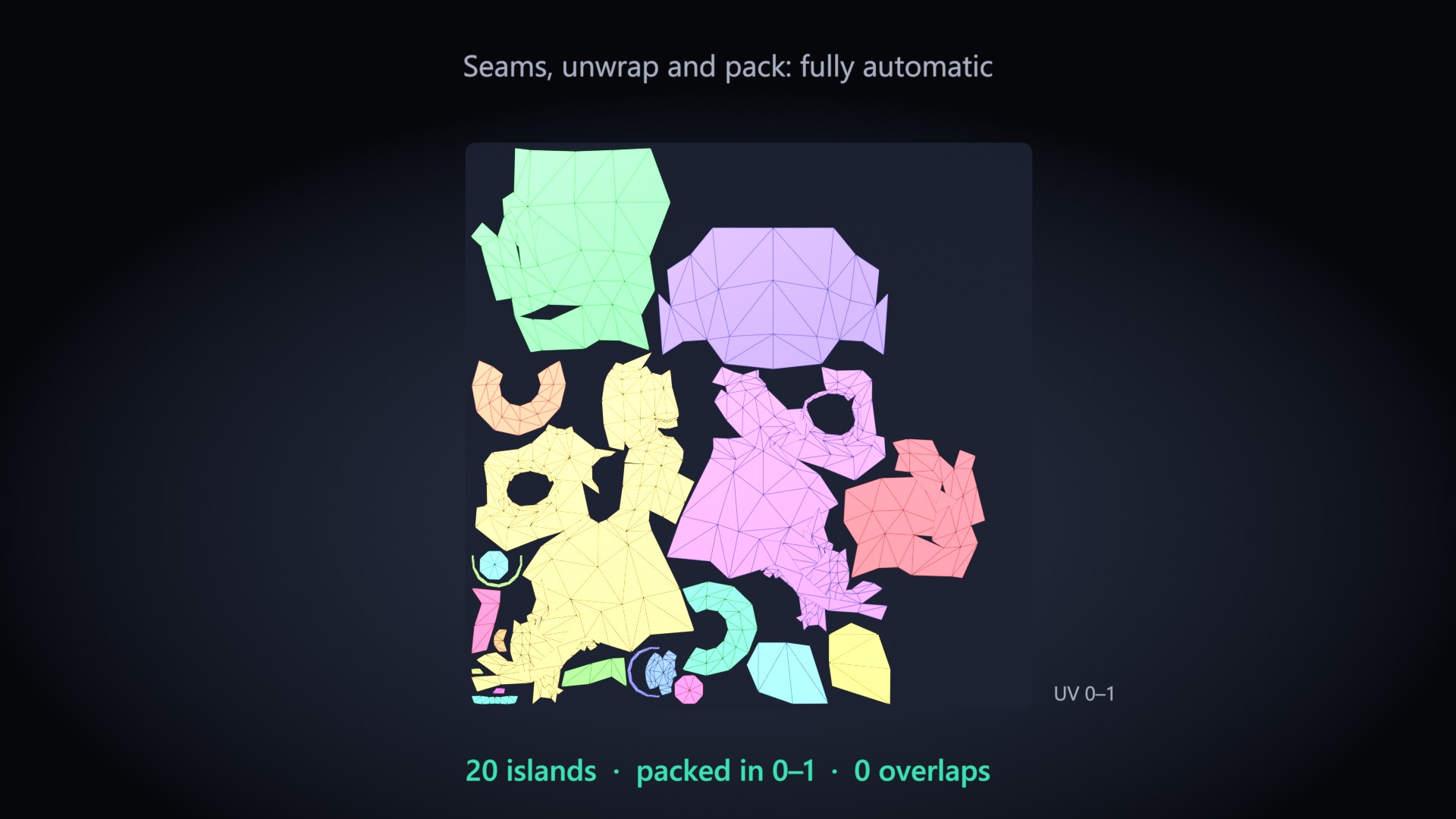
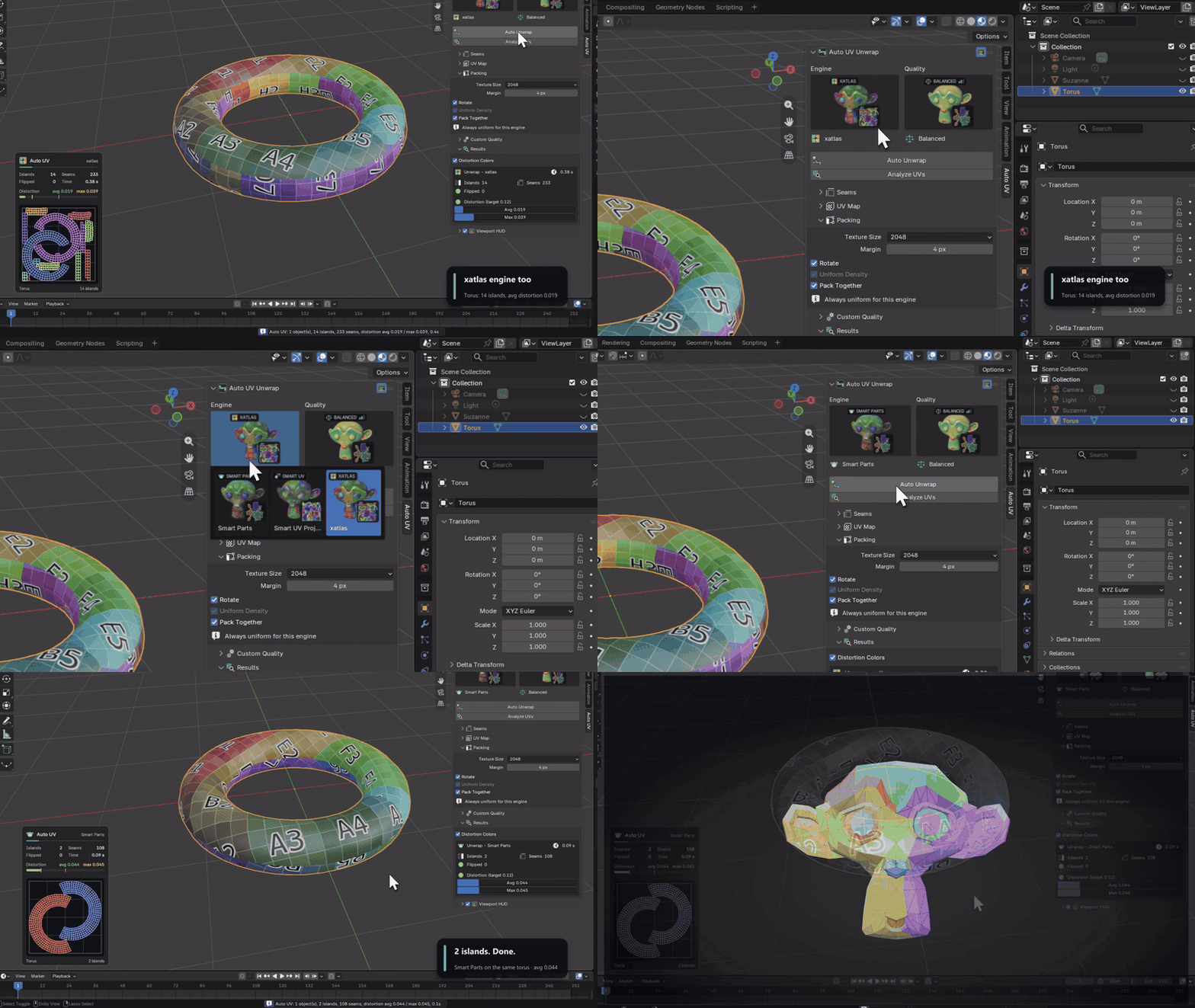
Auto UV marks the seams, unwraps every part and packs the islands into 0–1 in a single step. The result appears instantly in the viewport HUD and the Results panel.

Ctrl+Z undoes the whole operation at once: UVs, seams, selection and mode.

One click unwrap and one step undo
Better than Smart UV Project

Fewer islands. Less stretch.

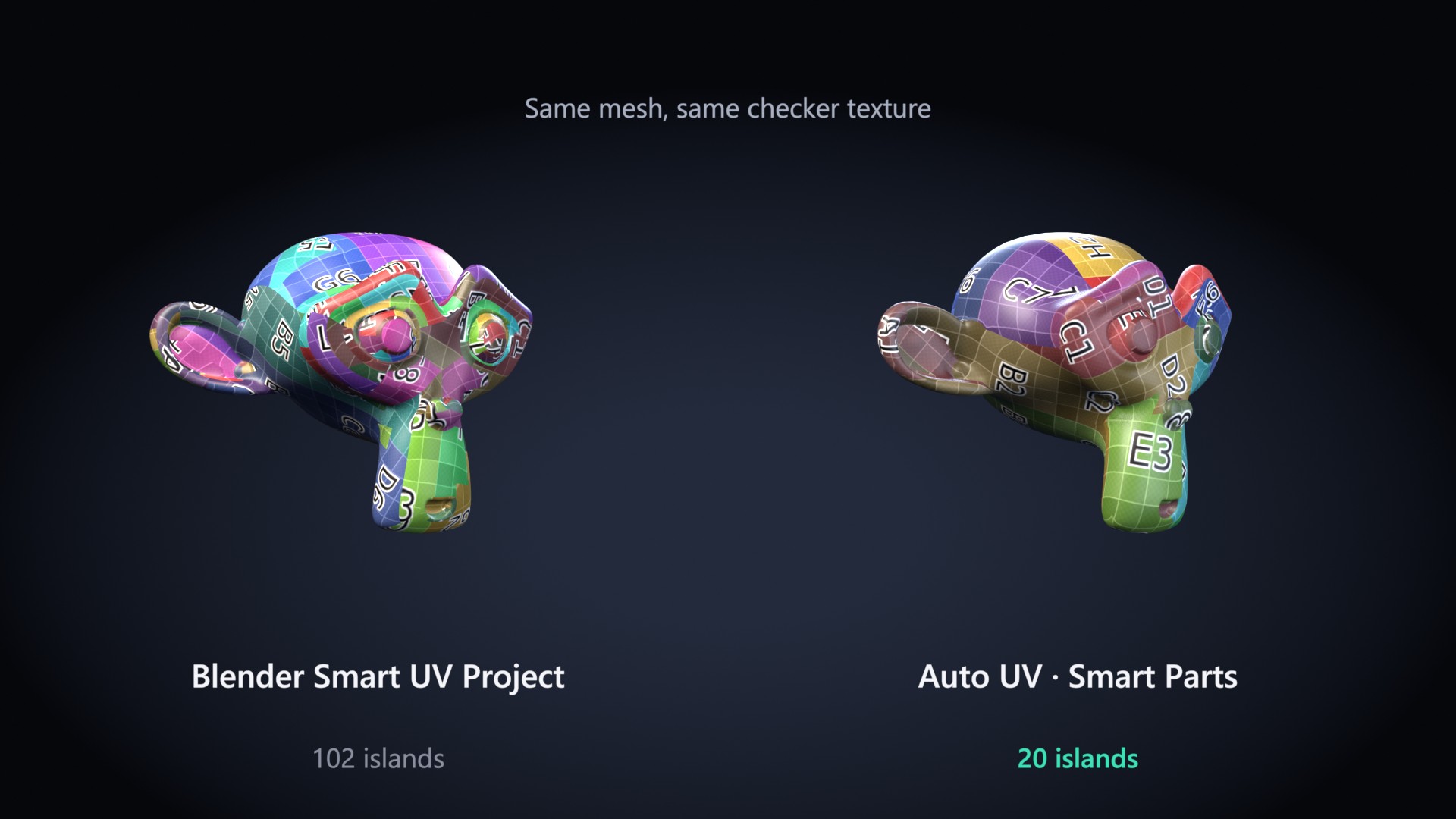
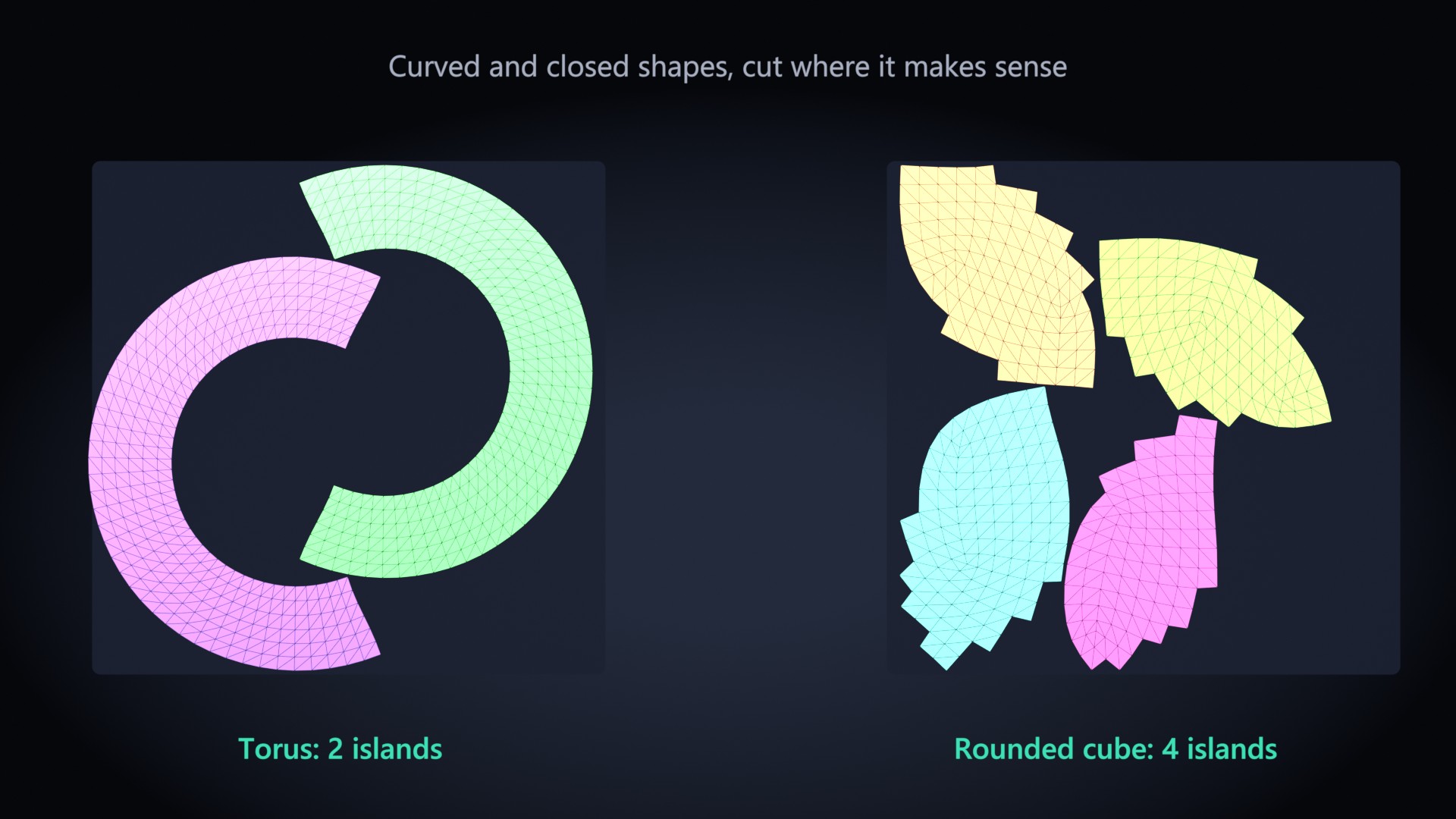
Smart UV Project cuts by angle only. The Smart Parts engine finds the real parts of your model first, flattens each one, measures the distortion and only cuts again where it is actually needed.

Blender Smart UV Project 102 islands versus Auto UV Smart Parts 20 islands
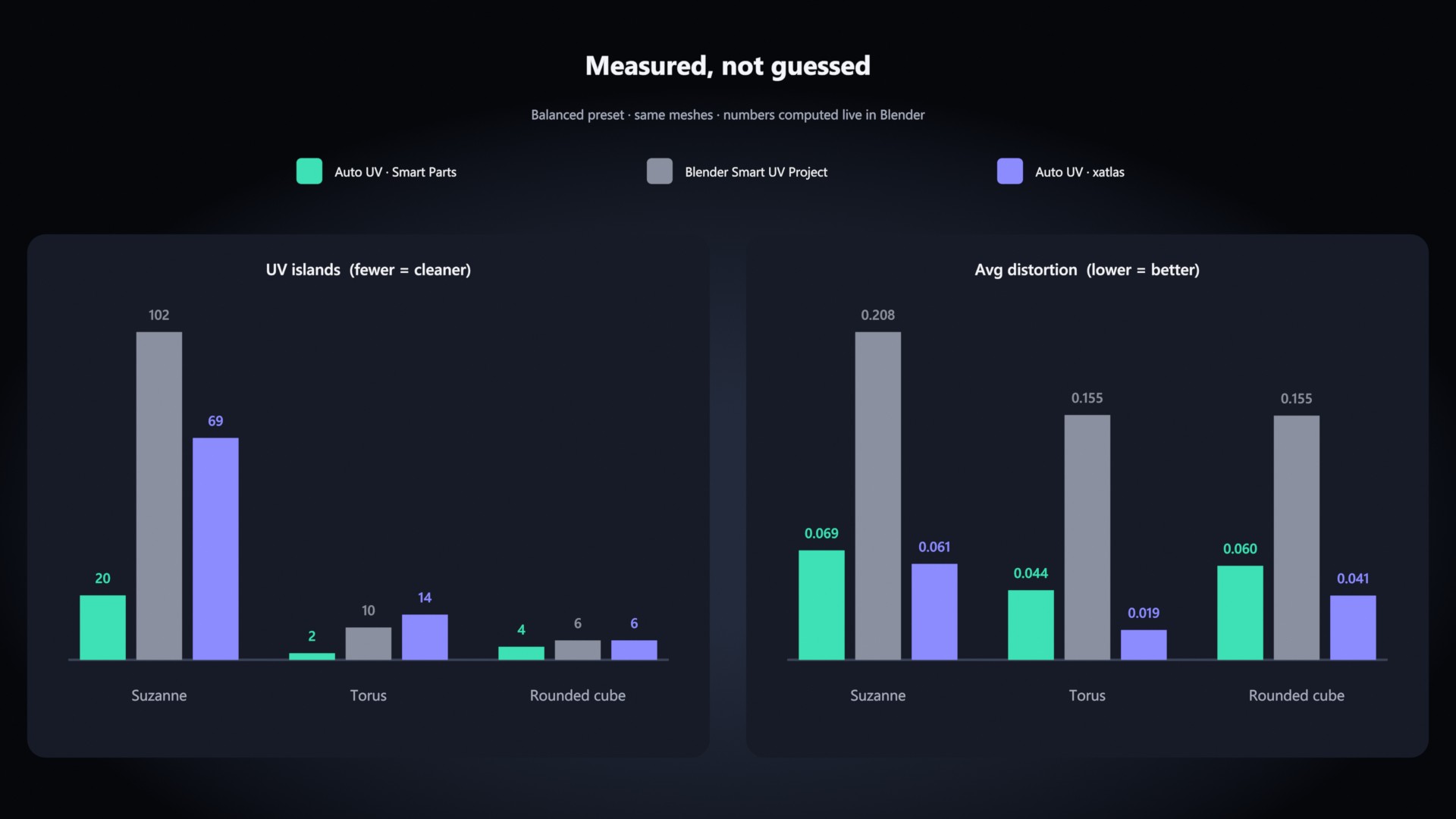
Mesh (Balanced)Blender Smart UV ProjectAuto UV · Smart Parts
Suzanne102 islands · avg 0.20820 islands · avg 0.069
Torus10 islands · avg 0.1552 islands · avg 0.044
Rounded cube6 islands · avg 0.1554 islands · avg 0.060

Average distortion, lower is better. All numbers computed live in Blender by the add-on.
Engines and presets

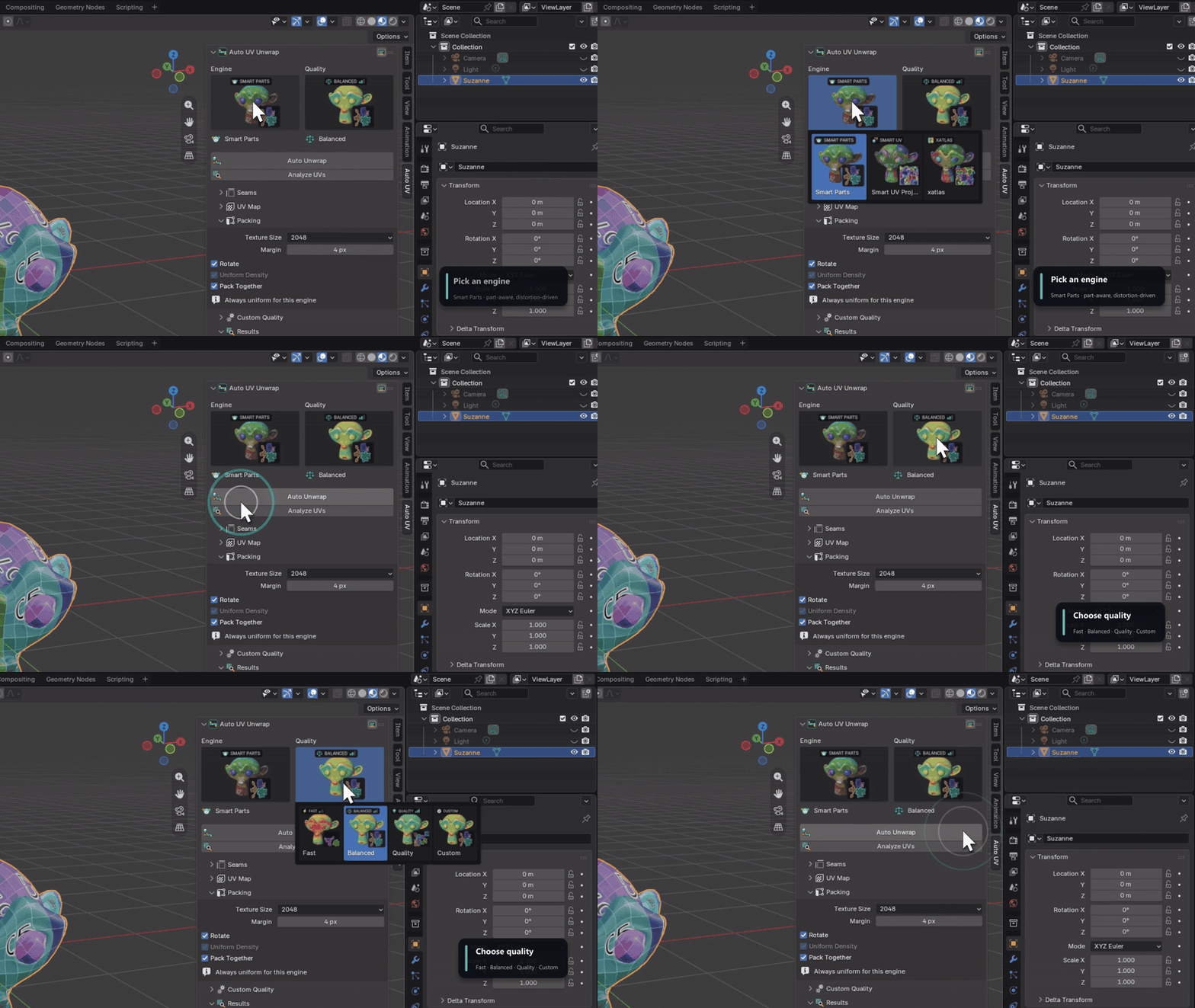
Pick an engine. Pick a quality.

  • Smart Parts: best quality, fewest islands
  • xatlas: bundled for every platform, nothing to install
  • Smart UV Project: Blender's own, as a quick baseline

Fast, Balanced, Quality, or Custom with your own distortion threshold, split depth, unwrap method and pack shape. Visual galleries show what you get before you click.

Engine and quality galleries
Live viewport HUD

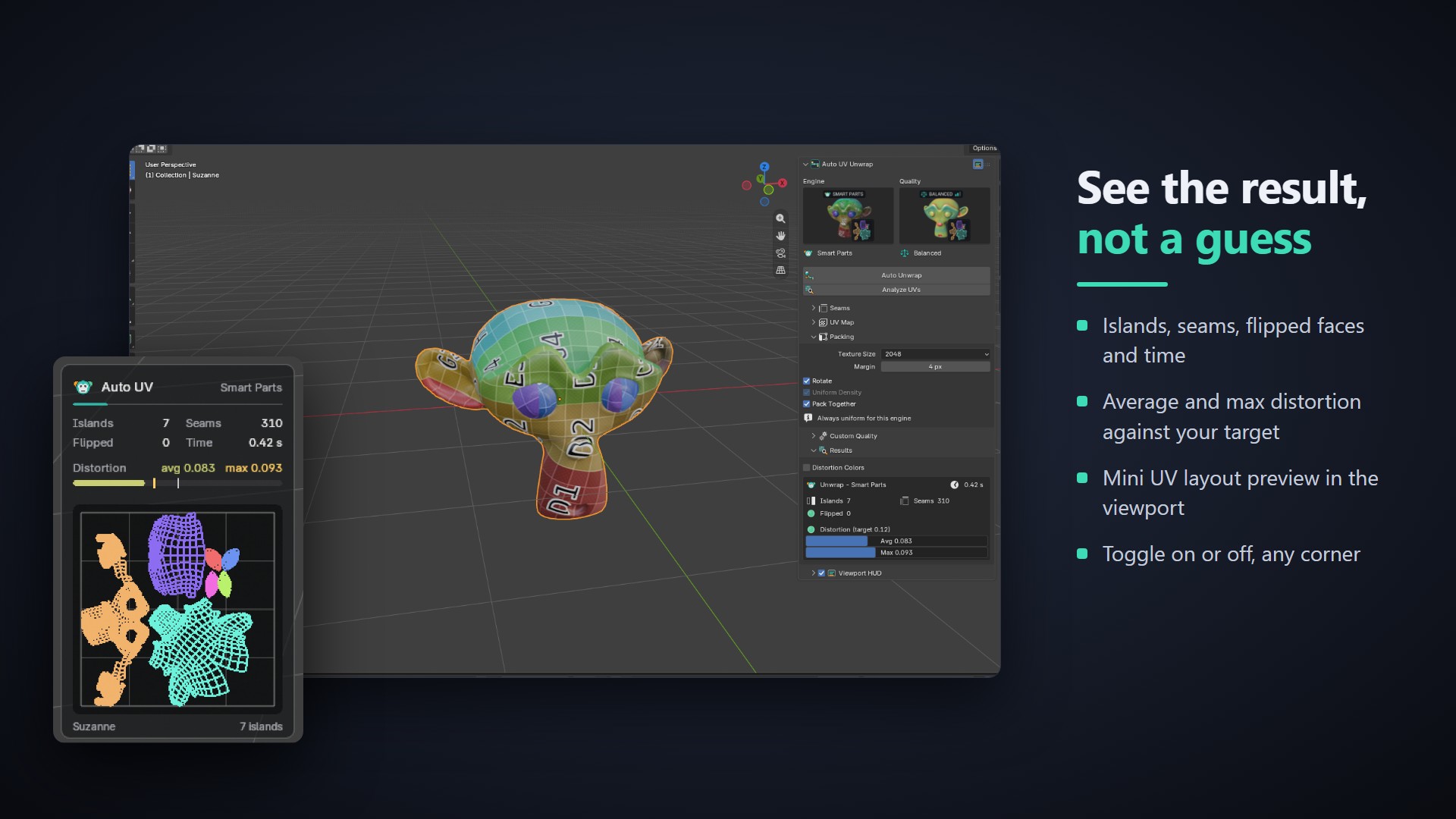
See the result, not a guess

  • Islands, seams, flipped faces and time
  • Average and max distortion against your target
  • Mini UV layout preview right in the 3D view
  • Toggle on or off, any corner
Viewport HUD
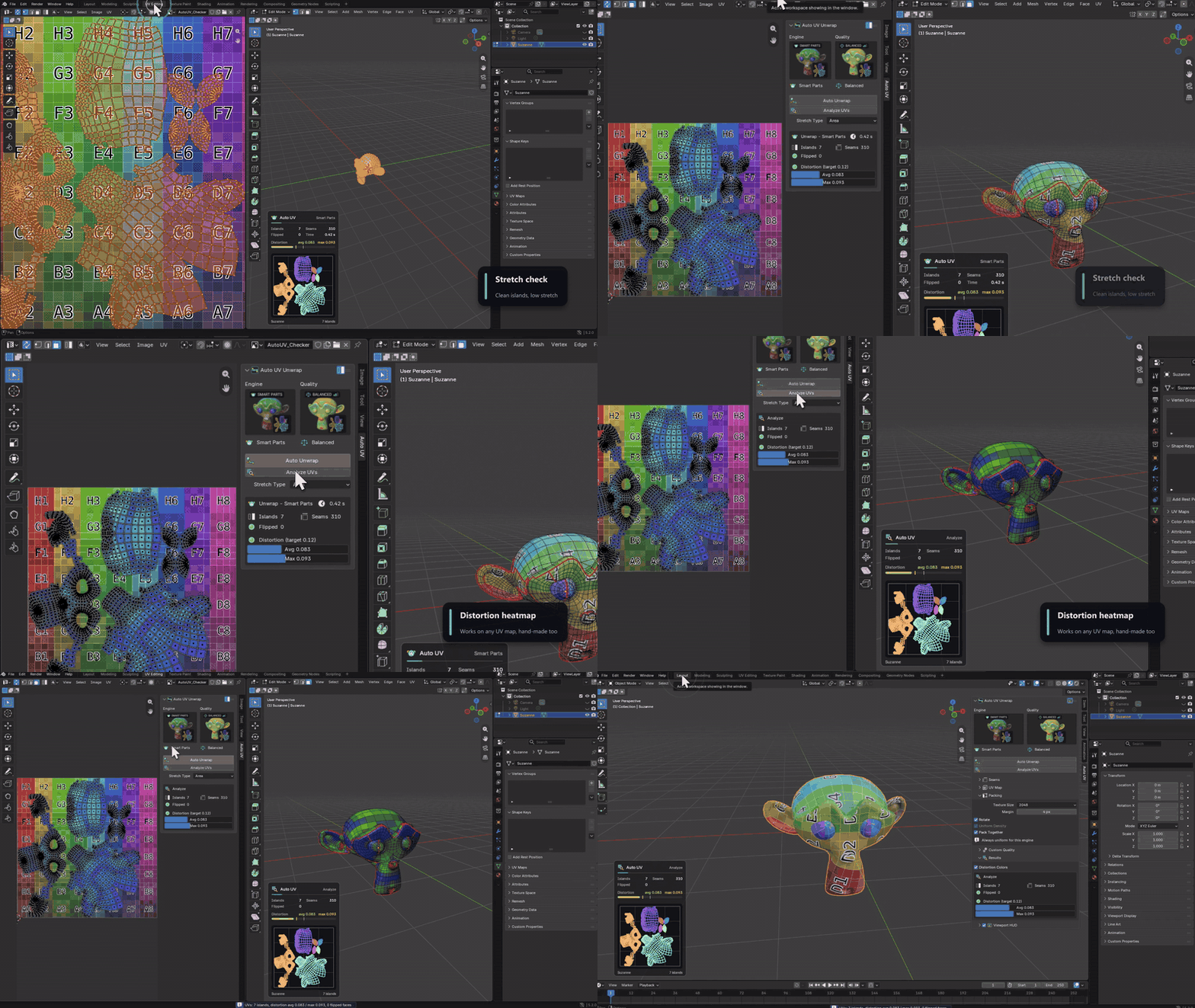
Analyze UVs

Check any UV map

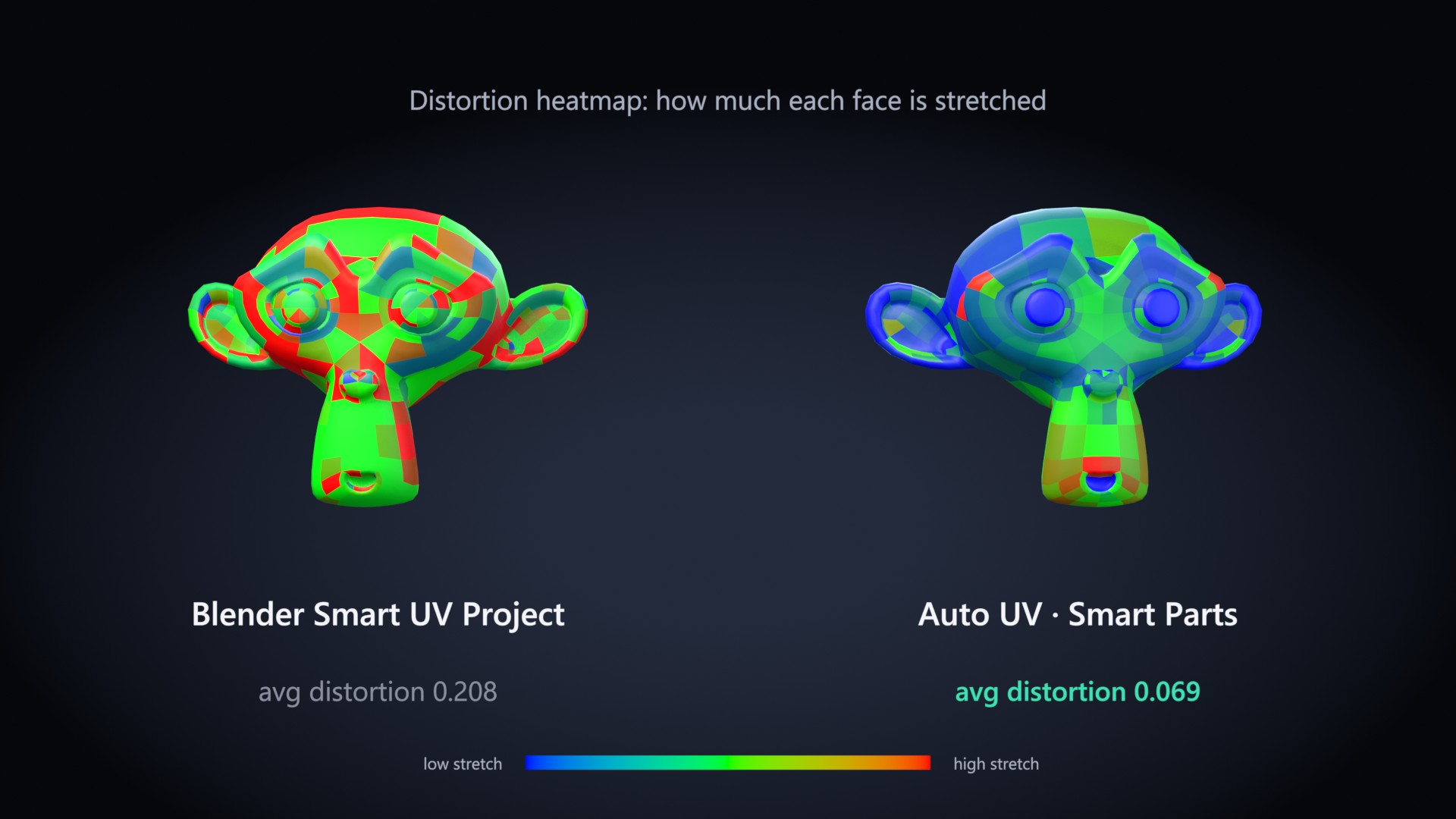
Measure UVs you made by hand or with another tool. Toggle Blender's stretch overlay from the panel, or write a distortion color attribute and see the stretch on the mesh as a heatmap.

Analyze UVs and distortion heatmap
Features

Everything you need, nothing you don't

Distortion-driven splitting

Charts above your target are cut and re-flattened; small leftovers merge back when the stretch allows.

Keep My Seams

Seams you marked yourself are always kept. Seams from a previous Auto UV run are replaced.

Smart packing

Packs into 0–1 with a pixel margin from your texture size (256 to 8K), with optional island rotation.

Many objects at once

Pack all selected objects into one shared UV space, or let each object fill 0–1 on its own.

Object or Edit Mode

Unwrap whole objects, or only the faces you selected in Edit Mode.

Where you need it

Sidebar N › Auto UV, the U menu, the UV Editor and the Object menu.

How it works

Four steps. One is a click.

  1. Select one or more meshes, or faces in Edit Mode.
  2. Open the Auto UV tab in the sidebar (N).
  3. Pick an engine and a quality preset, click Auto Unwrap.
  4. Read the HUD. Want something else? Ctrl+Z, change a setting, click again.
xatlas engine on a torus
Compatibility

Runs where you run Blender

Blender 4.2+tested on 4.5 LTS and 5.2
Windowsx64
macOSApple Silicon and Intel
Linuxx64