| File | What it is |
|---|---|
| FallingSand_GN.blend | The 2D pixel canvas (256 × 144 cells) with a demo level, emitters and five brushes. |
| FallingSand3D_GN.blend | The 3D voxel box (64 × 64 × 48 voxels) with a demo level, emitters, five brushes, ground, light and camera. |
Both files work in Blender 4.5 LTS and newer (tested with 4.5 and 5.2). There is nothing to install: the simulation is made of Geometry Nodes only. Each file contains a README text block (Scripting workspace or any Text Editor) with a short version of this page.
FallingSand_GN.blend or FallingSand3D_GN.blend. The viewport opens in Material Preview, looking through the camera.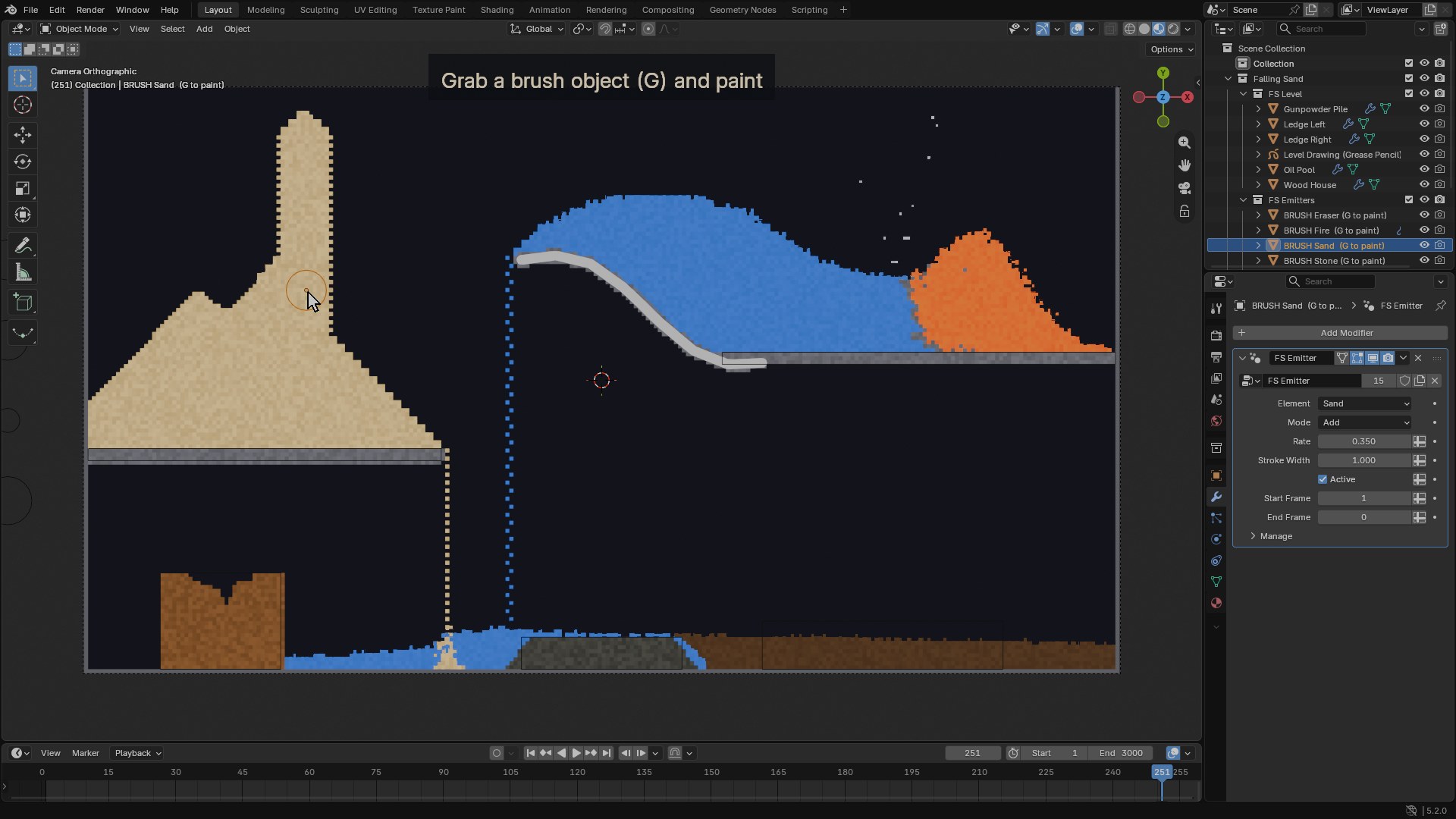
Each demo has five brushes parked next to the canvas or box: Sand, Water, Fire, Stone and Eraser. A brush is just an object in the Emitters collection with an FS Emitter modifier.
To change what a brush paints, open its FS Emitter modifier (Properties ▸ Modifiers) and change Element, Mode, Rate or the object's scale. Duplicate a brush (Shift+D) to make more.
The canvas (2D) and the box (3D) read two collections:
| Collection | When | Default element |
|---|---|---|
| Level | Stamped into the grid once, on the first frame. Use it for terrain, walls, pools and piles. | Stone |
| Emitters | Written into the grid every frame, between the emitter's start and end frame. | Sand |
Objects without an FS Emitter modifier use the default element. What counts as covered:
Positions are read relative to the canvas or box object, so you can move the whole setup around. In 3D every level object is tested on its own, so overlapping shapes stamp their exact union.
| Input | Default | What it does |
|---|---|---|
| Element | Sand | Sand, Water, Stone, Wood, Oil, Lava, Fire, Smoke, Steam, Acid, Gunpowder or Eraser (clears cells). |
| Mode | Add | Add fills only empty cells. Replace overwrites whatever is there. Level objects always replace. |
| Rate | 0.5 | Chance per covered cell per frame (0–1). Level objects ignore it and fill completely. |
| Stroke Width | 1.0 | Radius multiplier for curve and Grease Pencil strokes. |
| Active | On | Turns the emitter off without deleting it (can be keyframed). |
| Start Frame | 1 | First frame it emits. |
| End Frame | 0 | Last frame it emits; 0 keeps it emitting forever. The demo emitters stop after a few seconds so the scene settles. |
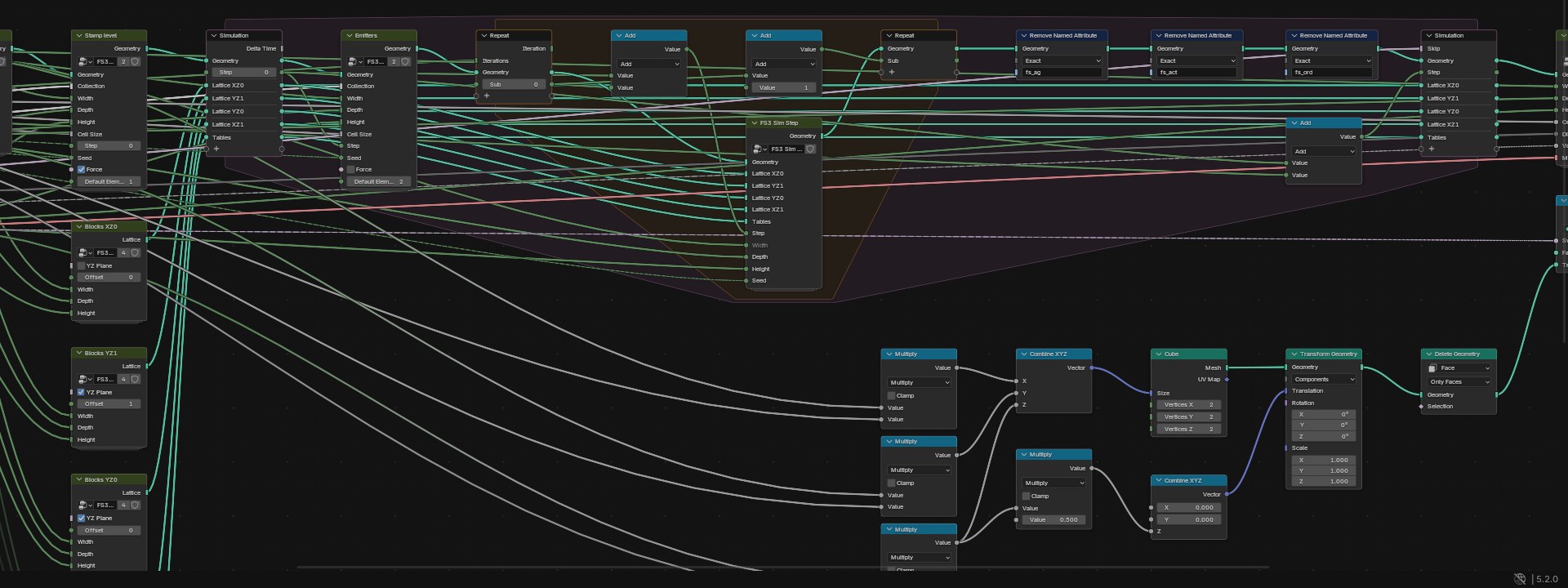
The FS Canvas object carries an FS Canvas Geometry Nodes modifier. It outputs a grid of faces in the XY plane, one face per cell, centred on the object, with the cell value in the face attribute fs_cell. The material FS Pixels turns that into colours.
| Input | Default | What it does |
|---|---|---|
| Width / Height | 256 / 144 | Cells across and up (4–4096, rounded up to even numbers). |
| Cell Size | 0.05 | Size of one cell in scene units. |
| Steps per Frame | 4 | Simulation steps per frame (1–64). More is faster motion and costs more time. |
| Seed | 0 | Changes the random choices; the same seed always gives the same result. |
| Level / Emitters | FS Level / FS Emitters | The two collections described above. |
| Solid Walls | On | Left, right and bottom edges are solid. Off: material falls out of the canvas. |
| Solid Ceiling | Off | Top edge is solid. Off: smoke and steam leave at the top. |
| Pause | Off | Freezes the simulation while the timeline keeps playing. |
| Material | FS Pixels | Material for the cells. |
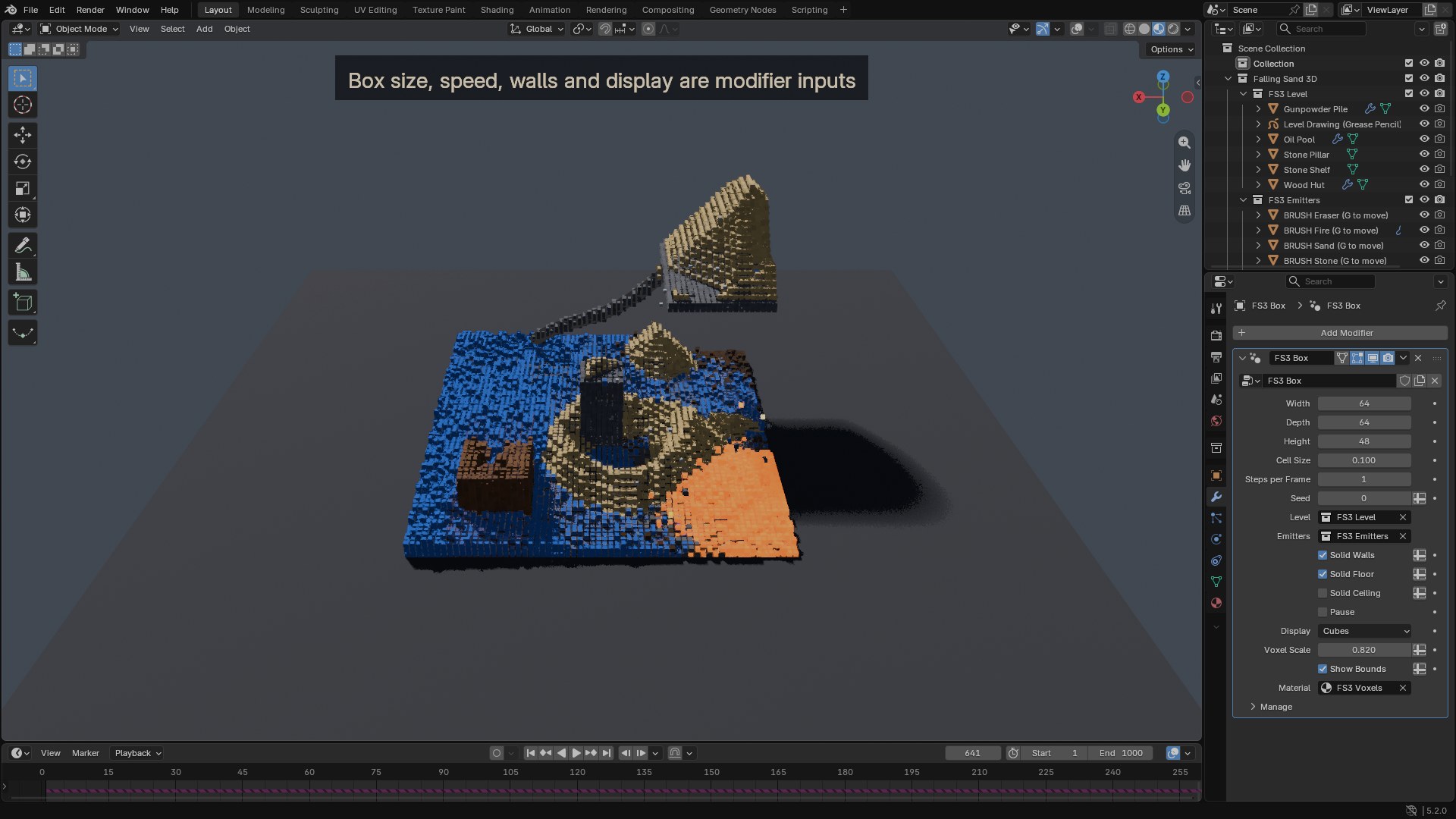
fs_init (element id per cell, x-major order), it is used as the start state.The FS3 Box object carries an FS3 Box modifier. The box is centred on the object in X and Y and starts at its origin in Z. The voxels live in a point cloud with the point attribute fs_cell; the display turns the visible ones into cubes that carry fs_cell as an instance attribute for the FS3 Voxels material.
| Input | Default | What it does |
|---|---|---|
| Width / Depth / Height | 64 / 64 / 48 | Voxels along X, Y and Z (2–1024, rounded up to even numbers). |
| Cell Size | 0.1 | Size of one voxel in scene units. |
| Steps per Frame | 1 | Simulation steps per frame (1–64). Each step moves things up to two cells. |
| Seed | 0 | Changes the random choices. |
| Level / Emitters | FS3 Level / FS3 Emitters | The two collections described above. |
| Solid Walls / Floor / Ceiling | On / On / Off | Which sides of the box are solid. Open sides let material fall or rise out. |
| Pause | Off | Freezes the simulation. |
| Display | Cubes | Cubes: instanced cubes on visible voxels. Points: a point cloud, lighter for big boxes. Raw: every voxel with its fs_cell, for your own node setups. |
| Voxel Scale | 1.0 | Shrinks the displayed cubes (0.05–1) for a grainier look. |
| Show Bounds | On | Draws the box edges in the viewport (they never render). |
| Material | FS3 Voxels | Material for the cubes or points. |
| Element | Moves | Reacts |
|---|---|---|
| Sand | Falls, slides off slopes, sinks through liquids. | Dissolved by acid. |
| Water | Falls and flows sideways, levels out. | Boils into steam next to lava (and slowly next to fire). Puts fire out. |
| Stone | Static. | Slowly dissolved by acid. |
| Wood | Static. | Catches fire from fire and lava, dissolved by acid. |
| Oil | Flows, floats on water. | Catches fire quickly. |
| Lava | A slow, heavy liquid. | Sets wood, oil and gunpowder on fire, boils water, turns into stone when it touches water. |
| Fire | Rises and flickers. | Burns out over time, mostly into smoke. Water turns it into steam. |
| Smoke | Rises and drifts. | Fades away. |
| Steam | Rises and drifts. | Condenses back into water or fades. |
| Acid | Flows like water. | Dissolves stone, sand, wood and gunpowder, and is used up doing it. |
| Gunpowder | Falls and piles like sand. | Flares up into fire very quickly, dissolved by acid. |
| Eraser | An emitter setting, not an element. | Clears the cells it covers (use Mode: Replace). |
The easiest way is to append the whole setup:
FallingSand_GN.blend (or the 3D file), go into Collection and append Falling Sand (or Falling Sand 3D). The canvas or box, its material, the level, the emitters and the brushes come with it.To start from scratch instead:
| Setup | Blender 5.2 | Blender 4.5 |
|---|---|---|
| 2D, 256 × 144, 4 steps | 12 ms per frame | 14 ms per frame |
| 2D, 512 × 288, 4 steps | 22 ms per frame | – |
| 3D, 64 × 64 × 48, 1 step, Cubes | 15 ms per frame | 16 ms per frame |
| 3D, 96 × 96 × 64, 1 step, Cubes | 31 ms per frame | – |
Simulation time only, measured without the viewport on a Ryzen 9 7950X. The time grows with the number of cells and with Steps per Frame. Empty space is cheap; the rules only run where something can change.
Like every simulation zone, the canvas keeps every played frame in memory so you can scrub back. It stores one value per cell per frame: about 150 KB per frame for the 256 × 144 canvas and about 1–3 MB per frame for the 64 × 64 × 48 box. Going back to frame 1 or changing a setting clears it. For long animations, bake to disk.
Each cell stores one integer: element + 16 × extra, where extra is a colour variation, a liquid's flow direction, or the remaining life of fire, smoke and steam.